


Setting up a high-refresh gaming monitor often brings an unexpected surprise when gameplay begins in complete silence. Many players unpack their display, connect an HDMI or DisplayPort cable, and quickly wonder why dialogue or background audio is missing. Asking whether does a samsung odyssey g5 have speakers is a common first step for new owners trying to determine if their hardware is malfunctioning. Understanding how monitor manufacturers approach desktop sound helps you plan the right setup without wasting time on dead ends.
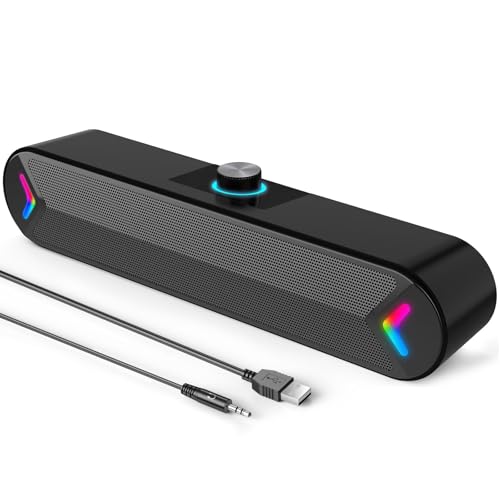
Modern gaming screens generally prioritize fluid visuals and panel responsiveness over built-in audio hardware. When you connect a PC or console, you might find that pairing your display with an external multimedia 2.1 speaker setup provides much better clarity than tiny internal monitor drivers could offer. Confirming your display’s audio port capabilities ensures you select the best cables and external gear. This guide covers how Samsung designed the Odyssey G5 audio system, what ports are available, and how to get clean sound for all your games.

Pros
- Clean, cable-free wireless synchronization with compatible soundbars
- Compact footprint that tucks away easily in small to mid-sized living rooms
- Significantly enhances movie rumble and bass presence over standalone soundbars
- Sophisticated, modern unibody build quality that hides in plain sight
Cons
- Strictly limited to compatible Samsung S-Series soundbar models
- Lacks standalone wired audio inputs like RCA or LFE for universal home theater receivers
- Compact 6.5-inch driver cannot fully pressurize very large, open-concept living spaces
The Samsung SWA-W510 is a specialized wireless companion subwoofer designed to address the chief limitation of slim soundbars: low-end depth. Tailored specifically for Samsung lifestyle models such as the HW-S60B, HW-S60D, HW-S61B, and HW-S50B, this unit adds visceral low-frequency impact without requiring complex AV receivers or thick speaker cables running along baseboards. For owners of compatible bars, it transforms polite, flat TV dialogue into a satisfying cinematic audio experience.
Setup is virtually invisible in day-to-day use. Once connected to wall power, the subwoofer pairs automatically with the host soundbar across a low-latency wireless frequency, allowing you to position it anywhere within your entertainment space. In practice, low-frequency sound effects and bass guitars gain tangible weight and warmth, while dialog clarity on the primary soundbar remains pristine and articulate.
Ultimately, the SWA-W510 represents a focused upgrade for listeners who prioritize clean aesthetics alongside balanced acoustics. If you already enjoy the minimalist design of your Samsung S-Series soundbar but miss the chest-thumping energy of a theater system, this dedicated subwoofer delivers the missing acoustic puzzle piece effortlessly.
Acoustically, the SWA-W510 utilizes a compact 6.5-inch active driver paired with a passive radiator to maximize low-frequency resonance from a small internal volume. This dual-element setup enables the subwoofer to reach noticeably deeper into the sub-bass frequencies than standard ported compact boxes, providing firm tactile punch for action movies and modern bass-heavy tracks.
By offloading the demanding low-frequency spectrum from your soundbar, the W510 allows the soundbar mid-woofers and tweeters to operate with improved clarity, reducing overall acoustic distortion at higher listening levels. Bass notes remain tight, rhythmic, and well-controlled, avoiding the muddy, lingering boominess that often plagues poorly tuned compact subwoofers in domestic environments.
The SWA-W510 features an understated unibody enclosure with smooth curved corners and a uniform dark finish that measures roughly 9.4 inches on all sides. Weighing just 14.1 pounds, the cabinet is remarkably solid and inert, which helps eliminate unwanted chassis vibrations and cabinet rattle during heavy output passages.
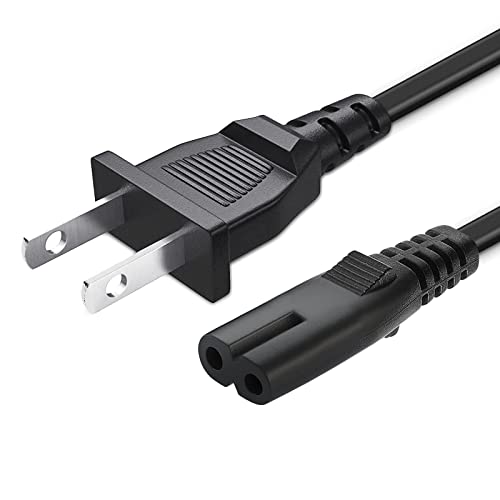
Hardware connectivity is purposefully streamlined to keep wire clutter to zero. There are no physical analog RCA inputs or optical jacks; connection to compatible Samsung soundbars is maintained through an integrated wireless receiver module. Power is supplied via a simple, detachable AC power cord, making placement as straightforward as finding an open wall outlet.

Pros
- Enveloping 3D spatial soundstage thanks to robust Wireless Dolby Atmos decoding
- Museum-quality exterior design that blends into contemporary living spaces
- Automatic acoustic room calibration corrects bass boom and mid-range clarity
- Extensive wireless interoperability across Apple, Google, and Amazon ecosystems
Cons
- Advanced features like Q-Symphony require a compatible modern Samsung TV
- Omits traditional 3.5mm analog or RCA inputs for wired turntables
- Upright profile requires adequate vertical clearance on shorter bookshelf shelves
The Samsung Music Studio 5 (HW-LS50H) represents a sophisticated evolution in smart home audio, combining museum-worthy styling with advanced spatial acoustics. Crafted in collaboration with renowned French designer Erwan Bouroullec, this sculptural wireless speaker delivers a tasteful visual presence that complements any console, credenza, or mantel. Beneath its refined exterior is an acoustic engine built to generate room-filling volume and sonic precision for discerning everyday listeners.
Where the Music Studio 5 sets itself apart is in its implementation of Wireless Dolby Atmos. Rather than projecting sound in a flat, directional beam like conventional compact smart speakers, the HW-LS50H throws wide, multidimensional audio with clear height cues. For homes already built around the Samsung ecosystem, the Q-Symphony feature lets you sync the speaker alongside compatible Samsung television speakers and soundbars, forming an immersive multi-channel soundstage that pulls viewers straight into movies and live performances.
Daily operation is remarkably fluid thanks to native integration with Apple AirPlay 2, Google Cast, and Amazon Alexa. Switching between high-resolution streaming services, podcasts, and smart home commands requires zero friction. The onboard SpaceFit Sound Pro calibration further streamlines setup by automatically analyzing room geometry and compensating for acoustic anomalies such as corner placement or resonant glass walls.
Ultimately, the Samsung Music Studio 5 hits a sweet spot between lifestyle luxury and audiophile-grade spatial performance. While users looking for analog connections for legacy gear may find its digital-only architecture limiting, listeners who desire high-fidelity streaming wrapped in an architectural showpiece will find it an outstanding investment.
The acoustic output of the Samsung HW-LS50H easily defies its self-contained footprint, delivering a balanced sound signature with energetic dynamics. The low end produces clean, tight punch without the loose mid-bass bloom that often muddies smaller smart speakers. Mid-range frequencies remain articulated and forward, giving vocalists, podcasts, and dialogue natural texture and clarity. High frequencies are crisp and spacious, allowing subtle percussive details and string decay to shine through without introducing ear fatigue at higher volumes.
A major acoustic highlight is the pairing of Wireless Dolby Atmos and SpaceFit Sound Pro. Onboard acoustic sensors measure how sound waves reflect off your walls and ceilings, continuously equalizing output to optimize sweet-spot imaging. The resulting soundstage is remarkably broad and dimensional, presenting distinct instrument separation that makes standard stereo tracks and spatial master recordings feel live and breathing within the room.
Standing 11.18 inches high, 9.88 inches wide, and 5.39 inches deep, the Music Studio 5 commands a solid presence backed by a sturdy 5.29-pound weight that keeps cabinet resonance to an absolute minimum. Erwan Bouroullec's influence is evident in the refined dot matrix detailing and clean geometric proportions, transforming a piece of consumer audio equipment into an artistic focal point. Its matte black exterior integrates effortlessly alongside high-end interior furnishings.
Hardware connectivity centers on modern wireless convenience, driven by high-bandwidth dual-band Wi-Fi and Bluetooth. The device easily syncs with modern casting platforms, allowing uncompressed digital streams from iOS and Android devices alike. Because it runs on steady AC power rather than an internal battery, the HW-LS50H delivers consistent dynamic headroom and uninterrupted output throughout all-day listening sessions.
Pros
- Exceptional dialogue clarity that eliminates the need to constantly adjust volume during movies
- Expansive horizontal soundstage created by side-firing Acoustic Beam horns
- Built-in Alexa and AirPlay 2 deliver top-tier smart speaker and streaming functionality
- Compact, elegant aesthetic that complements modern interior decor
Cons
- Lacks visceral sub-bass depth due to the absence of an included standalone subwoofer
- Light gray fabric wrapping requires careful maintenance to keep dust- and stain-free
- Physical connectivity is limited to essential HDMI ARC and optical ports
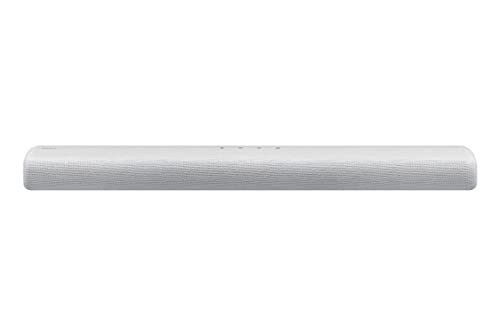
The Samsung HW-S61A S-Series soundbar provides a stylish, single-piece audio upgrade for televisions with weak integrated speakers. Designed as a complete 5.0-channel system within one enclosure, it targets minimalist living spaces, bedrooms, and apartment dwellers who want immersive sound without the visual clutter of satellite speakers and bulky subwoofers.
In real-world everyday television viewing, the S61A immediately distinguishes itself through its vocal clarity. Thanks to the dedicated center channel, hushed film dialogue and rapid-fire sports commentary cut cleanly through loud sound effects and background scores. You will spend far less time reaching for the remote to toggle volume between conversational scenes and explosive moments.
The inclusion of built-in Amazon Alexa and Apple AirPlay 2 transforms this soundbar into a capable living room jukebox even when the television is switched off. Streaming your favorite music playlists across your home Wi-Fi network happens with low latency, and sensitive far-field microphones pick up voice commands reliably across the room.
Ultimately, the Samsung HW-S61A is an outstanding choice for buyers who prioritize crisp audio, modern smart conveniences, and refined aesthetics. While dedicated home theater bass heads may miss the rumble of a discrete sub, this bar delivers a balanced, lifestyle-friendly acoustic presentation that punches well above its compact footprint.
Acoustically, the HW-S61A shines across the midrange and treble registers. Samsung utilizes proprietary Acoustic Beam technology, employing dual side-firing horn speakers equipped with precise acoustic holes that act as directional tweeters. This design deflects sound along your side walls to create an expansive, room-filling sound field that stretches far beyond the physical boundaries of the soundbar.
Vocal delivery is anchored firmly in the center, lending films and podcasts an articulate, natural tonality without high-frequency sibilance. The acoustic tuning prioritizes clarity and instrument separation, allowing background textures in movies and songs to emerge with noticeable precision.
Low-end reproduction relies on integrated dual woofers. While it provides satisfying mid-bass punch for television programming, news, and acoustic tracks, it cannot replicate the deep, sub-audible low rumble needed for blockbuster cinema explosions. Those seeking chest-thumping bass can expand the system later with an optional compatible wireless subwoofer, but as a standalone unit, it remains tuned for clarity and balanced listening.
Measuring approximately 30 inches in width and under 3 inches tall, the HW-S61A slides neatly beneath modern television screens without blocking bottom bezels or IR remotes. Rather than relying on cold metal mesh or utilitarian black plastic, Samsung cloaked the chassis in a premium light gray acoustic fabric, giving it the look of contemporary Scandinavian home furniture.
Connectivity options are streamlined and user-friendly. The rear input bay features an HDMI ARC port for straightforward single-cable connection to modern displays, as well as an optical digital audio input for legacy setups. Power is supplied via an external AC adapter, keeping the internal chassis dedicated entirely to speaker chambers and digital processing hardware.
Wireless connectivity is where the soundbar truly excels. Equipped with both Wi-Fi and Bluetooth, it supports smooth wireless synchronization with compatible Samsung TVs, zero-loss AirPlay 2 casting from Apple devices, and full Alexa voice assistant functionality right out of the box.

Pros
- Blazing 180Hz refresh rate and 1ms response time ensure competitive responsiveness
- Vibrant 27-inch QHD Fast IPS display provides crisp visuals and wide viewing angles
- Robust ergonomic stand offers full height, tilt, swivel, and 90-degree pivot adjustment
- Integrated 3.5mm audio jack allows low-latency sound routing directly to headsets or desktop monitors
- Eye Saver Mode and flicker-free technology effectively reduce fatigue during long sessions
Cons
- Lacks integrated internal stereo speakers, requiring an external audio solution
- VESA DisplayHDR 400 provides entry-level dynamic range compared to full-array local dimming panels
- Wide stand base requires moderate desk depth for optimal placement
The Samsung 27-Inch Odyssey G50D (LS27DG500ENXZA) establishes itself as a versatile centerpiece for modern desktop battlestations, bridging competitive esports performance with crisp multimedia reproduction. Designed primarily for PC gamers and media enthusiasts, this monitor combines a high-density Quad HD (2560x1440) resolution with a Fast IPS panel. The result is a sharp, vibrant canvas that renders games and streaming content with 1.7 times the pixel detail of conventional 1080p displays while preserving color accuracy across ultra-wide 178-degree viewing angles.
In real-world testing, the Odyssey G50D excels where speed matters most. Featuring a rapid 180Hz refresh rate and an authentic 1ms gray-to-gray (GtG) response time, the panel handles rapid camera pans and high-velocity gameplay with outstanding clarity. Fast-moving targets remain sharp without the smearing or ghosting artifacts commonly associated with older display tech. Both NVIDIA G-Sync compatibility and AMD FreeSync support operate reliably, syncing the panel refresh rate directly with your GPU to eliminate screen tearing and minimize stutter during demanding action sequences.
Visual depth receives a notable boost from VESA DisplayHDR 400 certification, which enhances dynamic contrast by opening up shadow details and boosting peak highlights. While it does not match high-end OLED contrast ratios, it produces punchy whites and well-defined shadow gradations that help spot opponents hiding in dark corridors. Samsung has also incorporated Eye Saver Mode and flicker-free backlighting, ensuring that marathon gaming, editing, or listening sessions remain comfortable and strain-free.
Ultimately, the Samsung Odyssey G50D provides exceptional value for PC gamers and multimedia creators seeking a balanced, high-performance display. Its combination of swift 180Hz motion handling, detailed QHD clarity, versatile ergonomics, and clean audio routing makes it an easy recommendation for any dedicated gaming or desktop workstation.
While the Samsung Odyssey G50D focuses primarily on visual speed, its acoustic integration plays a key role in complete desktop immersion. Instead of relying on compromised internal speakers that typically suffer from tinny highs, hollow midrange, and absent bass, the monitor routes incoming digital audio from HDMI and DisplayPort directly to a dedicated 3.5mm stereo output. This clean signal path delivers uncompressed, low-noise audio to external powered speakers or reference headphones, preserving the natural frequency response, dynamic impact, and crisp treble of your source material.
Low-latency audio-visual synchronization is critical for competitive gaming, and the G50D delivers on this front. Because audio passthrough operates in lockstep with the monitor's 180Hz refresh rate and 1ms pixel transition speed, positional audio cues match onscreen action instantaneously. Footsteps, bullet trajectory, and environmental sound effects align perfectly with visual cues, allowing external sound systems to project an accurate, expansive soundstage with pinpoint stereo separation and realistic depth perception.
Acoustic performance also benefits from the monitor's silent engineering. Samsung utilizes an efficient passive cooling architecture that eliminates internal fans and coil whine. Operating in absolute silence, the G50D maintains an ultra-low acoustic noise floor on your desk, ensuring that sensitive studio microphones and open-back audiophile headphones pick up only pure sound without background electrical hum or mechanical whirring.
The Samsung Odyssey G50D features a refined, utilitarian design dressed in a clean matte-black finish that fits seamlessly into both professional workspaces and aggressive gaming battlestations. The monitor measures 24.1 inches wide, 10.4 inches deep, and 21.7 inches high with the stand extended, weighing a solid 14.1 pounds. Ultra-slim bezels on three sides maximize screen real estate, making the display an ideal candidate for multi-monitor setups. Its robust, fully ergonomic stand provides extensive physical adjustments, including height adjustment, tilt, swivel, and full 90-degree pivot for vertical orientation, alongside standard 100x100mm VESA mount compatibility.
Connectivity options are thoughtfully arranged on the rear I/O panel. The monitor is equipped with DisplayPort 1.2 and HDMI 2.0 inputs to support high-bandwidth 180Hz QHD gaming from high-end graphics cards, gaming consoles, and secondary media streaming devices. Directly adjacent is the 3.5mm audio passthrough port, allowing users to neatly route sound straight into desktop bookshelf speakers or studio headphone amplifiers without messy cable runs back to the PC tower.
Power delivery is handled through an external DC power brick, a design choice that keeps heat generation away from the panel while minimizing electrical noise interference across the video and audio circuitry. Energy-efficient backlighting keeps power consumption modest, while Samsung's Eye Saver software tools and flicker-free DC dimming ensure stable brightness levels without annoying pulse-width modulation flicker.
Samsung Odyssey G5 Audio Capabilities and External Sound Solutions
The direct answer to whether the display has integrated sound is simple: the Samsung Odyssey G5 does not have built-in speakers. Every major version in this lineup, including the G50D series, curved G55A, and earlier G5 variants, ships without internal speaker drivers. The monitor does, however, provide a 3.5mm audio headphone jack on the rear panel. This connection allows the screen to receive digital audio from your video cable and pass it along to external sound gear.
Why Samsung Omits Internal Speakers on the Odyssey G5
Gaming monitor engineering focuses on specific performance metrics that appeal directly to players. Displays like the SAMSUNG 27-Inch Odyssey G50D Series QHD Fast IPS prioritize rapid 180Hz refresh rates, a 1ms response time, and AMD FreeSync synchronization. Integrating miniature speaker cones inside the chassis would add manufacturing expense, increase bulk, and generate unnecessary internal heat.
Another primary reason for leaving out internal sound is user preference. Competitive gamers, streamers, and everyday desktop users rarely rely on monitor audio because tiny internal speakers produce weak, tinny sound with almost zero bass. Most desktop gamers prefer using closed-back headsets for precise spatial audio or dedicated desktop speakers for music and video playback.
Omitting speakers also simplifies chassis design around the rear ports and mounting brackets. The Odyssey G5 series utilizes slim bezels and compact housings that make multi-monitor arrangements easier to position on a desk. Removing internal driver cavities allows the housing to remain structurally rigid while maintaining ventilation for high-speed display processors.
Understanding the 3.5mm Audio Pass-Through Port
Looking at the rear connectivity panel of the Odyssey G5 reveals standard video inputs alongside a 3.5mm stereo output jack. Many users mistake this connection for an audio input or assume the monitor will make sound simply because the port exists. In reality, this port is strictly an analog audio pass-through output designed for headphones or powered desktop speakers. It takes the digital audio signal sent across your HDMI or DisplayPort connection, converts it, and outputs a standard stereo signal.
Because this port outputs an unamplified line-level signal, it cannot power passive speaker cabinets. Connecting bare speaker wire or unpowered bookshelf speakers will result in either complete silence or barely audible sound. You must use active sound equipment that contains its own internal amplifier and power cord.
Using the monitor pass-through connection can help streamline cable management on your desk. Connecting your external sound gear directly to the monitor allows a single video cable from a game console or laptop to carry both picture and sound. This configuration means you do not need to swap audio cables whenever you toggle between different input sources.
Configuring Audio Settings on Your PC or Console
Getting sound through your external speakers requires proper configuration on your operating system or gaming console. When you connect an Odyssey G5 via HDMI or DisplayPort, Windows automatically registers the display as an available sound output device. You must click the audio icon in your taskbar and select the Samsung monitor or your graphics card audio driver as the default playback device.
Console users on PlayStation 5 or Xbox Series X must also check their platform settings. Ensure the console audio output is set to HDMI and configure the audio format to linear PCM for stereo gear. Bitstream formats like Dolby Digital or DTS can sometimes cause silence or digital stuttering if the monitor DAC cannot decode multi-channel streams.
The Odyssey G5 also includes its own internal volume control inside the on-screen display menu. Using the directional joystick beneath the center of the bottom bezel, open the monitor menu and navigate to the audio settings. If the monitor volume is set to zero or muted, no sound will pass to your external equipment regardless of your Windows volume slider. Raising the monitor volume to a moderate level ensures a clean, unclipped signal reaches your external amplifier.
Connecting External Powered Desktop Speakers
Adding a dedicated pair of powered desktop speakers is one of the easiest ways to bring full, rich audio to an Odyssey G5 setup. Standard computer speakers include their own internal amplifier, volume control, and power supply. You simply run a 3.5mm auxiliary cable from the monitor audio-out jack into the auxiliary input of your speaker system. This setup delivers crisp stereo separation for listening to games, music, and streaming video.
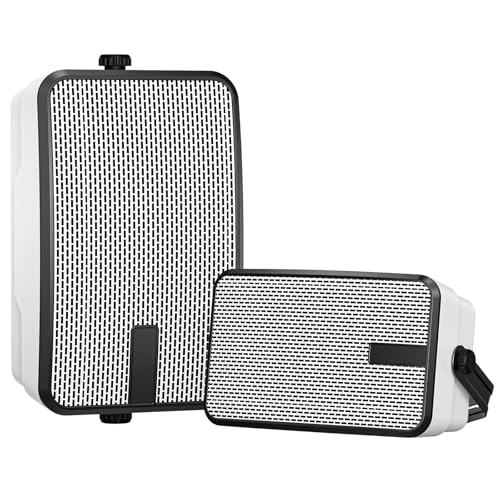
If desk space is limited around your curved or flat Odyssey display, you might choose compact speakers. Users working with restricted desk space often rely on compact notebook speakers to keep their workspace clean and uncluttered. These compact units sit neatly on either side of the monitor stand without blocking the screen edges.
When connecting powered speakers through the monitor pass-through, listen carefully for electrical noise. Some desktop setups experience minor buzzing or ground-loop hum caused by shared electrical grounds between the PC, monitor, and speaker power bricks. If you notice unwanted background hum, connecting your speakers directly to the PC motherboard audio port rather than the monitor pass-through usually eliminates the noise completely.
Using a Compact Soundbar for Clean Desk Aesthetics
A sleek soundbar offers an attractive alternative to traditional multi-piece speaker systems for gaming desks. Placing a low-profile soundbar beneath the Odyssey G5 keeps your surface organized while centralizing your audio. The SAMSUNG 5.0ch S61A Amazon Exclusive S Series soundbar serves as a prime example of a standalone unit that fits well into modern room layouts. Its side horn speakers with acoustic beam technology help project sound across your listening area without requiring extra satellite speakers.
Dialogue clarity is a significant advantage when using an external soundbar equipped with a dedicated center speaker. Standard stereo speakers sometimes struggle to separate vocal frequencies from heavy background sound effects or intense music tracks. A dedicated center channel keeps spoken dialogue clear in both gaming cutscenes and online team communications.
Soundbars designed with premium fabric or modern exterior finishes also blend seamlessly with the aesthetic of the Odyssey G5. Many models feature optical inputs, HDMI connections, and AirPlay 2 support for wireless streaming from mobile devices. This versatility means your desk sound system can handle both gaming audio and casual music playback from your phone when your computer is powered off.
Adding a Dedicated Subwoofer for Deeper Gaming Bass
Low-frequency effects play a vital role in creating immersive gaming environments. Compact desktop speakers and standalone soundbars frequently struggle with sub-bass frequencies below eighty hertz due to their small driver enclosures. Adding a dedicated unit like the SAMSUNG SWA-W510 Subwoofer for S Series Soundbar introduces punchy, resonant bass that brings explosions and soundtracks to life. Its 6.5-inch driver and passive radiator design produce substantial low-end impact while occupying minimal floor space.
Wireless connectivity simplifies subwoofer placement around your gaming desk or entertainment center. Because low-frequency bass waves are largely non-directional, you can place the subwoofer on the floor beside your desk, in a corner, or beneath your furniture. Units like the W510 link wirelessly to compatible soundbars, eliminating the need to run long, unsightly audio cables across your carpet.
Proper subwoofer placement can significantly change your perceived bass balance. Placing a subwoofer directly in a corner boundary reinforces low-frequency energy, making game sound effects feel heavier. If the bass sounds boomy or overwhelms subtle ambient details, pulling the cabinet a few inches away from the wall creates a tighter, more balanced sound.
Wireless Audio and Smart Speakers for Desktop Environments
Modern audio setups do not always rely on physical cables to deliver sound to your desk. Smart wireless speakers, such as the Samsung Music Studio 5 Wireless Smart Speaker, bring flexible Wi-Fi and Bluetooth streaming into your workspace. Equipped with SpaceFit Sound Pro, these speakers automatically analyze the acoustics of your room and adjust audio calibration for optimal clarity. Smart integration with voice assistants and casting protocols lets you stream podcasts or music effortlessly while working at your monitor.
While wireless speakers provide outstanding convenience, gamers must consider latency differences between wired and wireless audio connections. Bluetooth connections introduce a minor transmission delay that may cause gunshots or footsteps in competitive games to feel slightly out of sync with on-screen action. Many users utilize Bluetooth speakers for desktop audio when enjoying casual media, music, or single-player titles where split-second timing is not critical.
Advanced wireless formats like wireless Dolby Atmos offer compelling 3D spatial soundscapes when watching supported movies or high-production streaming content. Systems utilizing artistic designs integrate into home decor without looking like bulky computer peripherals. Evaluating how you divide time between gaming and general music listening helps determine whether wireless gear fits your desk.
Troubleshooting Common Audio Problems on Odyssey Displays
If you connect external speakers or headphones to your Odyssey G5 and hear nothing, begin with systematic cable and setting checks. Verify that the 3.5mm audio plug is inserted completely into the rear headphone port, as a loose connection can cause silence or output sound in only one channel. Check your computer volume sliders and confirm that Windows has not set the output device to another audio interface. Testing your external speakers with a phone or tablet will quickly confirm whether the speakers themselves are functioning properly.
Display driver updates can occasionally reset your operating system audio configuration unexpectedly. When graphic card drivers update, the default audio output sometimes reverts back to motherboard jacks or an unplugged virtual device. Opening Windows Sound Settings and re-selecting your Odyssey G5 or graphics card output will restore the digital audio stream.
Buzzing, humming, or background static through the 3.5mm port usually points to electrical ground loops or electromagnetic interference. Audio cables routed tightly alongside high-wattage power cords can pick up electrical noise from nearby transformers. Separating your audio wiring from monitor and PC power cords often quiets background hiss.
Choosing the Right Audio Solution for Your Setup
Selecting the best sound setup for your Samsung Odyssey G5 depends entirely on your gaming preferences, room environment, and available desk space. Competitive players who require precise directional awareness will achieve the best results using a comfortable gaming headset connected directly to their PC or controller. Headsets eliminate room reflections, prevent microphone feedback during voice chats, and provide immediate audio cues without bothering others nearby.
Casual gamers, content creators, and remote workers who dislike wearing headsets for hours will benefit from powered stereo speakers or a compact soundbar. An external soundbar tucks cleanly under your display, delivering balanced sound and intelligible dialogue without cluttering your desk. Knowing that the Odyssey G5 relies on external sound allows you to tailor your desktop audio gear to your exact lifestyle and budget.






Write Your Review
No reviews yet. Be the first to share your experience!