
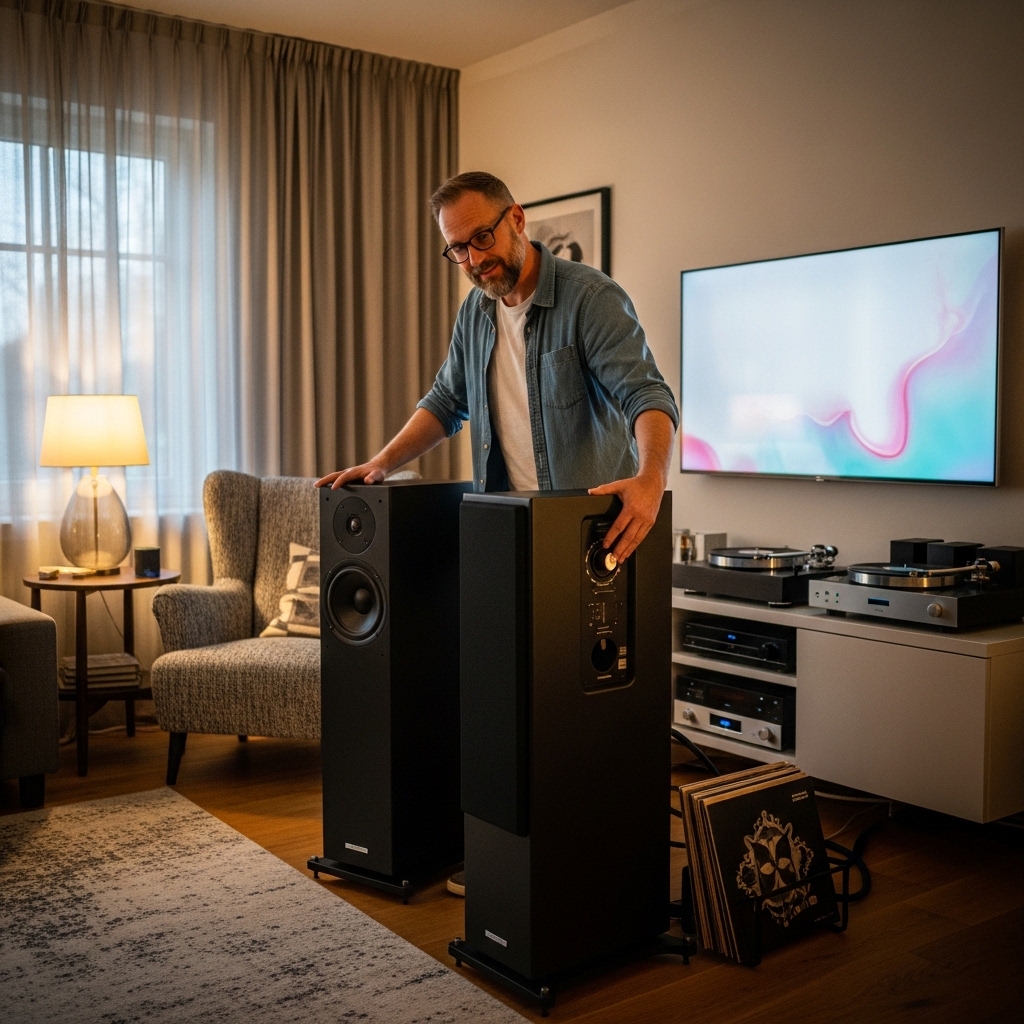

Desktop audio routing often feels frustrating when your computer tower sits under the desk or lacks easily accessible front audio ports. Connecting desk sound through a computer monitor makes immediate sense because modern video cables already carry high-resolution digital audio directly to your workstation display. Many listeners frequently ask: can you plug speakers into monitor headphone jack without causing sound distortion, signal dropouts, or hardware strain? The short answer is yes, provided you understand the electrical distinction between active desktop speakers and unpowered cabinets before running your cables.
Using that small auxiliary port on the back of your display can simplify your desk setup and eliminate messy cable runs across your workspace. Connecting line-level audio to powered desktop speakers requires the right stereo connectors, especially when monitor ports are tightly recessed or positioned at awkward angles. Taking time to inspect your display settings and cable connectors will ensure clean, static-free playback throughout your daily listening routine.

Pros
- Provides lossless stereo audio transmission without latency or wireless interference
- Right-angle connector relieves cable tension in tight clearances and wall-mounted speaker setups
- Heavy-duty nylon braided jacket protects against bends, scuffs, and tangles
- Zero battery consumption allows continuous audio playback whenever plugged in
Cons
- Strictly 3-pole TRS audio only, with no support for microphones or inline call controls
- Bulky protective phone cases may prevent the angled plug from fully seating into recessed jacks
- At 3.3 feet in length, it is tailored for close-quarters desktop or vehicle use rather than large rooms
The GGMTY 3.3-Foot 3.5mm Audio Extension Cable is a specialized audio accessory engineered to bridge the gap between your media devices and wired speaker setups. Built with a 90-degree right-angle male plug on one end and a standard female auxiliary jack on the other, this cable solves tight-clearance dilemmas behind desks, inside car consoles, and around compact audio docks. It caters directly to drivers, desktop gamers, and audiophiles who want to extend their playback range without introducing cumbersome wire clutter or signal latency.
In everyday use, this extension cord delivers a firm and secure physical connection that eliminates the frustrating cutouts often found on cheap auxiliary cords. When pushed fully into the source jack, the 3-pole TRS gold-plated hardware transfers both left and right stereo channels smoothly. It prevents the port strain commonly caused by straight plugs poking out into busy spaces, making it a dependable companion for car dashboard mounts and wall-adjacent studio monitors.
Ultimately, this auxiliary cord is a practical, cost-effective upgrade for anyone looking to optimize their wired audio gear. While it is dedicated exclusively to stereo playback and intentionally bypasses microphone functionality, it excels at its core purpose. For listeners seeking a durable, low-profile connection that keeps the music flowing clearly through their favorite speakers, this extension cord proves to be an outstanding everyday solution.
When connecting external speakers through the GGMTY audio extension, sound transmission remains remarkably crisp and true to the source. Because it relies on direct copper conducting lines rather than lossy wireless compression, it maintains deep bass punch and transparent vocal clarity across all volume levels. Low-end bass drops retain their punch without sounding muddy, while mid-range acoustics and crisp highs pass through without introducing hum, hiss, or background static.
Unlike wireless speaker links that suffer from audio dropouts, signal compression, or limited Bluetooth range when walls intervene, this hardwired TRS extension maintains rock-solid stability from start to finish. Audio travels instantaneously without the lip-sync lag often experienced during video streaming or gaming on wireless gear. As long as the connectors are firmly seated into your audio ports, you get steady, uninterrupted stereo output that wireless connections simply cannot match.
Crafted with a durable double-braided nylon exterior, this extension cord is built to endure the rigors of daily travel and demanding desktop environments. The reinforced braided jacket provides exceptional abrasion resistance, preventing tears, kinks, and internal wire breaks even after repeated bends. Its ultra-lightweight profile makes it effortless to tuck into a backpack or glove compartment, while the slender connector housing fits comfortably alongside most audio gear.
One of the greatest advantages of this passive speaker connector is the complete absence of battery management. While battery-powered adapters require regular recharging and eventually lose capacity, this hardwired extension cord delivers endless playback time with zero charging time required. It draws negligible passive power directly from your source hardware, ensuring your home theater or car sound system stays powered up and ready for music without the anxiety of a draining battery.

Pros
- Instant plug-and-play compatibility across PC, Mac, and PS4 without driver installation
- Clean, static-free 16-bit/48kHz DAC output that suppresses background electrical interference
- Tough braided cable and aluminum connector housing built for high durability
- Zero battery maintenance required due to efficient USB bus-powered operation
- Supports simultaneous stereo audio output and microphone recording via 3.5mm TRRS
Cons
- Unidirectional design only converts digital USB output to analog 3.5mm audio
- Does not support microphone controls on Apple EarPods with 3.5mm plugs
- Lacks standalone wireless Bluetooth operation and outdoor waterproof ratings
The JSAUX USB to 3.5mm Jack Audio Adapter functions as a compact external sound card designed to breathe new life into your audio setup. Whether your computer onboard 3.5mm headphone jack is damaged or your modern thin laptop simply lacks an auxiliary port, this adapter effortlessly bridges USB-A ports to powered external speakers, headphones, and gaming headsets. It delivers an instant hardware-level upgrade that circumvents noisy motherboard audio circuitry.
Targeted at remote professionals, gamers, and audio enthusiasts, this adapter excels in desktop and workstation environments. If you rely on wired speakers for desktop acoustics or need a dependable mic and speaker connection for conference calls on Zoom and Teams, this device provides a straightforward solution. Its universal TRRS compatibility supports both audio listening and vocal speaking without the need to manage split splitter cables.
In real-world testing, the plug-and-play capability performs flawlessly across Windows, macOS, Chrome OS, and Linux systems. Simply plugging the adapter into an open USB port prompts the operating system to detect the sound card in seconds. The hardware maintains a stable connection without sudden dropouts, making it equally dependable for long gaming marathons on a PS4 or uninterrupted workday productivity.
Ultimately, the JSAUX adapter delivers remarkable utility and dependable audio reproduction at an accessible entry point. While it functions as a tethered bridge rather than a standalone wireless unit, its ability to drive desktop speakers and TRRS headsets with pure, interference-free sound makes it an indispensable addition to any everyday carry tech kit.
Performance is driven by an internal Smart Sound Chip featuring a 48kHz at 16-bit DAC sampling rate. This digital-to-analog conversion preserves audio integrity, delivering crisp vocal clarity in podcasts, detailed instrument separation in acoustic tracks, and satisfying low-end punch when routed into powered desktop speakers. It faithfully reproduces audio without the artificial coloration or hollow mids common to entry-level converters.
One of the strongest performance advantages is its high interference suppression and low noise floor. Many internal computer audio jacks pick up electrical hiss and electromagnetic hum from internal graphics cards and power supplies. The JSAUX external sound card isolates the signal stream, providing black backgrounds during quiet musical passages and pristine voice clarity during outgoing mic transmissions.
Because this adapter utilizes a physical wired connection, it avoids the latency, compression, and sync issues inherent to wireless Bluetooth audio. High-volume output remains stable without clipping or harmonic distortion, providing immediate, lag-free sound tracking that gamers and video editors require for precise audio monitoring.
The physical construction of the JSAUX adapter highlights durability and longevity. Encased in a sleek red aluminum housing with laser-finished accents, the adapter deflects scratches and disperses internal heat efficiently. The flexible 18-centimeter nylon braided cable includes reinforced strain relief collars at both ends, ensuring that frequent bending and desktop movement will not split the wire internal shielding.
Unlike portable wireless audio accessories, this adapter operates entirely via USB bus power. By drawing minimal power directly from the host laptop, PC, or console, it completely eliminates internal battery wear, battery degradation over time, and tedious recharging cycles. Users enjoy unlimited continuous playback time without ever worrying about an unexpected battery shutdown during an important meeting.
Weighing a mere 0.35 ounces, the adapter is built for maximum portability between office, home, and travel setups. While it is tailored for indoor workstation duty and does not carry an ingress protection rating for moisture or submersion, the tightly woven exterior and snug 3.5mm female port provide ample resistance against routine dust and daily handling.

Pros
- Zero audio latency and no signal loss thanks to high-grade oxygen-free copper cores
- Universal auxiliary compatibility with phones, tablets, gaming consoles, and portable speaker rigs
- Tangle-resistant braided jacket built for heavy daily travel and pocket storage
- Slim beveled connector design seats flush even inside bulky smartphone cases
Cons
- Passive splitting can cause a minor volume reduction if driving two high-impedance studio headphones
- Fixed 50cm (19.6 inch) length may feel short for spread-out desktop stereo speaker arrangements
- Lacks in-line volume controls or microphone passthrough for dual-headset voice chat
The DUKABEL 3.5mm Dual Headphone and Stereo Splitter is a dedicated audio utility designed to make sharing sound seamless and effortless. Measuring a convenient 50 centimeters (roughly 19.6 inches), this Y-cable converts a single 3.5mm auxiliary port into two independent 3.5mm outputs. Whether you are splitting a signal to dual portable speaker units for wider sound coverage or sharing a movie on a long flight with a travel companion, this adapter delivers dependable audio fidelity without complicated setups or wireless sync headaches.
This splitter is crafted specifically for commuters, students, and audio enthusiasts who prioritize physical reliability over finicky wireless pairings. In real-world use, connecting two sets of earbuds or linking an auxiliary player to twin speaker systems produces balanced stereo sound on both channels. Thanks to the stepped connector barrel, the jack easily clicks past thick phone cases and tablet covers, ensuring an uninterrupted connection during road trips, flights, or study sessions.
DUKABEL incorporates heavy-duty molded strain relief joints and a distinctive zebra-striped braided nylon sleeve that stands up to aggressive bends, backpack tossing, and daily wear. For anyone seeking an affordable, bulletproof way to distribute sound between two endpoints without sacrificing dynamic clarity, this stereo splitter proves to be an indispensable addition to any everyday audio kit.
Audio integrity is the hallmark of the DUKABEL Y-Splitter, which leverages pure oxygen-free copper wiring to maintain full-spectrum signal delivery. Low-end frequencies remain tight and punchy, avoiding the muddy bass roll-off commonly found in budget adapters. Vocals and mid-range instruments come through crisp and natural, allowing podcasts, acoustic tracks, and dialogue-heavy media to retain their pristine tonal balance across both connected endpoints.
Because the splitter relies on a physical 24K gold-plated contact point rather than wireless transmission, listeners bypass the compression artifacts, audio delay, and interference inherent to Bluetooth connections. Output levels remain robust and static-free when powering standard portable speaker units or typical consumer headphones. While driving two pairs of high-impedance audiophile monitors simultaneously might require a slight bump on your source volume dial, day-to-day dynamic performance remains clean, transparent, and lag-free.
The DUKABEL splitter is engineered for exceptional ruggedness, featuring a high-density zebra white braided exterior that resists tangles, abrasion, and fraying. Weighing under an ounce, it packs flat into pockets, coin pouches, or tech organizer sleeves. The reinforced aluminum alloy shells and beveled step-down collars protect the internal joints from strain, ensuring the cable survives frequent plugging and unplugging in tight spaces.
Operating as a purely passive hardware component, this audio splitter requires zero battery power, eliminating the need for charging cables, power banks, or battery health degradation over time. You gain limitless, around-the-clock playback capability that never dies mid-movie or during an all-day outdoor gathering. When paired with your favorite powered speaker or mobile device, it provides an instant, zero-downtime audio extension ready to perform whenever duty calls.
Pros
- True plug-and-play operation with zero latency or wireless dropouts
- Step-down ladder connector fits easily without removing bulky phone cases
- Durable cotton-braided exterior resists fraying and tangling
- Gold-plated connectors resist corrosion and maintain optimal signal transfer
Cons
- Three-pole TRS design supports audio playback only and does not support microphone input
- Generous 15-foot length can create excess cable clutter in tight desktop workspaces
The GGMTY 15FT Audio Extension Cable is a high-performance stereo interconnect engineered to link your audio players with powered speakers, headphones, and home audio receivers across greater distances. Built with tinned copper wiring, gold-plated connectors, and robust dual shielding, this extension cord solves the common problem of short factory aux cords. It gives you the freedom to position your audio gear exactly where it looks and sounds best in your room.
This cable is tailored for home theater enthusiasts, desktop audio creators, and music lovers who prioritize pure sound over wireless convenience. Whether you are running a connection from a wall-mounted TV to a soundbar, extending your PC audio output to desktop monitors, or linking a tablet to powered bookshelf speakers during family gatherings, it handles the distance without degradation.
In real-world everyday use, the cable delivers dependable performance. The step-down connector housing inserts cleanly into smartphones and tablets even when thick protective cases are installed. The cotton-braided jacket prevents annoying snarls and resists friction against baseboards or carpet. Audio signals travel smoothly from end to end without humming, popping, or radio frequency buzz.
Overall, the GGMTY 15-foot extension is an essential, budget-smart audio solution for any wired speaker configuration. It delivers reliable signal integrity, sturdy build quality, and extreme convenience for anyone who wants to enjoy music across the room without losing fidelity.
When driving audio to external speakers, signal purity is paramount. The GGMTY cable maintains complete stereo integrity with full bass depth and sparkling vocal clarity. Unlike lower-grade wires that muffle higher frequencies or muddy the low end, the tinned copper core and gold-plated contact points transfer full-range sound with transparent highs, articulate mid-tones, and impactful low frequencies.
Signal shielding plays a critical role in high-volume playback. Equipped with aluminum foil shielding and dual noise-reduction technology, this cord rejects electromagnetic and radio frequency interference that often plagues long analog runs. You can push your speaker volume to higher levels without hearing hiss, static, or ground hum during quiet musical passages.
Compared to Bluetooth wireless setups that suffer from compressed audio formats, sudden pairing dropouts, and wall-blocking range limits, this wired extension provides rock-solid reliability. You get instantaneous audio synchronization for movie watching and gaming, consistent volume output, and a stable physical link that wireless speakers simply cannot match over a 15-foot distance.
Durability is front and center with the GGMTY audio extension cable. The exterior is wrapped in a high-density cotton braid that shields the internal conductors against kinks, crushing, and pet chewing. The connector barrels are forged from polished alloy, providing high impact resistance if dropped on hard floors, while the strain relief collars prevent internal wire breaks at high-flex stress points.
While wireless speakers require constant recharging, battery monitoring, and eventual cell replacement, this passive wired solution provides unlimited playback time with zero charging required. You never have to pause your entertainment to hunt for a power adapter or wait for a battery to top off, making it a maintenance-free backbone for your entertainment center.
The lightweight design remains highly portable for tailgates, garage workshops, and patio speaker setups. Although it is not submersion waterproof, the tightly woven braid and sealed metal casings resist dust accumulation and accidental everyday spills, ensuring long-lasting performance in any indoor or covered outdoor listening environment.
Connecting Speakers to a Monitor Headphone Jack: Setup and Technical Guide
Plugging desktop speakers into a monitor headphone jack works smoothly as long as those speakers have their own internal amplifier. The 3.5 mm auxiliary socket on a computer monitor outputs an analog line-level signal designed for headphones or powered speaker inputs. Connecting passive speakers that require raw speaker wire or high-wattage amplification will result in virtually inaudible playback or hardware strain. Understanding the electrical path between your computer, your monitor, and your audio hardware helps you build a clean, reliable desk setup.
Active Versus Passive Speaker Requirements
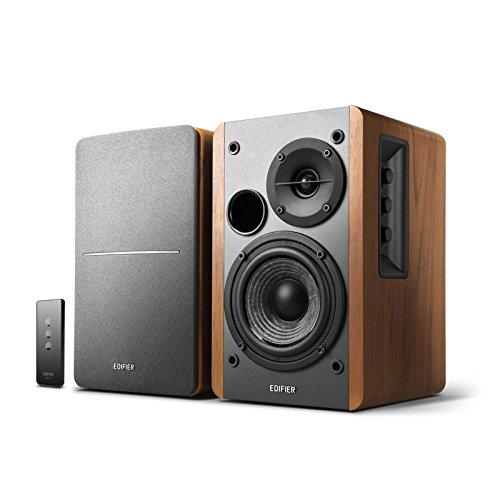
Active speakers, commonly known as powered desktop speakers, feature integrated amplifiers built directly inside their cabinets. These units take the low-voltage analog signal from your display headphone jack and boost that signal to drive internal woofer and tweeter cones. Most active desk models connect to a standard electrical outlet or rely on a dedicated DC power supply. When you connect powered speakers to a display, the monitor acts strictly as a signal pass-through device rather than an audio amplifier.
Passive speakers operate very differently because they lack any internal amplification circuitry. Running a basic auxiliary cable from a display jack into traditional unpowered bookshelf speakers will produce weak, whisper-quiet sound. The compact audio chip inside a monitor only generates milliwatts of power intended for tiny headphone drivers. Attempting to pull higher wattage from this port can overload the monitor internal sound card and create harsh distortion. If you want to use passive speakers, you must run the monitor output into an external stereo amplifier first.
How DisplayPort and HDMI Transmit Digital Audio
Modern computer displays do not create audio independently; they act as digital-to-analog decoders for incoming video connections. Both HDMI and DisplayPort connections carry digital audio packets alongside high-definition video frames from your computer graphics card or motherboard. Once those digital audio packets enter the display, an internal digital-to-analog converter, or DAC, translates the digital bits into an analog waveform. That analog electrical waveform is then directed to the 3.5 mm auxiliary socket on the monitor housing.
The overall sound quality you experience depends heavily on the shielding and component quality of that internal display DAC. Because manufacturers prioritize fast panel refresh rates and vibrant color accuracy, monitor audio circuitry is often relatively basic. In budget screens, minimal internal shielding can allow electrical noise from the backlighting unit to leak into the analog audio traces. This electromagnetic interference can create a faint buzzing or clicking sound through your speakers when viewing bright screens. Understanding this signal journey helps you isolate whether background noise comes from your computer, the monitor, or your audio cables.
Essential 3.5 mm Cable Standards and Connector Pinouts
Selecting the right auxiliary cable requires understanding the physical pinout differences between common 3.5 mm connectors. Standard stereo cables use a Tip-Ring-Sleeve, or TRS, design that features two visible insulating rings dividing the metal shaft into three distinct contact zones. These three contacts transmit the left audio channel, the right audio channel, and the shared electrical ground. Headsets with built-in microphones use a four-contact TRRS layout, which can occasionally cause sound imbalance or channel cancellation when inserted into certain display sockets.
Cable housing dimensions also determine whether a plug seats securely into recessed monitor enclosures. Options such as the GGMTY 3.5mm Male to Female Extension Stereo Audio feature a stepped ladder housing that fits cleanly into deep ports. This particular cable uses gold-plated terminals, tinned copper wiring, and aluminum foil shielding to protect the analog line across longer runs. If a cable collar is too bulky, it can press against the monitor plastic casing before making complete internal contact. Using a properly fitted TRS stereo extension ensures balanced stereo playback without loose connection static.
Configuring Windows and macOS Audio Playback
Plugging your speakers into the monitor jack will only produce sound if your computer operating system directs audio output to the screen. On a Windows PC, open the Sound Settings menu or click the audio icon on the taskbar to select your active output device. Look for your monitor model name, which often appears alongside graphics driver labels like NVIDIA High Definition Audio or AMD High Definition Audio. If your monitor does not appear in the menu, restart the graphics driver or reseat the HDMI or DisplayPort connection.
On macOS, navigate to System Settings and select the Sound section to view your available audio output destinations. Highlight your connected display from the device list to route all system sounds through the monitor headphone port. Apple computers frequently disable the keyboard volume keys when transmitting digital sound across HDMI or DisplayPort connections. When that software volume slider is locked, you must manage volume levels using the physical controls on your speakers or the monitor on-screen menu. Confirming these software settings ensures that clean digital audio reaches your monitor decoder without interruption.
Overcoming Recessed Ports and Tight Desk Clearance
Display manufacturers frequently position auxiliary ports in downward-facing cutouts or tightly recessed cavities behind the monitor mounting plate. Straight audio plugs can stick out awkwardly, pressing against monitor mounting arms or bunching up against workstation backsplashes. A right-angle adapter cord, like the GGMTY 3.3FT (1M) 3.5mm Audio Extension Cable, routes the line at a ninety-degree angle right at the port exit. This angled design relieves mechanical pressure on the internal socket, preventing cracked circuit traces and static caused by bent connector shafts.
Modern standing desks present another practical challenge because the distance between desktop speakers and an elevated display changes throughout the workday. When an adjustable desk moves upward, tight audio cables can pull suddenly against monitor ports and cause connector damage. Using a durable nylon-braided extension cable provides the extra reach required to route lines neatly through cable management raceways and monitor arm clips. Securing cords with velcro straps prevents sudden snagging when repositioning your screen. Maintaining sufficient slack at both connection points ensures lasting physical stability for your desk audio gear.
Splitting Monitor Audio Across Dual Outputs
Many desk users prefer having both desktop speakers and private headphones connected to their monitor simultaneously. A dual Y-cable splitter divides the single 3.5 mm monitor jack into two independent stereo output sockets. The Headphone Stereo Splitter Cable from DUKABEL uses oxygen-free copper conductors and 24K gold-plated connectors to split signals without introducing channel buzz. This dual-jack setup allows you to switch between speakers and headphones without reaching behind the monitor to swap plugs.
Splitting an analog audio line creates an electrical parallel circuit that lowers the overall impedance load seen by the monitor internal amplifier. When two audio devices draw power from the same auxiliary socket at the same time, playback volume can drop slightly across both outputs. To maintain dynamic audio clarity, turn off your powered desktop speakers when using your headphones, or keep headphones unplugged during speaker listening sessions. This simple operational habit keeps the line level stable and prevents audio signal degradation across your playback devices.
Bypassing Faulty Display Jacks with External USB Sound Cards
Some computer monitors omit headphone ports entirely, while others feature noisy internal headphone amplifiers that introduce persistent hiss into connected speakers. When a monitor audio socket fails or produces poor sound quality, using an external USB audio adapter provides an immediate, reliable solution. The JSAUX USB to 3.5mm Jack Audio Adapter connects directly to an open USB port on your computer, docking station, or USB monitor hub. This compact adapter features a dedicated DAC chip supporting 48 kHz at 16-bit resolution, isolating analog audio from noisy display circuits.
External USB adapters deliver driver-free compatibility across Windows, macOS, Linux, and gaming platforms, functioning as an independent sound card. If your computer tower is mounted far beneath your desk, plugging a compact USB adapter into a desktop hub brings audio ports right to your fingertips. The aluminum casing and nylon braiding on the JSAUX adapter shield delicate internal audio components from external radio-frequency interference. Listeners running versatile multimedia computer speaker systems often find that dedicated USB DAC adapters deliver cleaner, punchier desktop sound than budget monitor audio circuits.
Calibrating Gain Staging to Prevent Background Static
Eliminating background hiss when running speakers through a monitor headphone jack requires proper gain staging across your hardware chain. If your operating system software volume is set very low while your speaker physical volume knob is cranked to maximum, you will hear loud electrical background noise. To establish clean gain staging, keep your computer system volume slider between eighty and ninety percent. This setting delivers a robust, unclipped digital signal to the monitor internal digital-to-analog converter.
Next, access the on-screen display menu of your monitor and set the internal display volume to roughly seventy-five percent. This level prevents the small monitor headphone amplifier from clipping during loud transients while maintaining a healthy output signal. Finally, use the physical volume dial on your active desktop speakers to control your day-to-day listening loudness. Following this calibration method keeps the analog audio signal well above the electronic noise floor of your display, resulting in crisp dialogue and silent pauses.
Audio Routing for Consoles and Multi-Device Workstations
Routing sound through a monitor headphone jack offers major practical benefits for workstations shared between multiple computers and gaming consoles. When your work laptop, gaming desktop, and home console all connect to the same monitor via separate HDMI and DisplayPort inputs, the screen acts as an audio switch. Whichever video source you choose on the monitor automatically sends its audio down the headphone line to your desktop speakers. This setup eliminates the hassle of unplugging audio cables every time you change tasks.
If your desktop setup incorporates complex audio gear or multiple analog inputs, exploring stereo audio selector switch options can give you even greater manual control over your connections. Dedicated external switchers let you toggle speaker outputs, isolate secondary audio feeds, or redirect signals without diving into display menus. Note that modern gaming consoles often require specific audio output settings to ensure game audio and chat voice channels pass through HDMI simultaneously. Adjusting console sound settings guarantees that both team chat and game soundtracks reach your desktop speakers cleanly.
Long-Term Placement and Connection Reliability
Protecting your desk audio setup over years of daily operation requires thoughtful cable routing and physical strain relief. Avoid bending audio cables at harsh angles where the connector exits the monitor port, as sharp bends can fatigue internal copper strands over time. Running unshielded auxiliary cables parallel to high-draw AC power cords can introduce sixty-cycle ground hum into your speakers. Routing audio cords down one side of your monitor mount and electrical power cords down the opposite side keeps analog signals clean.
Always ensure the 3.5 mm audio plug is pushed completely into the monitor headphone socket until you feel a firm mechanical snap. If you ever experience audio coming from only one speaker, a partially seated connector is almost always the cause. Pairing quality extension cords and angled adapters with properly powered desktop speakers provides an organized workspace without sacrificing sound clarity. By following these practical setup standards, you can enjoy seamless, high-quality audio routing directly through your workstation monitor.






Write Your Review
No reviews yet. Be the first to share your experience!