
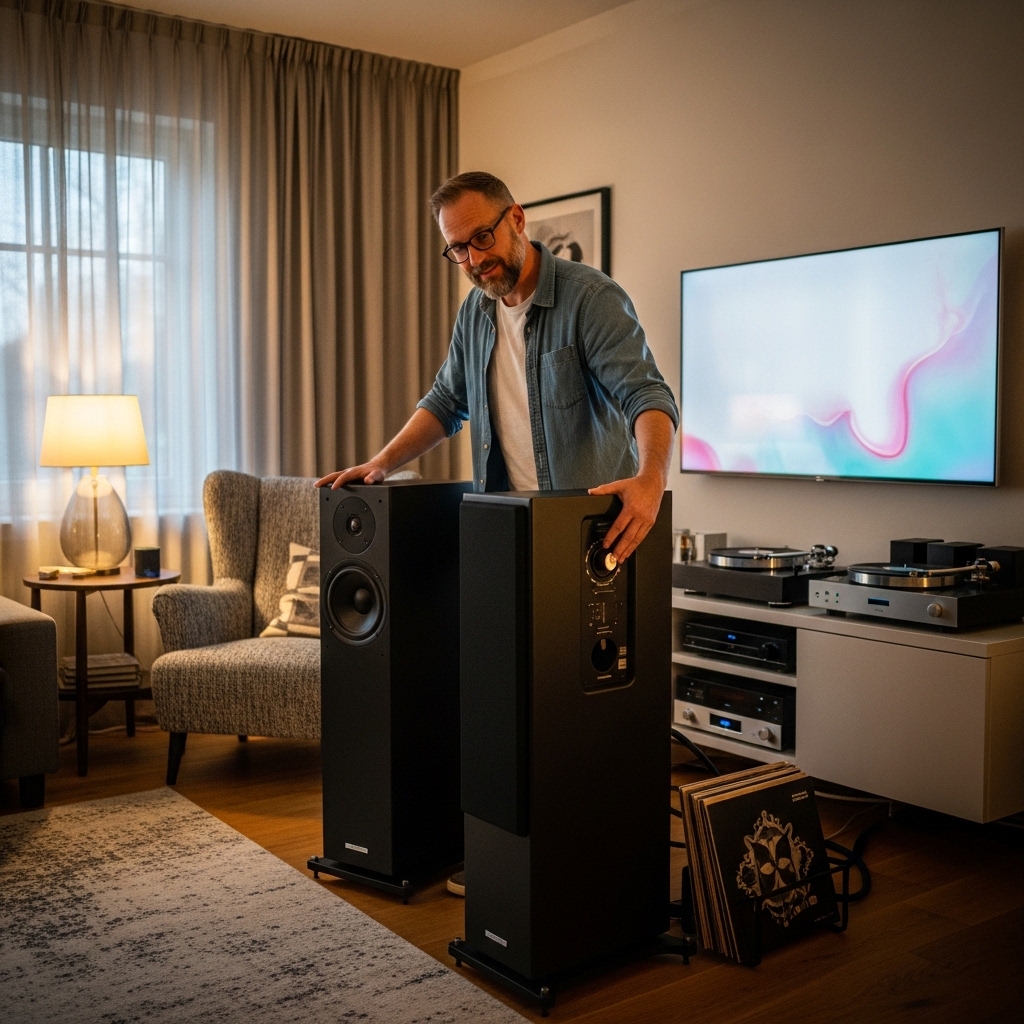

Setting up wireless sound for daily listening can transform how you experience your favorite playlists, podcasts, and albums. Many listeners wonder, can you play spotify on bluetooth speakers without needing complex network hardware or proprietary receivers? The straightforward answer is yes, because modern wireless speakers accept standard digital audio streams from almost any host device running the Spotify application. Pairing a mobile phone, tablet, laptop, or dedicated Android media player sends decoded music straight to high-performance Bluetooth speakers in seconds. This flexibility allows you to stream background audio while working, entertaining guests, or relaxing around the house.
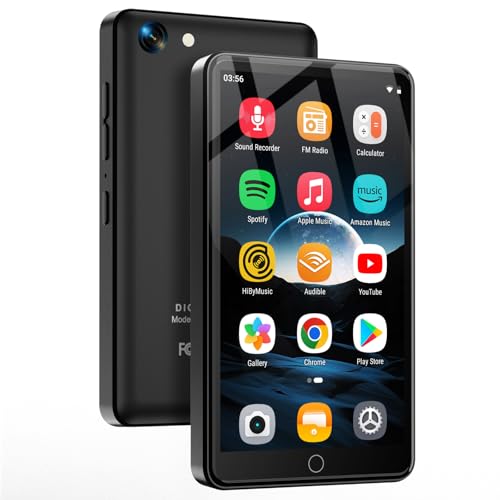
Audio transmission relies on the universal Bluetooth audio distribution profile, which acts like an invisible audio cable between the source and the speaker. Because Spotify operates as a software player on your source device, the audio stream simply routes through your established wireless connection without requiring a specialized speaker brand. Hardware options range from pocket-sized battery units to standalone media streamers like the 16GB MP3 Player with 13MP Camera from AHENOD, which can run streaming apps directly over local wireless networks. Understanding how this connection functions makes it simple to optimize your streaming bitrate, maintain a stable wireless link, and prevent playback interruptions.
Everything You Need to Know About Streaming Spotify to Bluetooth Speakers
Playing Spotify over a Bluetooth speaker is entirely possible and requires only a paired source device capable of running the music platform. When you initiate playback, your phone, tablet, computer, or smart media player decodes the music stream and transmits it wirelessly across a short-range radio frequency to the speaker. This setup avoids the need for specialized proprietary receivers or complicated home network routing. Getting the best listening experience still depends on understanding the signal path, source settings, and wireless environments.
The Fundamental Audio Path Between Spotify and Bluetooth Hardware
Every time you press play on a Spotify track, a specific chain of digital audio processing takes place before any sound leaves your speaker. The Spotify client on your host device first pulls music data from the cloud using your active internet connection or local offline storage cache. Once retrieved, the software decompresses the audio file into a raw digital pulse-code modulation stream. The operating system of your host device then directs that audio output to the active Bluetooth transmitter module rather than the internal device speakers.
At this stage, the audio stream undergoes digital re-encoding into a compatible Bluetooth audio codec. Most standard mobile devices and Bluetooth speakers communicate using the Subband Codec, commonly known as SBC, which guarantees universal baseline compatibility across brands. Devices running iOS or modern Android distributions may also negotiate the Advanced Audio Coding format for improved compression efficiency at similar data rates. The receiving speaker contains an internal digital-to-analog converter that translates those incoming packets back into analog voltage, which powers the internal amplifier and voice coils.
Because this signal transmission happens entirely over standard Bluetooth audio protocols, the speaker itself does not need any built-in knowledge of Spotify. The speaker simply acts as an external audio sink for whatever sounds your host device produces. This universal architecture ensures that virtually any operational Bluetooth speaker on the market can reproduce Spotify playback reliably. It also means that physical boundaries, wireless congestion, and source processing performance directly influence your final listening experience.
Connecting and Streaming from Phones, Tablets, and Computers
Smartphones and tablets remain the most common host devices for streaming Spotify to wireless speakers. To establish the connection, place your speaker into its dedicated pairing mode, which typically involves holding down the Bluetooth button until an indicator light flashes. Open the Bluetooth settings menu on your smartphone, locate the speaker model name under available devices, and tap to connect. Once paired, opening the Spotify app and playing any song immediately routes sound to the speaker.
Desktop computers and laptops running Windows or macOS follow an identical wireless path, though audio output routing may occasionally require manual selection. In Windows, you can click the speaker icon in the taskbar notification area to verify that audio output has shifted to your paired Bluetooth device. Mac users can confirm the active sound destination by clicking the Control Center icon in the menu bar and selecting the speaker under the Sound panel. Once the operating system recognizes the speaker as the primary playback device, Spotify desktop audio directs there automatically.
If audio continues playing through your computer speakers after pairing, check the device selection within Spotify itself. At the bottom right corner of the desktop player, Spotify provides a device menu icon that lists available sound outputs. Selecting your active Bluetooth speaker or default system output from this list ensures the player does not attempt to route sound elsewhere. Keeping your computer Bluetooth drivers updated also helps avoid unexpected audio lag or sudden disconnections during extended playback sessions.
Using Dedicated Media Players and Android Streamers
While smartphones are popular sources, dedicated media players offer an appealing alternative for focused listening without notifications or screen distractions. Devices such as the AHENOD 16GB MP3 Player with 13MP Camera run a portable Android operating system equipped with Wi-Fi and Bluetooth connectivity. Because these dedicated players include access to the Google Play Store, users can download the native Spotify application directly to the device storage. This allows the player to act as an independent streaming source that feeds music straight to an external Bluetooth speaker.
Using a standalone player provides clear advantages for home listening, study rooms, and younger listeners. Dedicated players let you stream music continuously without tying up your smartphone battery or exposing children to uncontrolled internet browsing. With 16GB of onboard storage and expandable memory support, these devices also allow Spotify Premium subscribers to download offline playlists for playback away from home Wi-Fi networks. The internal Bluetooth transmitter then broadcasts the stored audio directly to any portable speaker in the yard, garage, or bedroom.
Pairing an Android-based media player with a Bluetooth speaker follows the familiar Android workflow. Access the device settings menu, toggle Bluetooth on, scan for nearby active speakers, and confirm the pairing request. Because the AHENOD player features built-in speakers as well, you can easily verify audio playback before switching output over to your primary wireless speaker. Once paired, the player remembers the speaker connection, making future listening sessions quick and seamless.
Spotify Connect Versus Standard Bluetooth Streaming
Many modern listeners encounter the term Spotify Connect when exploring wireless home audio systems and wonder how it differs from Bluetooth. Standard Bluetooth creates a direct, peer-to-peer radio link between your host transmitter and your speaker. All audio decoding happens on the phone or player, meaning notifications, ringtones, and video sounds will also play through the speaker if not silenced. In addition, taking your phone out of Bluetooth range immediately stops the music.
Spotify Connect, on the other hand, operates over a shared local Wi-Fi network rather than a direct peer-to-peer radio connection. When using Spotify Connect, your smartphone acts purely as a remote control, instructing a Wi-Fi-enabled speaker to pull the audio stream directly from Spotify servers. This allows your phone to make calls, play video games, or leave the house without interrupting the music stream. However, Spotify Connect requires specialized smart speakers with integrated Wi-Fi hardware and direct software licensing.
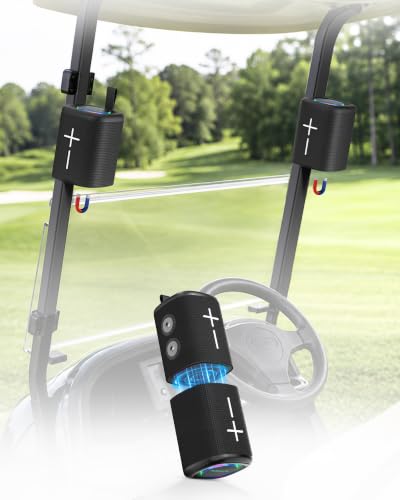
For standard portable speakers and outdoor gear, Bluetooth remains the most flexible and practical solution available. Bluetooth does not require a local internet router, making it ideal for parks, beaches, camping trips, and mobile setups. Pairing with portable wireless speaker systems allows you to enjoy offline Spotify playlists anywhere without network dependencies. Understanding this distinction prevents confusion when deciding between simple wireless speakers and complex networked multiroom audio components.
Optimizing Audio Quality and Streaming Settings in Spotify
Streaming over Bluetooth introduces compression, but you can configure Spotify settings to deliver the cleanest possible signal to your speaker. Within the Spotify app settings, navigate to the Audio Quality menu to examine the streaming bitrate choices. Free accounts stream at normal or high settings, while Spotify Premium accounts offer a Very High quality preset that streams at approximately 320 kilobits per second. Selecting this higher bitrate supplies the Bluetooth encoder with richer source detail, resulting in improved clarity across mid and high frequencies.
Volume normalization is another critical audio setting that influences your final sound output. Spotify includes an option to normalize volume across all tracks to prevent sudden loudness shifts between songs. While convenient for casual listening, setting volume normalization to Loud can compress the dynamic range of acoustic recordings and complex tracks. Setting normalization to Normal or turning it off entirely preserves punchy bass impacts and natural instrumental separation through well-tuned Bluetooth speaker hardware.
You can also adjust the built-in Spotify equalizer to tailor frequency balance to your specific speaker design. Small portable speakers often have smaller physical enclosures that benefit from a slight boost in the lower midrange to add body to vocals. Conversely, if your speaker sits near a corner or reflective wall, trimming the lower frequencies slightly can eliminate muddy, boomy bass resonance. Fine-tuning these parameters at the software source ensures your speaker performs at its full acoustic potential.
Troubleshooting Dropouts, Latency, and Audio Stuttering
Audio dropouts and momentary silence are common frustrations when streaming music over wireless connections. The primary cause of stuttering audio is physical distance or physical barriers between the transmitting device and the Bluetooth speaker. Most consumer Bluetooth connections use Class 2 radios with a practical operating radius of roughly 30 feet under open conditions. Solid walls, metal fixtures, and human bodies absorb 2.4 gigahertz radio signals, reducing range and causing packet loss.
Radio frequency interference from surrounding electronic equipment can also disrupt your audio stream. Household Wi-Fi routers, cordless home phones, microwave ovens, and crowded wireless computer accessories share the same 2.4 gigahertz spectrum as Bluetooth. Moving your host device and speaker away from active Wi-Fi routers or switching your home Wi-Fi network to the 5 gigahertz band significantly reduces wireless congestion. Keeping your transmitting device within clear line of sight of the speaker provides the most stable connection.
Software glitches on the host device can also masquerade as physical hardware failures. Aggressive battery-saving features on modern Android and iOS devices sometimes throttle background processor activity, starving the Spotify app of memory during screen-off intervals. Setting Spotify battery usage to unrestricted in your phone or media player settings prevents unexpected stream pauses. If stuttering persists, restarting both the source device and the speaker clears temporary cache conflicts and re-establishes a clean radio handshake.
Managing Multi-Device Pairing and Output Switching
Many modern Bluetooth speakers support pairing memory for multiple source devices, but this feature can sometimes create connection confusion. If a speaker automatically reconnects to a laptop in another room, your smartphone will be unable to establish a link until that prior connection terminates. When your speaker refuses to connect to your phone, check whether another family member or secondary device is currently occupying the audio channel. Disconnecting Bluetooth from the unused device frees the speaker to accept a new pairing handshake.
Some advanced portable speakers offer multipoint Bluetooth, allowing two host devices to maintain simultaneous connections. With multipoint enabled, one user can pause Spotify on a tablet, allowing a second user to press play from a smartphone without re-pairing. However, if audio notifications or alerts fire on the idle device, the speaker may briefly mute the active music stream. Disabling notifications on secondary connected devices helps keep your Spotify listening smooth and uninterrupted.
When dealing with stubborn pairing loops or unresponsive connections, performing a network reset on the speaker often resolves the issue. Most speakers allow you to clear the stored device memory by holding the power and Bluetooth buttons simultaneously for several seconds. Clearing the pairing list on both the speaker and your host device creates a clean slate. Once re-paired from scratch, the wireless handshake typically operates with restored speed and stability.
Hardware Considerations and Speaker Characteristics for Music Streaming
Although Spotify functions across every standard Bluetooth speaker, physical acoustic engineering determines how good your music will actually sound. Compact speakers designed primarily for speech clarity or podcast listening may lack the driver displacement required for deep bass reproduction. In contrast, speakers equipped with dual active drivers and opposing passive radiators produce a fuller frequency response that handles modern electronic, pop, and rock tracks with satisfying weight. Considering the driver size and cabinet volume helps align your choice with your room dimensions.
Battery endurance and amplifier efficiency also play major roles in long-term enjoyment. Continuous wireless streaming and processing high-bitrate audio consume steady power from both the speaker and portable player. If you plan to stream music outdoors or move your sound system from room to room, look for models with robust internal battery ratings and modern USB-C charging ports. Reliable battery reserves prevent sudden shutoffs midway through a gathering or outdoor project.
Physical placement within your room can dramatically alter perceived sound quality without changing any software settings. Placing a Bluetooth speaker directly onto a hollow desk or shelf can introduce unwanted cabinet vibration and mid-bass muddiness. Setting the unit on a dense surface, or pulling it a few inches away from boundary walls, tightens bass definition and enhances vocal clarity. Taking time to position your speaker thoughtfully ensures that your Spotify streaming setup sounds balanced, vibrant, and engaging.
Practical Takeaways for Everyday Spotify Streaming
Streaming your favorite tracks from Spotify to a Bluetooth speaker is one of the simplest and most versatile ways to bring music into any space. Whether you stream from an everyday smartphone, a home computer, or a dedicated device like the AHENOD 16GB media player, standard Bluetooth protocols ensure broad compatibility across audio hardware. By selecting appropriate streaming bitrates, managing wireless interference, and placing your speaker properly, you can enjoy rich, dependable sound across every room in your home.





Write Your Review
No reviews yet. Be the first to share your experience!