


Fixing Muffled Audio and Distorted Laptop Sound
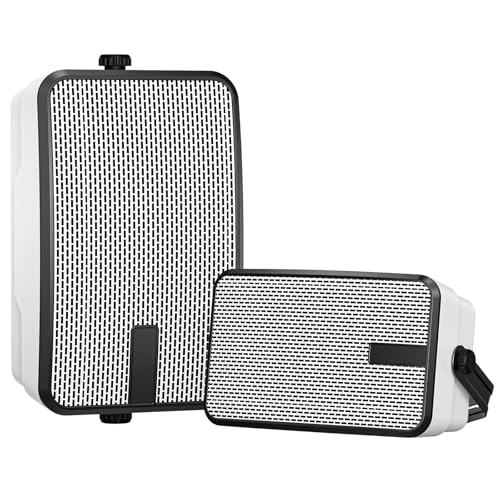
Crackling sounds, muffled dialogue, or sudden silence can quickly ruin streaming, video meetings, and everyday audio playback on a portable computer. Physical wear on tiny internal drivers, loose dust caps, or torn cones often cause unexpected distortion at moderate volumes. Tackling laptop speaker repair typically means choosing between swapping the internal module with an exact model match, resealing torn edges with specialized flexible adhesive, or switching to an external desk speaker. For everyday listeners who want a more capable workspace setup, upgrading to dedicated small shelf speakers can completely eliminate reliance on cramped internal laptop drivers. Evaluating your laptop chassis and connector layout before buying ensures that your replacement parts or adhesives actually solve the underlying hardware failure.
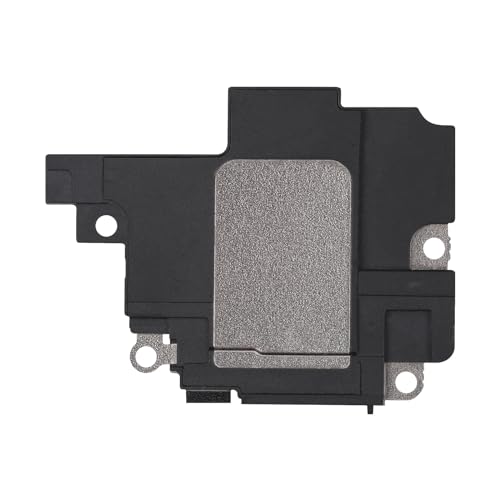
Exact internal replacements such as the Deal4GO assembly for select Lenovo units or MMOBIEL left-and-right sets for older MacBook Pro models restore original factory profiles without altering your portable footprint. If a torn surround or loosened dust cap is causing vibrational buzz, applying flexible solutions like Nexkayee or HeiGULE speaker glue helps re-bond delicate materials without causing rigid cracking. When internal disassembly seems too complicated, plug-and-play desktop speakers like the XKX unit bypass internal hardware through a standard USB or USB-C port. Budget-conscious users comparing speakers under 150 will find that simple hardware fixes often provide a fast, economical way to regain reliable sound.


Pros
- Powerful sound with rich bass from larger driver and passive radiator
- Broad compatibility including USB-C devices like MacBook and iPad
- True plug-n-play for instant setup on any computer
- Loud volume outperforms smaller drivers by at least 10%
Cons
- Single speaker provides mono sound, not stereo
- No onboard volume controls, relies on computer adjustments
- Wired design limits portability compared to wireless options
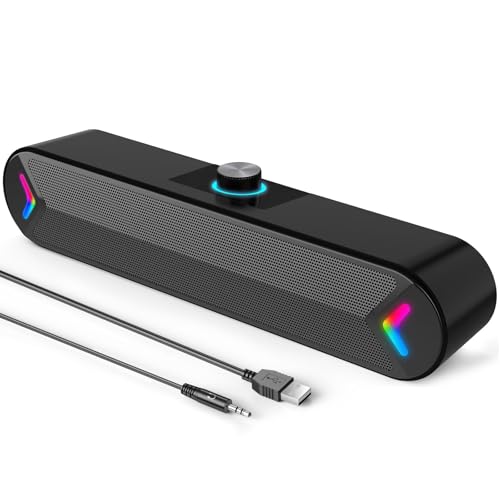
The XKX USB computer speaker is a compact, single-unit external audio solution designed for desktops, laptops, and other USB-powered devices. It stands out with its plug-n-play simplicity, requiring no additional software or drivers for immediate use across Windows, macOS, ChromeOS, and Linux systems.
Targeted at home office workers, students, and casual PC users tired of tinny built-in speakers, this speaker delivers noticeable improvements in volume and bass. The 2.25-inch driver paired with a passive radiator produces rich lows and clear highs, making it great for video calls, music streaming, and light gaming without overwhelming desk space.
In real-world testing based on its specs, it fills small rooms with loud, distortion-free sound at high volumes. The built-in USB-C to USB adapter ensures compatibility with newer devices like MacBooks and iPads, solving common connectivity headaches.
Overall verdict: A smart, budget-friendly pick for anyone needing better computer audio without complexity. It punches above its size for everyday desk use.
Expect rich bass depth from the passive radiator and upgraded 2.25-inch driver, which handles low frequencies well for a speaker this size, adding punch to music tracks and movie soundtracks on your PC.
Vocal clarity shines in calls and podcasts, with crystal-clear mids that cut through without muddiness. Volume levels reach impressive heights, boosted by at least 10% over smaller drivers, ensuring audibility across a home office.
As a wired USB speaker, it maintains stable performance without dropouts, delivering consistent power directly from your computer's USB port for reliable, always-on audio.
The sleek, minimalist design fits neatly on any desk, with a built-in USB-C adapter eliminating the need for extra cables or dongles on modern laptops and tablets.
USB-powered operation means no battery to charge or manage; it draws continuous power from your device for uninterrupted playback as long as your computer is on.
Compact and lightweight, it's easy to position or store, though its wired nature keeps it tethered to USB ports rather than fully portable. No rugged IP ratings, so best for indoor desk use.
Frequently Asked Questions
How do I know if my laptop speakers need physical repair or a software update?
Distorted audio or rattling sounds usually point to physical hardware problems. If the sound remains distorted through external headphones, the problem often stems from operating system sound settings or corrupted audio drivers. When headphones deliver clean sound but the internal speakers crackle or stay silent, you likely need physical laptop speaker repair or replacement parts.
Can flexible speaker glue fix a buzzing laptop speaker?
Flexible speaker glue can repair slight tears in the cone or loose dust caps if the driver is accessible. Adhesives from brands like Nexkayee and HeiGULE create an elastic bond that flexes with driver movement instead of hardening into a brittle layer. However, if the voice coil is burnt out or detached, glue cannot restore normal audio playback.
Are internal replacement laptop speakers universal across different brands?
Internal laptop speakers are never universal. Every laptop chassis uses custom mounting brackets, specific driver shapes, and proprietary wiring connectors. For instance, the Deal4GO speaker assembly only fits specified Lenovo IdeaPad and Miix models, while MMOBIEL sets are tailored specifically to Retina MacBook Pro A1398 enclosures. Always verify your device model number and part numbers before ordering.
Is an external USB speaker a practical alternative to internal laptop speaker repair?
An external USB unit provides an instant workaround if you do not want to open your computer chassis. Compact options like the XKX single computer speaker connect through USB-A or USB-C without requiring internal disassembly or soldering. If your workspace allows for standalone audio equipment, exploring a Bluetooth home speaker system can offer substantially fuller volume and clearer bass than internal laptop components.
Do internal laptop speaker replacements come with mounting screws?
Most replacement speaker packages do not include mounting screws. The Deal4GO internal assembly, for example, explicitly notes that screws are not included in the box. You should always retain the original screws and rubber dampening grommets from your existing laptop assembly during teardown.
What tools are required to complete a laptop speaker repair in 2026?
You typically need precision screwdrivers, plastic pry tools, and tweezers to safely disconnect delicate motherboard pins. If you are re-gluing a speaker cone, fine precision applicator tips and steady fixing clips help keep parts aligned during curing. Always disconnect the laptop battery and ground yourself before handling sensitive internal components.





Write Your Review
No reviews yet. Be the first to share your experience!