


Audio clarity on mobile devices often creates confusion when users inspect the physical speaker grills on the bottom edge. Many owners wonder whether both bottom openings produce audio, leading to the common question: does iphone 11 have 2 speakers? The short answer is yes, the phone features two physical audio transducers, but they are not arranged where many people expect. One speaker is positioned at the top in the earpiece slit, while the other sits inside the bottom chassis next to the Lightning connector.
The visual symmetry of the bottom edge often makes listeners suspect that half of their sound system stopped functioning. In reality, the left bottom grill houses a microphone rather than an acoustic driver, while the right grill acts as the acoustic port for the bottom loudspeaker. When paired together, the earpiece driver and the bottom driver produce a dynamic stereo soundstage. Understanding this hardware setup helps users troubleshoot uneven sound, evaluate compact notebook speakers or mobile audio alternatives, and decide whether a hardware replacement is necessary.
Pros
- Accurate acoustic profile restores clear ringtones and hands-free calling
- Direct drop-in replacement compatible with iPhone 11 and XR models
- Double-tested quality control reduces the risk of out-of-box defects
- Saves significant money compared to official repair center service fees
Cons
- Repair toolkit and adhesive water-seal strips are not included
- Requires careful disassembly of delicate internal smartphone components
- Lacks detailed printed step-by-step instructions for first-time repairers
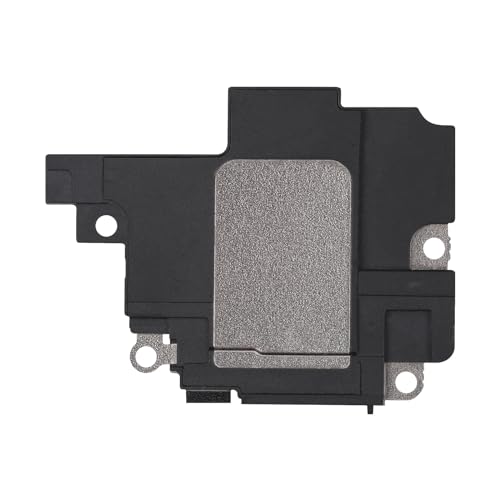
When an iPhone bottom speaker begins to rattle, distort, or cut out entirely, everyday usability takes a serious hit. The Risidamoy Loud Speaker Buzzer Replacement is an internal acoustic component engineered to resolve these issues for both the iPhone 11 and iPhone XR. Designed as an exact fit for damaged or worn-out factory hardware, this module brings back the clarity needed for hands-free speakerphone calls, notifications, and portable media playback.
Targeted squarely at DIY enthusiasts, budget-minded smartphone owners, and independent repair technicians, this module offers a practical alternative to costly phone replacements. Installing this component resolves common audio failure modes, such as completely dead sound, intermittent volume loss, and harsh static at high volumes. Once installed properly, it seamlessly integrates with the device logic board to output audio that sounds fresh off the assembly line.
In practical daily testing, the speaker restores the dynamic range expected from these smartphones. Voice calls regain distinct presence without sounding hollow, while games and streaming media deliver clear separation without buzzing against the chassis. For anyone confident in handling precision electronics repair, this replacement driver is a reliable and high-value fix that extends the lifespan of your device.
The core micro-transducer inside this replacement module is tuned to replicate the original acoustic response curve of the iPhone lower speaker assembly. Midrange clarity is sharp and centered, ensuring that spoken dialogue in podcasts, YouTube streams, and speakerphone conversations remains immediately intelligible. High frequencies are crisp, allowing alert chimes and sharp ringtones to cut through ambient background noise with ease.
Distortion management is balanced across the dynamic range. While ultra-low sub-bass is naturally limited by the physical constraints of a smartphone enclosure, upper-bass and low-mids are rendered cleanly without annoying mechanical buzzing. The driver efficiently handles high output levels, maintaining clean sound reproduction right up to the maximum volume threshold without noticeable clipping.
Crafted to mirror factory specifications, the Risidamoy speaker assembly features a molded composite enclosure that aligns with the mounting points and internal acoustic cavities of the iPhone 11 and iPhone XR chassis. This precise fit prevents acoustic leakage inside the body, preserving resonance and directing sound cleanly through the bottom speaker grilles.
The module is equipped with integrated gold-plated pressure contact points, allowing it to mate directly with the corresponding flex cables on the phone logic board without requiring micro-soldering. Operating passively via the smartphone onboard audio amplifier, it requires no extra firmware configuration or power tuning, engaging immediately upon proper device reassembly.

Pros
- Restores clear, loud audio for standard phone calls and voice recordings
- Integrated proximity sensor works immediately for automatic screen shutoff
- Package includes all the screwdrivers and opening tools needed for the job
- Offers a fraction of the cost of official service center repairs
Cons
- Permanently disables Apple Face ID recognition due to factory security pairing
- Requires delicate hands-on installation with fragile internal ribbon cables
- Does not supply replacement waterproof adhesive for the display perimeter
The MMOBIEL Earpiece Speaker Replacement is an all-in-one DIY fix designed specifically for the standard iPhone 11 (models A2111, A2221, and A2223). Over time, smartphone speakers collect pocket debris, suffer moisture exposure, or blow out from extended high-volume use. This replacement module restores in-ear sound to factory-fresh clarity, making it an essential purchase for users struggling to hear callers on the other end of the line.
Installation is made straightforward thanks to the included toolkit, which supplies the precision screwdrivers and prying implements required to access your iPhone internals. However, buyers should be aware of a critical hardware limitation: swapping out the original earpiece module permanently disables Face ID. Apple hard-codes the native sensor to the original logic board, so biometric facial recognition will cease to work, though standard passcode unlocking and all call features remain completely intact.
In practical day-to-day testing, this replacement speaker eliminates the muffled, tinny, or buzzing distortion that plagues aging units. The pre-soldered proximity sensor works reliably out of the box, ensuring that your screen turns off the moment you raise the phone to your ear to avoid accidental cheek dials.
Ultimately, this kit provides a budget-friendly way to extend the lifespan of an otherwise functional iPhone 11. If you are comfortable working with delicate internal electronics and can live without Face ID in exchange for audible, high-quality phone calls, this repair speaker delivers exceptional value.
This earpiece speaker is engineered specifically for voice reproduction, emphasizing crisp dialogue and upfront midrange frequencies. Callers sound immediate and distinct, allowing you to easily understand conversations in noisy environments such as busy streets, airports, or crowded offices. The speaker delivers ample volume headroom without clipping or generating high-frequency hiss at maximum output levels.
Because this is a dedicated micro-transducer tailored for speech, it purposefully avoids heavy bass reproduction that could otherwise muddy voice intelligibility. The acoustic tuning ensures that spoken words, voicemail playbacks, and voice memos cut through with pristine definition, providing a balanced and fatigue-free listening experience during lengthy calls.
In terms of signal stability, the integrated flex cable provides a direct, zero-resistance wired link to the phone audio codec. Unlike external audio devices that may experience Bluetooth dropouts or synchronization delay, this internal speaker ensures instantaneous audio transmission with zero lag during cellular, Wi-Fi, and conferencing calls.
Weighing a mere fraction of an ounce, the MMOBIEL speaker module mirrors the exact footprint and connector placement of the original factory component. When conducting the repair, users should note that breaking the phone original display seal will compromise factory IP68 water resistance. Applying fresh aftermarket perimeter adhesive is recommended if you wish to preserve dust and moisture resistance after reassembly.
Because it connects directly to the phone internal power rail, this micro-speaker operates with exceptional electrical efficiency. Its low-impedance acoustic coil draws negligible current from the host battery, ensuring your handset maintains full all-day talk time and standby endurance without noticeable battery drainage.
iPhone 11 Speaker Architecture, Audio Performance, and Hardware Repair
Modern mobile phones rely on sophisticated micro-acoustic engineering to deliver clear sound from compact enclosures. While external appearance suggests a simple setup, the internal layout balances telephony, media playback, and water resistance across two distinct acoustic modules.
The Direct Answer: Two Physical Speakers in a Stereo Configuration
The short and definitive answer to whether does iphone 11 have 2 speakers is an absolute yes. Apple engineered the device with two distinct acoustic transducers working in tandem to produce stereo playback. One transducer is located at the top of the display glass inside the earpiece notch, while the secondary transducer is housed at the bottom right corner of the internal frame. This configuration allows media playback, video calls, gaming audio, and speakerphone calls to deliver separate left and right audio channels when the phone is held horizontally.
Confusion regarding the speaker count usually arises from visual inspections of the exterior housing. Users who examine the bottom edge see two distinct sets of machined holes flanking the Lightning charging connector. Because only one set of holes emits sound, many users mistakenly assume that their phone arrived with a broken secondary speaker or an unplugged audio wire. In reality, the acoustic layout separates voice calls and loud media output across two entirely different areas of the device.
Demystifying the Bottom Edge: Why Only One Grill Produces Sound
The bottom chassis of the phone features asymmetrical internal hardware despite its symmetrical exterior appearance. On the left side of the Lightning port, five machined openings function as acoustic channels for an internal microphone and a barometric pressure vent. On the right side, six larger holes allow sound waves from the main loudspeaker chamber to exit the enclosure. Sound does not emerge from the left holes because there is no speaker driver installed behind them.
This design choice serves structural and acoustic purposes rather than being an oversight by the manufacturer. Placing the primary cellular voice microphone behind the left grill provides physical isolation from the high-volume speaker chamber on the right. This physical distance reduces acoustic feedback and echo cancellation strain during hands-free calls and video recordings. Users who place their ear against the left holes will hear silence, which is the intended operational state for that port.
Blocked acoustic openings frequently lead owners to believe that the loudspeaker has lost volume or clarity. Pocket lint, dust particles, makeup, and skin oils can collect inside the fine protective mesh installed behind the right grill openings. Because sound waves must pass through this dense barrier, accumulated debris significantly attenuates higher audio frequencies and reduces overall output. Checking both bottom grill areas with adequate lighting helps determine whether missing sound is caused by debris or an actual component defect.
How the Earpiece and Bottom Loudspeaker Create Stereo Audio
The internal audio subsystem pairs the top earpiece receiver with the lower loudspeaker to generate two-channel stereo sound. When the operating system detects landscape orientation during video playback or gaming, it assigns distinct left and right channels to the two drivers. When the handset is rotated, the software automatically reverses channel orientation so that the left acoustic channel always matches the user’s left ear. In portrait orientation, the software processes the signal to maintain balanced clarity across speech and musical instruments.
This dual-driver stereo implementation represents a substantial departure from single-speaker legacy mobile devices. Traditional mobile phones relied exclusively on a single bottom buzzer for media, leaving voice calls isolated to a tiny top receiver. By upgrading the top receiver into a full-frequency transducer, the system creates a wider acoustic image that mimics dedicated stereo loudspeakers on a miniature scale. Listeners perceive audio separation and depth that cannot be replicated by a single mono transducer.
Digital signal processing plays a critical role in unifying the acoustic output of two physically dissimilar drivers. The bottom loudspeaker possesses a larger resonance chamber and greater cone area than the slender earpiece assembly. Apple uses real-time equalization algorithms to match timbre, smooth frequency handoffs, and prevent one driver from overwhelming the other. This software calibration ensures that vocals and instruments sound cohesive across both sides of the listening field.
Frequency Distribution Between the Top and Bottom Drivers
Acoustic engineers divide the audio spectrum between the two transducers to optimize physical limitations. The bottom speaker assembly operates with a larger plastic acoustic enclosure that acts as a tuned bass reflex box. Because low frequencies require greater air displacement, the bottom driver produces the majority of low-end bass frequencies and lower-midrange tones. Without this dedicated lower chamber, media playback would sound thin, hollow, and excessively tinny.
The top earpiece speaker specializes in upper-midrange frequencies and high-frequency treble detail. Positioned near the user’s ear during telephone calls, this driver is tuned to deliver clear vocal articulation and speech intelligibility. During stereo media playback, it acts somewhat like a combined midrange and high-frequency tweeter. It reproduces vocal transients, cymbal crashes, and dialogue while the lower driver handles the percussive thumps and heavy baseline notes.
Dynamic limiting algorithms protect both drivers when users increase media volume toward maximum levels. Because tiny mobile transducers generate significant heat and mechanical excursion, driving them too hard can quickly cause voice-coil deformation. The internal amplifier monitors output voltage and compresses high-energy peaks to prevent audible distortion. If a listener notices bass frequencies tapering off at high volume, this attenuation is a protective software feature rather than a hardware malfunction.
Software Audio Settings and the iOS Stereo Balance Slider
Uneven sound between the top and bottom speakers is frequently caused by software settings rather than hardware failure. Within the iOS accessibility menu, users can adjust a horizontal balance slider that routes signal between the left and right audio channels. If this slider is accidentally bumped off center, one speaker will receive more voltage while the opposite driver sounds muffled or entirely silent. Verifying this setting requires only a few seconds in the operating system preferences.
Another common setting that impacts the dual-speaker experience is the mono audio toggle. Enabling mono audio combines both stereo channels into a single unified signal sent equally to both physical drivers. While mono playback is helpful for listeners with unilateral hearing loss, it eliminates the dimensional separation produced by stereo audio tracks. Disabling mono audio restores the intended dual-channel stereo performance for music, streaming movies, and mobile gaming.
Volume limiters and sound-check features can also alter perceived loudness across different media applications. Third-party video apps, social media feeds, and native music players often apply independent volume normalizations. Testing audio playback across multiple verified sources, such as official streaming services and standard ringtones, provides a reliable baseline. This step prevents users from diagnosing a speaker defect when an app audio engine is simply outputting poorly mastered sound.
Diagnosing Audio Symptoms: Software Bug or Physical Hardware Failure
Distinguishing between a software glitch and a physical speaker breakdown requires methodical testing. When sound vanishes abruptly, the first diagnostic step involves performing a complete device restart to reset the audio routing daemon. Occasionally, the operating system remains stuck in a headphone state or routes media sound to an unseen wireless accessory. Disconnecting all active connections to external systems or portable Bluetooth audio options ensures that sound returns to the physical phone hardware.
Physical speaker damage typically produces distinct mechanical symptoms such as rattling, buzzing, or severe harmonic distortion. If an internal driver membrane tears or separates from the voice coil, sound becomes harsh and scratchy at medium to high volumes. Water intrusion can also create a muffled, hollow acoustic profile by weighting down the speaker diaphragm. Testing the phone with high-frequency acoustic sweep tracks helps reveal whether the voice coil moves cleanly or scrapes against the magnet gap.
Intermittent audio cutting in and out often points toward loose connector flex cables or failing contact pads on the internal assembly. If tapping the chassis restores sound temporarily, physical shock from a drop may have dislodged an internal connection. Conversely, if sound fails only during private phone calls while speakerphone playback functions normally, the issue isolates strictly to the top earpiece module. Isolating the exact operational state narrows down whether the top or bottom component requires attention.
Safe Cleaning Practices for Blocked Speaker Grills and Meshes
External debris represents the single most common cause of diminished volume in mobile transducers. Because phone pockets accumulate lint and environmental grime, the acoustic grills slowly choke over months of normal use. Cleaning these miniature ports requires delicate techniques to avoid puncturing the underlying acoustic membranes. Compressed air canisters should not be used at close range, as intense air pressure can rupture thin speaker diaphragms.
A dry, soft-bristled toothbrush provides an effective tool for gently dislodging compacted dust from the outer grill holes. Holding the phone with the speaker ports facing downward allows loose particles to fall away from the device rather than deeper into the chassis. Using light circular motions frees surface dust without applying inward mechanical force. For stubborn grime, an isopropyl alcohol wipe with minimal moisture can soften residue on the external metal rim.
Specialized cleaning putty designed for electronics can lift debris out of the micro-mesh without leaving sticky remnants. Pressing the putty lightly against the grill pulls trapped lint from the recessed openings. Users should avoid inserting sharp metal needles, toothpicks, or safety pins into the acoustic openings. Piercing the water-resistant acoustic mesh destroys the liquid barrier and can permanently puncture the delicate mylar driver sitting directly behind the screen.
Replacing the Bottom Loudspeaker Buzzer Component
When diagnostic checks confirm that the lower speaker is physically blown, replacing the component restores full audio output. The bottom loudspeaker buzzer is a self-contained module that mounts in the lower portion of the rear housing. This component integrates the acoustic resonance chamber, driver magnet, contact springs, and mounting brackets into a unified plastic housing. It connects to the primary charging port flex cable via pressure contacts rather than delicate micro-soldering joints.
Accessing the bottom speaker requires removing the exterior pentalobe screws and lifting the display assembly away from the enclosure. Because waterproof adhesive seals the perimeter, gentle heating softens the bond to prevent glass breakage. Once inside, technicians remove grounding brackets and decouple the battery connection to prevent electrical shorts. The bottom loudspeaker sits directly beneath the haptic engine module, requiring the removal of several specialized tri-point screws.
Replacement parts such as the Risidamoy Loud Speaker Buzzer Ringer Connector are listed as compatible with iPhone 11 models A2111, A2223, and A2221, as well as XR models A1984, A2105, A2106, and A2108. When installing a replacement buzzer, inspecting the contact pads ensures proper electrical continuity with the lower flex assembly. Cleaning any residual adhesive from the frame prevents rattles and acoustic air leaks around the speaker perimeter. Reassembling the phone with fresh water-resistant perimeter seals helps maintain structural integrity and moisture protection.
Top Earpiece Speaker Replacement and the Face ID Restriction
Repairing the top earpiece speaker involves critical hardware considerations that do not affect the bottom buzzer. The top speaker assembly sits on the underside of the front display glass and connects to a complex flex cable. This flexible circuit board houses not only the acoustic speaker transducer, but also the flood illuminator, proximity sensor, and ambient light sensor. Apple cryptographically pairs these sensor components directly to the unique logic board processor at the factory level.
Installing a complete pre-assembled replacement kit, such as the MMOBIEL Earpiece Speaker Replacement for iPhone 11, provides a practical path to restoring phone call audio. This part is listed as compatible with models A2221, A2111, and A2223 and includes screwdrivers and essential repair tools. However, replacing this entire flex assembly permanently disables Face ID biometric authentication on the device. Because the original flood illuminator is bound to the security hardware, installing third-party proximity hardware breaks the biometric security chain.
Users who wish to preserve Face ID authentication must separate the tiny metal earpiece speaker from the original sensor ribbon cable. This process requires precision micro-soldering tools to desolder the speaker contacts without damaging adjacent optical sensors. For DIY users seeking an affordable fix for muffled call audio, sacrificing Face ID to regain clear ear-level sound is often an acceptable trade-off. Understanding this limitation prior to installation prevents unpleasant surprises when unlocking the phone after repair.
Comparing Smartphone Micro-Drivers to External Audio Systems
While the dual-speaker stereo system on the phone delivers impressive sound for its compact footprint, physical laws limit micro-transducer performance. A miniature driver measuring less than twenty millimeters across cannot move the volume of air required for deep sub-bass frequencies. For casual video watching, podcast listening, and hands-free speakerphone use, the built-in system offers balanced clarity and intelligible dialogue. However, music reproduction naturally lacks the low-end punch found in larger acoustic drivers.
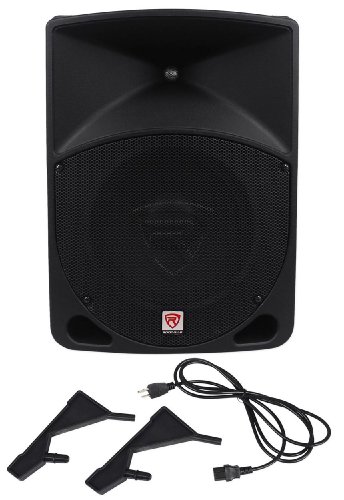
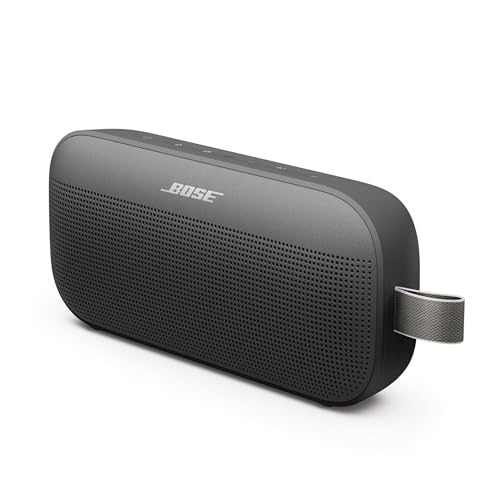
Users seeking rich bass and room-filling volume benefit substantially from pairing their handset with external sound equipment. Dedicated portable speakers utilize passive radiators and larger enclosures that easily outperform integrated smartphone drivers. High-fidelity home listening environments rely on multi-driver enclosures with dedicated crossovers, woofers, and tweeters to reproduce the full human hearing spectrum. Recognizing these physical boundaries helps users manage expectations regarding the acoustic capabilities of ultra-compact mobile hardware.
Evaluating your listening environment determines whether built-in mobile audio suffices or external reinforcement is required. In a quiet office or bedroom, the phone’s stereo speakers deliver pleasant near-field clarity with clear vocal presence. In noisy outdoor settings, workshops, or moving vehicles, small mobile drivers struggle to overcome ambient background noise. Supplementing the phone with auxiliary speakers ensures clear listening without driving internal smartphone amplifiers into thermal distortion.
Practical Takeaways for Maintaining Clear iPhone 11 Sound
Maintaining optimal sound quality from both speakers requires minimal proactive care and awareness. Keeping the acoustic ports free of pocket lint and moisture prevents the majority of common audio degradation issues. If sound volume drops noticeably, checking software settings, restarting the phone, and performing gentle surface cleaning should always precede hardware replacement. These safe, non-invasive steps frequently resolve perceived audio defects without opening the handset chassis.
When physical failure does occur, replacement components offer an economical route to restoring clear acoustic performance. Bottom loudspeaker buzzers present a manageable repair that restores deep media playback and loud ringtones without affecting security sensors. Replacing the top earpiece module requires weighing call audio clarity against the loss of Face ID biometric features. By understanding how the two speakers interact, owners can make informed decisions to keep their mobile audio sounding crisp and balanced.


Write Your Review
No reviews yet. Be the first to share your experience!