
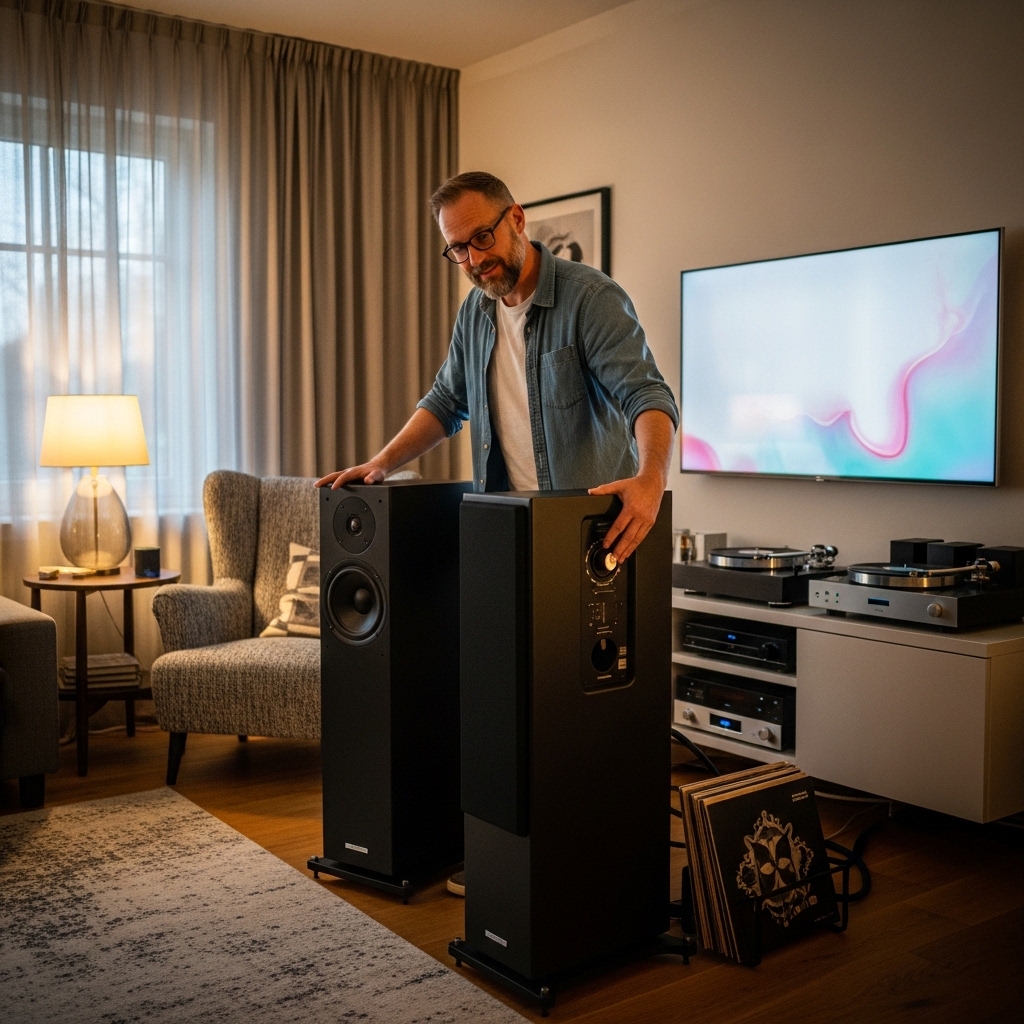

Many listeners find themselves struggling with faint dialogue or muffled audio tracks when streaming media from laptops, smartphones, or stock car audio setups. In an effort to overcome weak volume output, users frequently download browser extensions or mobile applications that promise to amplify sound past standard operating system boundaries. However, questions quickly arise regarding whether can volume booster damage speakers over extended listening sessions. Pushing an audio signal beyond designed manufacturer thresholds forces tiny hardware components to work well outside their intended mechanical operating ranges.
Audio hardware relies on a delicate balance of electrical current, voice coil temperature control, and physical cone movement to deliver clear sound. When digital booster tools artificially inflate gain levels, they introduce severe waveform distortion that strains delicate internal components across various Bluetooth speaker models and desktop monitors. Understanding how software amplification alters signal delivery helps audio enthusiasts protect their equipment while finding reliable methods to achieve satisfying loudness. Evaluating clean hardware amplification against digital pre-gain tools provides a clearer path toward long-term audio performance without risking permanent component burnout.

Understanding Audio Distortion, Volume Boosters, and Speaker Health
Struggling with quiet dialogue or weak multimedia playback often tempts users to install software volume boosters, but understanding the acoustic consequences is essential for protecting your equipment. Artificially forcing an audio signal beyond standard digital thresholds alters the fundamental shape of sound waves and introduces severe electrical stress to delicate internal components. While the promise of increased volume sounds convenient, the underlying mechanics of digital clipping and thermal buildup can easily ruin both portable and installed speaker drivers. Exploring how these software tools interact with physical speaker parts clarifies why hardware precautions are necessary to prevent irreversible damage.
Direct Answer: The Relationship Between Volume Boosters and Speaker Damage
Software volume boosters can cause severe and permanent damage to audio speakers. These digital applications function by multiplying the mathematical amplitude of an incoming audio signal past the standard zero-decibel ceiling established by operating systems. When an audio signal is artificially inflated beyond designed system limits, the sound card and internal digital-to-analog converter attempt to reproduce waveforms that physically exceed safe hardware parameters. This continuous artificial strain leads directly to severe signal degradation, excess voice coil heat accumulation, and eventual structural destruction of the speaker driver.
Audio speakers are engineered with strict thermal and mechanical boundaries determined by voice coil diameter, magnet assembly mass, and suspension flexibility. When third-party software forces an amplifier or miniature transducer to operate in continuous saturation, the speaker no longer moves in a controlled linear fashion. The resulting stress is not merely an issue of unpleasant sound quality, but a direct electrical hazard to delicate internal components. Anyone utilizing digital boost software must recognize that these utilities bypass built-in safety margins engineered by hardware manufacturers to safeguard long-term component integrity.
The Physical Mechanics of Speaker Sound Reproduction
A conventional dynamic speaker operates as an electromechanical transducer designed to convert incoming electrical energy into acoustic waves. At the mechanical heart of the driver rests a cylindrical voice coil wrapped in fine copper or aluminum wire, suspended inside a concentrated magnetic gap. When an alternating current from an audio amplifier flows through this wire winding, it generates a fluctuating magnetic field that interacts with the permanent magnet. This continuous magnetic interaction pushes and pulls the attached speaker cone back and forth along a precise central axis.
The rapid linear displacement of the speaker diaphragm compresses and rarefies surrounding air molecules, producing the sound waves detected by human ears. Simultaneously, this physical oscillatory travel plays an indispensable role in cooling the internal voice coil during extended operation. As the cone moves outward and inward, cool ambient air circulates through the magnetic gap and vented pole pieces to disperse accumulated thermal energy. If an incoming audio signal becomes distorted and the cone ceases normal oscillatory travel, heat begins building rapidly inside the enclosed motor assembly.
Digital Clipping and Harmonic Distortion Explained
Digital audio formats operate within a rigid mathematical boundary where the maximum possible volume level is indexed at zero decibels relative to full scale. When a volume booster application artificially pushes audio gain beyond this digital ceiling, it cannot magically create additional electrical voltage or acoustic headroom. Instead, the algorithm aggressively slices off the rounded peaks and valleys of natural musical sine waves, converting smooth waveforms into flat-topped square waves. This severe signal mutilation is universally recognized in sound engineering as digital clipping, and it represents one of the primary catalysts for speaker destruction.
Clipped waveforms do not simply sound raspy and harsh; they generate massive bursts of high-frequency harmonic energy that normal audio recordings never produce. These unnatural harmonics channel an enormous concentration of destructive electrical power directly into the highest frequency bands of the audio spectrum. Because high-frequency tweeters possess diminutive voice coils engineered solely for microscopic excursions, this concentrated energy rapidly overwhelms their delicate thermal limits. The resulting acoustic output sounds fractured and metallic, signaling that the connected drivers are undergoing intense electrical and mechanical stress.
Thermal Failure: How Excess Heat Destroys Voice Coils
Thermal burnout is the most prevalent failure mode observed when speakers are subjected to continuous digital volume boosting. Under normal operating conditions with unclipped audio signals, alternating current reverses its polarity smoothly, giving the voice coil microsecond pauses to dissipate heat. In stark contrast, a clipped audio waveform acts like direct current during the flattened peaks of its truncated cycle. This prolonged direct current exposure prevents the voice coil from resting, causing internal coil temperatures to climb rapidly past designed operational thresholds.
Modern speaker voice coils are shielded with microscopic layers of insulating enamel and bonded to cylindrical formers using specialized heat-cured adhesives. When internal temperatures exceed safe operational limits, this protective insulation softens, scorches, and eventually melts away entirely. As adjacent wire turns touch without insulation, severe electrical short circuits form, drastically reducing the nominal impedance of the driver. This reduced impedance draws even more uncontrolled current from the amplifier, melting the remaining adhesive until the wire physically unravels inside the magnetic gap.
Mechanical Failure: Over-Excursion and Suspension Breakdown
Mechanical failure happens when software volume boosters compel a speaker cone to travel farther than its physical suspension can safely tolerate. Every dynamic loudspeaker features a defined linear excursion rating alongside an absolute mechanical limit where structural boundaries are breached. When excessive low-frequency boost is applied to small speaker diaphragms, the voice coil former is propelled violently toward the rear of the magnet structure. In severe cases, the bottom edge of the voice coil former slams directly into the steel backplate, deforming the cylinder and causing immediate voice coil jamming.
Beyond backplate collisions, uncontrolled physical excursion places tremendous mechanical strain on the outer surround and inner spider suspensions. The flexible outer surround can tear away from the outer frame or develop fatigue splits along its perimeter under violent vibration. Similarly, the woven fabric spider responsible for maintaining voice coil alignment can lose its restoring tension or tear away from the former completely. Once suspension alignment fails, the voice coil tilts sideways within the magnetic gap, scraping against the metal pole piece and producing harsh physical rasping noises.
Software Amplification Versus Dedicated Hardware Amplifiers
Understanding the stark functional difference between software gain multipliers and dedicated hardware amplifiers is essential for protecting your audio equipment. Software volume boosters do not deliver genuine electrical current or clean voltage to speaker terminals; they merely alter digital audio code to force higher baseline output. This mathematical truncation inevitably introduces severe clipping into the signal path before the audio even reaches the physical amplifier chips inside the playback device. Dedicated hardware amplification, by contrast, utilizes analog circuitry, clean power transformers, and output transistors to deliver real acoustic energy without corrupting the original waveform.
In automotive sound systems where factory speakers produce faint or lifeless sound, using a mobile volume booster often causes severe speaker degradation. Installing an external amplifier like the Bewinner 4 Channel Car Stereo Amplifier Aluminum allows audio systems to achieve robust volume cleanly and reliably. The manufacturer highlights an aluminum alloy housing specifically designed for high heat dissipation, helping maintain thermal stability across multiple output channels during demanding playback. By supplying clean analog amplification rather than clipped digital signals, dedicated hardware prevents the destructive square waves that software volume boosters routinely force into factory speaker wiring.
Vulnerability by Speaker Type: Laptops, Phones, and Cars
Different categories of audio equipment demonstrate widely varying levels of vulnerability when exposed to aggressively boosted sound signals. Integrated laptop speakers and smartphone micro-transducers represent the most vulnerable components due to their microscopic diaphragms and fragile copper leads. These miniature drivers depend entirely on strict factory firmware limiters to prevent the voice coils from melting under normal multimedia playback. Overriding these system limits using third-party browser extensions or booster utilities can destroy micro-speakers in minutes, resulting in permanent buzzing, distorted vocals, or dead channels.
Portable wireless audio systems also feature compact enclosures where understanding portable speaker audio limits helps listeners avoid overdriving internal digital sound processors. While standalone wireless speakers often feature built-in compression algorithms, feeding them heavily clipped input signals accelerates component fatigue and distorts acoustic output. In vehicles, factory door speakers frequently suffer when drivers attempt to boost weak smartphone audio through auxiliary adapters. Enthusiasts considering upgrading four-inch car speakers must ensure their audio source provides clean, undistorted signals so that replacement drivers achieve their expected lifespan without premature cone failure.
Identifying Warning Signs of Imminent Speaker Damage
Audio speakers rarely fail abruptly without emitting distinct acoustic warnings that signal dangerous operating conditions inside the motor assembly. The most recognizable symptom of digital signal clipping is a gritty, fuzzy distortion overlaying high-frequency vocals, piano notes, and cymbal strikes. When audio reproduction begins sounding like paper tearing or buzzing through tin foil, the speaker driver is actively operating outside its linear boundaries. Lowering the software volume booster slider immediately upon noticing this distortion can prevent temporary thermal stress from turning into irreversible voice coil burnout.
Physical and olfactory symptoms also provide crucial warnings during severe over-excursion and thermal overload situations. A distinct chemical odor resembling scorched enamel wire or melting epoxy resin indicates that voice coil adhesives are beginning to vaporize inside the speaker cabinet. Additionally, listeners might detect a sharp clicking, knocking, or popping sound during punchy bass passages, which signals that the voice coil former is physically bottoming out. Whenever these auditory, thermal, or olfactory signs emerge, immediately disabling third-party booster utilities is vital to preserve the mechanical health of your audio drivers.
Safe Methods for Increasing Audio Output and Vocal Clarity
Achieving satisfying sound levels without endangering fragile speaker hardware requires following safe gain-staging principles across all connected playback devices. Listeners should set their operating system volume and digital media players between seventy and eighty percent, avoiding software utilities that promise artificial amplification above normal thresholds. When dialogue or movie speech sounds indistinct, using a graphic equalizer to gently reduce muddy mid-bass frequencies can reveal vocals without forcing master gain upward. Attenuating congested frequencies creates natural headroom, allowing clear sound reproduction without demanding dangerous amounts of excursion from small speaker diaphragms.
Enabling dynamic range compression provides another safe, highly effective alternative to risky volume-boosting applications. Many operating systems, streaming platforms, and television media players include built-in loudness equalization or night listening modes that automatically balance dynamic extremes. This dynamic leveling lifts whisper-quiet dialogue into audible territory while transparently attenuating thunderous sound effects before clipping can occur. For listeners whose environment requires substantial volume, investing in a pair of powered desktop monitors or active home speakers delivers clean acoustic power without relying on artificial software multipliers.
Diagnostic Troubleshooting for Low Volume and Practical Upgrades
When audio hardware produces unexpectedly low volume, investigating underlying operating system settings is far safer than installing third-party booster software. Inspecting sound card properties in your device settings often reveals incorrect channel configurations, such as stereo signals being routed into phantom surround sound channels. Outdated audio drivers, misconfigured equalizer presets, or disabled audio enhancement services can artificially choke system volume well below standard factory specifications. Updating device drivers and resetting sound configurations to default parameters frequently restores full, dynamic volume without exposing your speakers to destructive clipped signals.
Examining physical connection cables and verifying input signal quality is another critical step before assuming your audio equipment is defective. Damaged auxiliary cords, worn headphone jacks, and low-bitrate streaming tracks frequently introduce severe signal loss that users mistakenly attempt to correct with booster apps. If your primary listening area requires louder, more authoritative sound than compact built-in speakers can produce, transitioning to external powered speakers is the only safe, permanent solution. Taking a measured approach to sound reinforcement protects your hardware investments and ensures dependable, distortion-free audio performance over the long term.




Write Your Review
No reviews yet. Be the first to share your experience!