
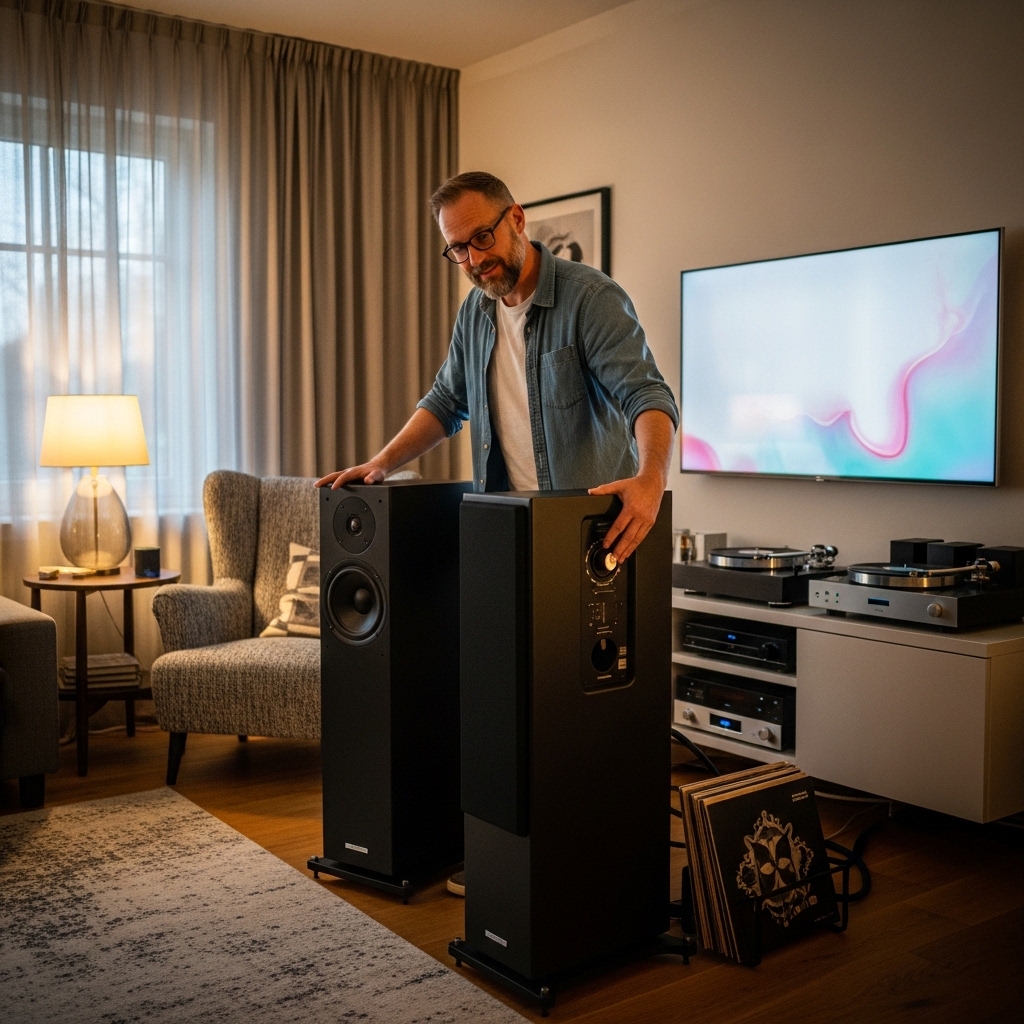

Setting up a home studio or desktop workstation often prompts producers to ask whether a single audio source can drive more than one pair of monitors. When setting up desktop audio, many creators ask: can mackie studio monitors hook up multiple speakers at the same time? Studio monitors like the Mackie CR series provide clean amplification and multiple analog connections, but running multiple pairs requires an understanding of how powered monitors receive and distribute line-level audio signals. Users who migrate from standard Bluetooth PC speakers often expect quick daisy-chain ports, yet studio gear follows specific audio routing rules.
Active reference monitors usually lack direct passthrough outputs to feed secondary speakers, meaning that linking extra pairs requires external hardware or multi-output routing. Audio interfaces, studio monitor controllers, and passive signal splitters provide safe methods to distribute stereo audio across extra speakers without loading down amplifier stages. Mackie offers desktop monitors equipped with versatile 1/4-inch TRS, RCA, and 1/8-inch auxiliary inputs, giving you multiple ways to inject sound from different sources. Understanding how your signal flows from your playback source to each monitor pair ensures pristine clarity while preventing distortion, phase problems, and ground loop hum.

Pros
- Exceptional connectivity for seamless integration with production gear and gaming setups
- Adjustable tone control customizes sound for any listening scenario
- Location switch ensures optimal performance wherever placed
- Clean, detailed audio ideal for critical listening and immersive gaming
- Headphone jack adds convenience for solo use
Cons
- Bass depth limited without optional subwoofer
- Requires AC power outlet, not battery-powered for portability
- Compact size suits near-field listening best
Mackie CR3.5 Creative Reference Powered Studio Monitors pack professional-grade audio into a compact, affordable package perfect for home studios, gaming desks, and casual HiFi setups. These active speakers feature a 3.5-inch woven woofer and silk dome tweeter, delivering clean, articulate sound that punches above its size for music production and immersive gaming.
Versatility defines the CR3.5, with TRS and RCA inputs for pro audio gear, a 3.5mm jack for PCs and consoles, and a headphone output for focused listening. The tone knob lets you dial in neutral studio response or boost bass and treble for gaming marathons or backyard parties, while the location switch adapts acoustics for desktop or bookshelf use.
In real-world tests, they excel in near-field monitoring, offering precise imaging for mixing tracks or enjoying games with spatial audio cues. Pairing with a subwoofer unlocks deeper lows for full-range playback. For creators and gamers wanting studio quality without breaking the bank, the CR3.5 earns top marks as a multi-purpose powerhouse.
Verdict: A smart pick for anyone building a creative desktop ecosystem, blending pro features with everyday fun.
The Mackie CR3.5 shines with a balanced sound signature: transparent mids and highs from the silk dome tweeter pair with punchy lows from the 3.5-inch woofer, making vocals crystal clear for production work and gameplay dialogue.
Tone control is a standout, gradually enhancing bass rumble and high-end sparkle for gaming immersion or party energy without muddiness. Volume handles desktop levels effortlessly, maintaining clarity even at high output.
While standalone bass satisfies most near-field needs, adding the CR8SBT subwoofer transforms it for floor-shaking performance across genres.
Compact and sleek, the CR3.5 monitors fit seamlessly on desks or shelves, with the location switch fine-tuning response for close-up studio work or distant couch listening. Rear controls keep the front panel clean and professional.
As powered speakers, they draw from AC outlets for unlimited playback, eliminating battery concerns during long production sessions or gaming nights. No charging downtime means constant readiness.
Build quality feels solid for the size, with versatile I/O ports ensuring rugged daily use in creative environments.

Pros
- Multiple inputs including Bluetooth, TRS, RCA and 3.5mm for easy setup
- Adjustable tone and location controls tailor sound to your space
- Studio-quality components deliver precise, detailed playback
- Compact design fits desktop or shelf without compromising power
Cons
- Requires AC power outlet, not portable
- Subwoofer sold separately for maximum bass
- No companion app for advanced EQ tweaks
The Mackie CR5BT Creative Reference Powered Studio Monitors bring professional-grade audio to your desk or shelf, blending studio accuracy with fun features like Bluetooth and a tone knob. These active speakers shine for music production, gaming sessions, desktop computer use and HiFi listening, connecting effortlessly to any setup.
With a 5.25-inch woven woofer and silk dome tweeter, they produce clean, detailed sound that handles everything from mixing tracks to explosive game soundtracks. The tone knob lets you dial in bass punch and high-end sparkle, while the location switch adapts acoustics for close-up desktop work or farther bookshelf listening.
In real-world use, the CR5BT excels at delivering balanced, transparent response ideal for creators and casual listeners alike. Pair them with a sub for deeper lows during parties or immersive media. Overall verdict: a top pick for versatile, high-fidelity speakers under $200 that punch above their size.
The Mackie CR5BT delivers a neutral, studio-transparent sound signature with excellent vocal clarity and instrument separation from its silk dome tweeter and woven woofer. Bass is solid and controlled for the size, extending low enough for most tracks, and the tone knob adds customizable low-end rumble plus treble sparkle for gaming or pop music.
Volume levels fill small rooms without distortion, making them great for desktop production or HiFi setups. Bluetooth connectivity is stable up to 30 feet, with seamless pairing to phones or laptops, and wired inputs ensure pro-level fidelity for interfaces or consoles.
Switch between desktop mode for nearfield monitoring and bookshelf mode for living room listening, optimizing phase and response every time.
These powered studio monitors feature a sleek, compact design with front-facing controls and ports for easy desktop or bookshelf placement. The location switch fine-tunes performance based on positioning, ensuring optimal sound wherever you set them up.
Built tough for studio use with no IP rating needed for indoor lifestyles, they weigh in light enough for any setup without bulky heft. As AC-powered speakers, they offer unlimited runtime plugged in, no battery concerns or charging downtime.
Reliable power draw keeps them humming through long sessions, from all-day production to weekend gaming marathons.
Pros
- Significantly deeper low-end extension compared to standard 3.5-inch compact monitors
- Intuitive front-panel Tone Knob makes sound contouring fast and straightforward
- Included acoustic foam pads minimize desk resonance right out of the box
- Rear boundary switch solves muddy, boomy bass issues common in tight spaces near walls
Cons
- Slightly deeper footprint than ultra-compact monitors, requiring dedicated desk depth
- Purely analog input structure lacks onboard digital USB or optical connections
- Passive speaker wire link restricts maximum spread distance between monitors
The Mackie CR4.5 studio monitor pair occupies the sweet spot in desktop audio engineering, serving as a purposeful bridge between ultra-compact 3.5-inch speakers and bulky 5-inch nearfield cabinets. Designed for spaces where desk real estate is at a premium but audio fidelity cannot be compromised, these monitors provide an immediate acoustic upgrade over typical multimedia speakers.
Targeted squarely at home music producers, podcasters, video editors, and discerning gamers, the CR4.5 focuses on clear, honest sound reproduction. The standout feature is its front-mounted Tone Knob, which lets you seamlessly transition from an analytical, flat response for mixing dialogue to an energetic, bass-rich profile ideal for casual entertainment and media consumption.
Setting up the system is streamlined thanks to thoughtful inclusions. Mackie provides high-density foam isolation pads directly in the box, immediately isolating the speaker cabinets from surface vibrations that muddy lower frequencies. The rear-panel Location Switch is equally valuable, actively attenuating bass buildup when placing the cabinets close to walls in compact bedrooms or editing bays.
Ultimately, the Mackie CR4.5 delivers dependable acoustic accuracy and versatile voicing in a package designed for real-world creative spaces. It removes the guesswork from desktop monitoring, giving creators a balanced and fatigue-free listening experience that translates reliably to other sound systems.
Acoustically, the 4.5-inch polypropylene woofer delivers a noticeable step up in low-end authority compared to smaller entry-level monitors. Bass notes have distinct punch and definition without bleeding into the mid frequencies, allowing kick drums and basslines to sit properly in a mix without demanding the footprint of a standalone subwoofer.
The midrange presentation remains clear and intelligible, making it effortless to pinpoint subtle vocal edits or EQ shifts in spoken-word podcasts and video cuts. High frequencies are crisp and airy, lending a wide and transparent top end that avoids harshness during extended nearfield monitoring sessions.
Stereo imaging is tight and cohesive, creating an intimate soundstage where instrument placement and panning choices are easy to identify. Combined with the Location Switch for room boundary correction, the CR4.5 maintains consistent tonal integrity even in acoustically untreated rooms.
Constructed with sturdy all-wood cabinets, the CR4.5 monitors are engineered to resist resonance while maintaining a sleek, modern workstation aesthetic. Finished in matte black with understated silver accents, each cabinet measures 8.25 by 6.1 by 8.85 inches, combining for a solid total weight of just over 12 pounds that stays firmly planted on your workstation.
The architecture relies on a proven active-passive configuration, where one speaker houses the internal stereo amplifier and master controls while powering the secondary passive unit via included speaker wire. The front baffle houses the multifunction power/volume dial and the dedicated Tone Knob, putting core controls within easy arm's reach.
Rear panel connectivity accommodates standard studio and consumer sources, giving you the flexibility to connect dedicated audio interfaces, mixers, or desktop sound cards. Everything required for immediate operation is bundled in the package, making it an effortless plug-and-play solution for modern creative desks.
Connecting Multiple Speakers to Mackie Studio Monitors
Mackie studio monitors can certainly be part of a multi-speaker setup, but they cannot daisy-chain directly from one speaker to another. Creative Reference monitors do not feature line-level passthrough outputs designed to feed secondary powered cabinets. To link multiple pairs, you must split or route your line-level audio signal before it enters each monitor. Tools like audio interfaces, hardware monitor controllers, and dedicated subwoofers let you expand your setup cleanly without compromising audio fidelity.
Master and Passive Satellite Architecture in Mackie CR Monitors
Understanding how Mackie designs its Creative Reference monitors explains why direct daisy-chaining is impossible. Models like the Mackie CR3.5, CR4.5, and CR5BT use a master-and-satellite configuration rather than two independent powered units. The primary cabinet houses the stereo power amplifier, tone control circuitry, input jacks, and power switch. The secondary companion cabinet is completely passive, receiving amplified audio through standard spring-clip speaker terminals.
Because these spring clips carry amplified speaker-level power, you must never connect another powered studio monitor to those terminals. Sending an amplified signal into the line input of an active monitor will overload and likely damage its internal preamp. Additionally, wiring extra passive speakers in parallel across those terminals drops electrical impedance, which can overheat the built-in amplifier. Line-level expansion must always occur upstream before signals enter the primary Mackie speaker.
Routing Multi-Speaker Audio Through an Audio Interface
A multi-channel audio interface is the most reliable way to drive multiple studio monitors from a computer. Interfaces with four or more balanced line outputs allow you to assign outputs one and two to your main monitors and outputs three and four to secondary speakers. Recording software and digital control panels let you mirror the master mix across all outputs or switch between them for mix checks. This setup isolates each speaker pair electrically, preventing signal degradation and preserving balanced noise rejection.
Connecting your monitors to an interface is simple using balanced 1/4-inch TRS cables plugged into the rear jacks of each active monitor. Mackie reference monitors accept balanced or unbalanced 1/4-inch TRS connectors alongside standard RCA jacks, fitting standard studio cabling effortlessly. If you compare playback on dedicated PC speakers for music alongside studio monitors, multi-output interfaces make switching seamless. You can evaluate mixes across different speaker sizes without constantly swapping cables.
Managing Multiple Monitors with a Hardware Monitor Controller
A dedicated hardware studio monitor controller offers an intuitive, tactile way to distribute one audio signal to several monitor pairs. Devices like the Mackie Big Knob series take your primary stereo source and route it to multiple selectable speaker outputs. With a simple tap of a front-panel button, you can alternate between your primary Mackie monitors and secondary reference speakers. Some controllers also feature an A+B mode, enabling simultaneous playback across both pairs for room-filling sound.
Hardware controllers also provide smooth analog volume attenuation, mute switches, mono summing, and dim controls that make everyday monitoring safer. Controlling volume in the analog domain avoids sudden digital spikes that could push your monitors into severe clipping. Passive monitor controllers perform signal distribution without introducing distortion, coloration, or electrical noise into the signal chain. If your workflow requires fast AB comparisons between small and large speakers, a monitor controller is the ideal desktop tool.
Adding a Dedicated Subwoofer to Build a 2.1 System
Adding a powered subwoofer is the manufacturer-supported method for expanding Mackie reference monitors into a multi-speaker array. Units like the Mackie CR8S-BT powered subwoofer feature stereo inputs along with dedicated stereo line outputs built specifically to feed satellite monitors. Your primary audio source plugs directly into the subwoofer inputs using balanced TRS or RCA cables. The subwoofer handles low frequencies and routes the remaining mid and high frequencies directly to your desktop monitors.
This passthrough routing delivers significant acoustic benefits for smaller monitors like the Mackie CR3.5 and CR4.5. Relieving compact monitors of heavy sub-bass duties allows their built-in amplifiers and smaller woofers to focus purely on clean midrange and articulate highs. The subwoofer handles the frequency split through an internal crossover, preventing muddy bass overlap between cabinets. Many subwoofers also include a footswitch input, letting you bypass the subwoofer instantly to check your mix on the monitors alone.
Understanding Input Jacks and Multi-Source Playback
Mackie equips its CR series monitors with several input options, which can sometimes lead to confusion about audio direction. The rear panel provides dual 1/4-inch TRS jacks and dual RCA jacks, while the cabinet also includes a 3.5 mm auxiliary stereo input. These ports function strictly as audio inputs, meaning they only receive signals rather than transmitting sound to other speakers. While you can physically connect multiple sources at once, they do not offer isolated internal mixing and should not be treated as a routing hub.
Certain models like the Mackie CR5BT also feature wireless Bluetooth connectivity to expand your source connectivity. You can pair a smartphone or tablet wirelessly while keeping a desktop computer or audio interface wired to the analog inputs. Even with Bluetooth enabled, the monitors cannot transmit Bluetooth out to secondary wireless speakers. If you want synchronized multi-speaker wireless playback, your host playback device must manage that broadcast stream directly.
Comparing Passive Splitters with Active Distribution Amplifiers
Some users try connecting multiple active monitors using simple RCA or 3.5 mm Y-splitter cables from a single output port. While a passive splitter can duplicate an analog line-level signal, it introduces notable electrical compromises. Splitting an unbuffered signal cuts the load impedance seen by your audio source, which often reduces overall volume and dulls high-frequency detail. Unbalanced splitter cables also increase the risk of ground loop hum and radio frequency interference.
An active distribution amplifier or buffered signal splitter provides a much cleaner solution when driving several powered monitors. Active distribution units isolate each output electronically, ensuring that volume adjustments or powering down one speaker pair will not affect the other. Balanced distribution gear also maintains noise rejection across longer cable runs, keeping your background noise floor quiet. For serious music production, active signal distribution consistently beats cheap passive Y-splitters.
Acoustic Placement and the Location Voicing Switch
Setting up multiple speakers in a home studio makes acoustic positioning and boundary reflection management critical. Mackie addresses common placement challenges with a location switch on models like the Mackie CR3.5, CR4.5, and CR5BT. This switch toggles the internal acoustic profile between desktop mode and bookshelf mode to correct for nearby boundary surfaces. Desktop mode gently reduces lower midrange buildup caused by sound reflecting off your desk.
Bookshelf mode delivers a flat, full-range response that works well when monitors sit on dedicated stands away from large furniture. When arranging multiple monitor pairs, setting their location switches properly ensures consistent tonal balance between nearfield and mid-distance setups. These monitors also include a front-panel tone knob that adjusts the overall sound profile from flat reference response to boosted bass. This flexibility allows you to tune secondary speaker pairs to match different listening preferences.
Preventing Ground Loops and Phase Issues in Multi-Speaker Rigs
Powering multiple studio monitors from a shared source can introduce ground loop hum if power connections are unmanaged. Ground loops occur when audio gear connects to different wall outlets with small differences in electrical ground potential, producing audible 60 Hz hum. To avoid this annoying issue, plug all monitors, subwoofers, computers, and audio gear into a single high-grade surge protector. Using balanced 1/4-inch TRS cables instead of unbalanced RCA cables also adds valuable protection against electrical interference.
Phase cancellation is another frequent problem when multiple speaker pairs play simultaneously in the same room. If two sets of speakers reproduce identical frequencies from slightly different distances, certain frequencies will cancel each other out. Professional engineers solve this by using multiple monitors for alternating comparisons rather than running them all at once. Keeping speaker distances symmetrical relative to your main listening position preserves accurate stereo imaging across all pairs.
Integrating Mackie Monitors into Hybrid Gaming and Studio Setups
Many creators use a single workstation for both critical audio editing and immersive PC gaming. Creators building speakers for PC gaming setups often want studio-grade monitors alongside secondary multimedia speakers. Mackie monitors adapt well to hybrid setups thanks to their multiple analog inputs and straightforward front-panel volume control. You can connect your main audio interface through the TRS inputs while reserving the 3.5 mm auxiliary port for a secondary device.
Plugging headphones into the front-panel headphone jack on Mackie CR monitors automatically mutes the primary and companion speakers for late-night sessions. This auto-mute feature provides quick switching without digging through software menus or turning off speaker power switches. The acoustic isolation pads included with monitors like the Mackie CR4.5 decouple the speaker enclosures from your desk, reducing muddy vibrations. Decoupling ensures that gunshots, musical transients, and dialogue stay crisp and articulate.
Choosing Between Mackie CR Models for Multi-Monitor Desktops
Selecting the best Mackie monitor size depends on your available desk space, bass preferences, and whether you use a separate subwoofer. The Mackie CR3.5 features a 3.5-inch woven woofer and a silk dome tweeter, offering a compact footprint for smaller desks. Its compact enclosure delivers articulate vocal presence, making it an excellent companion pair alongside an external subwoofer. However, users seeking more standalone bass without a floor subwoofer will prefer the larger driver options.
The Mackie CR4.5 steps up to a 4.5-inch woofer, offering fuller low-end punch that handles music production without needing a sub. For larger production spaces or multimedia rooms, the Mackie CR5BT combines a 5.25-inch woven woofer with Bluetooth streaming and higher output headroom. Its larger cabinet moves noticeably more air, providing extended bass response for electronic music or film scoring. Choosing the appropriate driver size ensures that each monitor pair in your room performs within its ideal acoustic range.
Final Verification Checklist for Multi-Speaker Hookups
Before using your multi-speaker system, perform a careful check of all physical connections and source settings. Confirm that speaker-level spring clips only connect the primary active cabinet to its matching passive companion speaker using supplied speaker wire. Ensure that your line-level source signals connect securely to the TRS or RCA inputs, keeping left and right channel assignments consistent across every monitor pair. If you use a monitor controller or audio interface, match output levels so volume stays uniform when switching speaker pairs.
Test individual music tracks to confirm that your stereo center image remains stable and free from ground hum or distortion. Verify that the location switch on each monitor matches its actual physical placement, choosing desktop mode for desks and bookshelf mode for stands. Use the tone knob to balance transparent accuracy with low-end richness according to your listening tasks. With proper upstream signal routing in place, your Mackie monitors will deliver articulate, dependable performance across all your connected speakers.




Write Your Review
No reviews yet. Be the first to share your experience!