
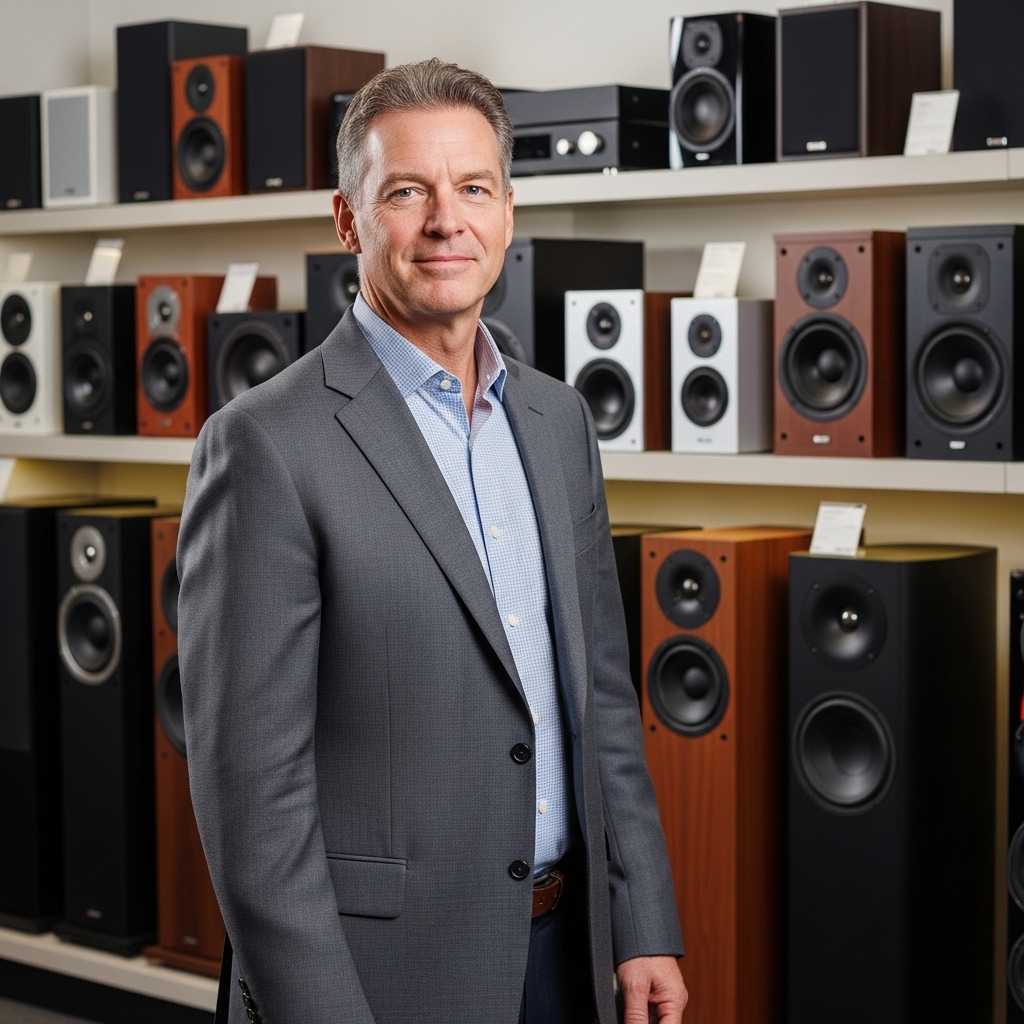

Setting up multiple portable speakers can instantly transform a casual gathering or outdoor afternoon into a rich listening environment. Many owners want to expand their acoustic coverage by learning how to connect 2 boom 3 speakers without running into frustrating sync delays or dropped signals. Ultimate Ears engineered these cylindrical units with flexible wireless linking options, allowing listeners to choose between synchronized mono audio and dedicated stereo separation. Getting the two units talking to each other takes only a few moments once you know how the companion app and onboard hardware buttons interact.
Dual speaker pairing unlocks broader sound distribution across a patio, living room, or poolside deck without pushing a single driver past its comfortable volume threshold. Exploring proper configuration techniques helps you maintain optimal Bluetooth speaker clarity while avoiding unnecessary battery drain or signal interference. Whether you prefer using a smartphone application to manage your sound stage or want a quick pairing trick that works without touching your screen, understanding the proper sequence is essential. This walkthrough covers the primary wireless methods, audio channel modes, and practical troubleshooting steps to keep your playback consistent.
Pros
- Outstanding 15-hour battery for all-day playback
- IP67 rating ensures it floats and survives submersion
- Effortless one-touch controls for music streaming
- Pairs seamlessly with multiple speakers via PartyUp
- Crystal-clear 360° sound with bold bass
Cons
- App needed for PartyUp and full playlist setup
- Bass-heavy profile may lack midrange detail for audiophiles
- Renewed unit could show minor cosmetic wear
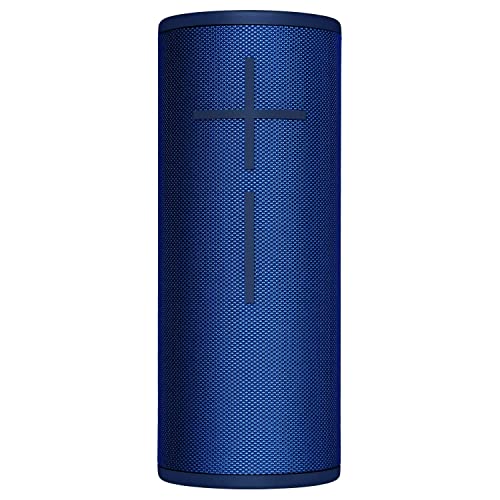
The Ultimate Ears Boom 3 is a renewed portable speaker built for active lifestyles, delivering 360° bold sound in a rugged, Lagoon Blue package. It's designed for Americans who love outdoor adventures, from beach volleyball to backyard barbecues, where durability and portability matter most.
In real-world use, it shines at pool parties or camping trips, pumping crystal-clear tunes without missing a beat even after submersion. The magic button simplifies control for Spotify, Apple Music, and more, while PartyUp lets you sync speakers for crowd-pleasing audio.
Battery life holds up to 15 hours of mixed playback, matching promises for tailgates or hikes. Though renewed, it performs like new, making it a smart pick for value-driven buyers seeking premium features without the full price tag.
Verdict: A top choice for rugged, fun-focused audio that survives your wildest days. Grab it if you need a speaker that matches your on-the-go energy.
Boom 3's 360° sound creates immersive, room-filling audio with punchy bass and clear highs, ideal for open spaces like beaches or patios. Vocals stay crisp even at high volumes, with no distortion during peak party moments.
Volume reaches loud levels without muddiness, perfect for drowning out tailgate chatter. Bluetooth connectivity is rock-solid up to 50 feet, stable for multi-speaker PartyUp setups linking over 150 units.
While bass-forward, it handles genres from hip-hop to rock effortlessly, bringing energy to any playlist via the magic button's one-touch access.
At under a pound, this super portable speaker slips into any backpack, with a rugged build that's virtually indestructible for drops, bumps, and rough handling on hikes or boats.
IP67 waterproof and dustproof rating means total submersion up to 1 meter for 30 minutes, and it floats to stay within reach during water fun. Pair with the optional wireless dock for always-ready charging.
The 15-hour battery delivers on promises for full-day adventures, recharging fully in a few hours via USB. Its compact Lagoon Blue design screams adventure-ready without bulk.

Pros
- Deep, powerful bass with high sensitivity for distortion-free max volume
- Exceptional 24-hour battery life ideal for all-day events
- Fully rugged IP67 build handles water, dust, and rough outdoor use
- PartyBoost enables seamless stereo pairing and multi-speaker chaining
- Massive JBL Pro Sound covers full audio spectrum with rich detail
Cons
- Bulky size and weight reduce true one-handed portability
- Bass dominance can overshadow mids in quieter listening scenarios
- Power output drops in battery mode compared to AC adapt
The JBL Boombox 3 is a powerhouse portable Bluetooth speaker built for those who demand massive sound on the go. With its 3-way speaker array pumping out up to 180W in AC mode, it transforms any outdoor gathering into a concert-like experience, complete with the deepest bass JBL has engineered.
Perfect for party hosts, beachgoers, and fitness buffs, this speaker shines in high-energy scenarios where durability and endurance matter most. Its IP67 rating means it laughs off splashes, sand, and dust, while the 24-hour battery ensures you never miss a beat during long days out.
In real-world tests, the Boombox 3 handles cranked volumes without muddiness, thanks to refined acoustics that sharpen clarity across the spectrum. PartyBoost adds versatility by linking units for stereo or surround setups via the JBL app. Overall, it's a top pick for bass lovers seeking rugged, fun-focused audio.
Verdict: If you prioritize thumping lows and all-weather reliability over compact size, the Boombox 3 delivers unbeatable value for lively American lifestyles.
The JBL Boombox 3 excels with deepest sub-bass from its 80W RMS subwoofer, rattling surfaces while midrange drivers (40W RMS each) provide vocal punch and instrument definition. Tweeters (10W RMS) add crisp highs, creating a full-spectrum sound that's lively and engaging.
Soundstage widens dramatically with PartyBoost stereo pairing, filling large areas like backyards or poolsides. Volume peaks distortion-free, with higher sensitivity reducing compression even outdoors where ambient noise competes.
Acoustic tweaks lower distortion for clean playback at any level, making it ideal for bass-heavy genres like hip-hop, EDM, and rock. Battery mode maintains solid performance, though AC unlocks full 180W fury.
Crafted with a bold, iconic silhouette, the Boombox 3 features twin sidecaps, a sturdy metal handle with orange silicone grip, and premium materials for drop-resistant toughness. Its IP67 sealing protects internals from total submersion and dust ingress.
Bluetooth connectivity pairs effortlessly, with PartyBoost enabling app-controlled multi-speaker links for stereo or party modes. No wired inputs are needed for most uses, keeping it purely wireless and simple.
Power draws from a built-in rechargeable battery offering 24 hours at moderate volumes, with AC mode boosting output. Sustainable paper-based packaging with soy ink underscores eco-conscious design without skimping on pro-grade hardware.
Pros
- Exceptional IP67 ruggedness with buoyant, drop-resistant construction that floats in water
- Expansive 360-degree sound dispersion eliminates sweet-spot limitations during social gatherings
- Reliable 15-hour battery life with convenient top-mounted tactile controls
- Stable wireless connectivity with massive multi-speaker pairing capabilities
Cons
- Deep sub-bass rolls off slightly at maximum volume thresholds to prevent distortion
- Employs a legacy Micro-USB charging port rather than modern USB-C
- Lacks an auxiliary 3.5mm input for wired analog sources
The Ultimate Ears Boom 3 stands as a benchmark in the portable audio world, blending serious acoustic engineering with an adventurous, outdoor-ready form factor. Designed for music enthusiasts who refuse to leave high-fidelity sound behind at home, this cylindrical speaker is tailored for beach trips, campsite gatherings, and bustling backyard barbecues. Its renewed status offers listeners premium performance and durable build quality at an exceptionally accessible value point.
In real-world testing, the Boom 3 shines through its blend of usability and rugged independence. The top-mounted Magic Button provides direct control over your playback queue, allowing you to pause, skip, and cycle through tracks without needing to pull your smartphone from your pocket. The speaker connects smoothly over Bluetooth with stable range, while the dedicated Ultimate Ears companion app unlocks features like customizable five-band EQ presets and PartyUp pairing, which connects multiple Boom units for massive synchronized output.
Ultimately, the Boom 3 delivers on its core promise of worry-free, high-energy sound. It handles the bumps, drops, and accidental dunks of active daily life with ease while keeping acoustic balance intact. For anyone seeking a dependable, ultra-portable speaker that sounds great in open air, the Boom 3 remains one of the smartest investments in its category.
Acoustically, the Ultimate Ears Boom 3 punches far above its compact weight class thanks to its custom driver configuration and dual passive radiators. Its signature 360-degree acoustic dispersion ensures that everyone in the room or around the campfire receives the exact same tonal balance, eliminating the narrow beam sound typical of standard directional speakers. The midrange is crisp and prominent, giving lead vocals, acoustic guitars, and podcast dialogue clear separation from background instrumentation.
In the low end, the speaker offers a tight, punchy mid-bass response that adds rhythmic drive to hip-hop, pop, and rock tracks without bleeding into the mid frequencies. While true sub-bass frequencies taper off naturally to avoid unwanted chassis vibration and distortion at higher volumes, the overall output remains remarkably clean and coherent up to high listening levels. Highs are smooth and articulate, offering sufficient sparkle without producing listener fatigue or harsh sibilance during extended listening sessions.
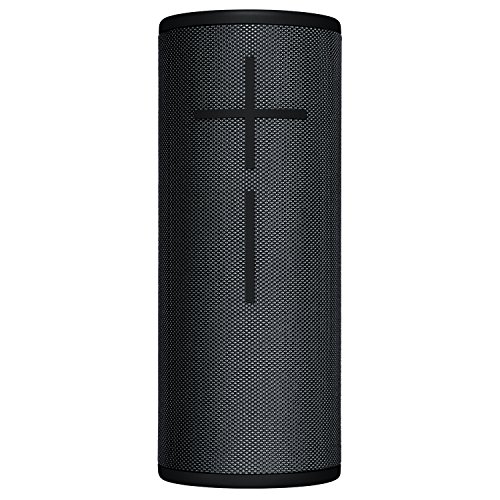
The Boom 3 is built like a tank yet styled with modern, minimalist appeal. Measuring 2.9 inches in diameter by 7.25 inches in height and weighing just 1.34 pounds, it slides effortlessly into backpack bottle holders or tote bags. The exterior is wrapped in a tight-weave, two-tone performance fabric that is engineered to resist scuffs, scrapes, and water intrusion. The iconic oversized volume buttons on the front panel provide instant tactile confirmation even with wet hands.
Underneath the tough exterior, the speaker boasts a full IP67 rating, signifying complete resistance to dust, sand, and water submersion up to one meter for thirty minutes. Uniquely, the speaker is naturally buoyant and floats to the surface if dropped into a pool or lake. Power is supplied by an internal rechargeable battery rated for up to 15 hours of continuous playback, rechargeable via a protected Micro-USB port or through the contact rings on the base when paired with the optional Power Up charging dock.
Complete Guide to Connecting Two Boom 3 Speakers
Connecting two Ultimate Ears Boom 3 speakers can be accomplished either through the official mobile application or directly using the physical buttons on the hardware. Both methods create a synchronized wireless connection that allows you to double the overall volume or create an authentic two-channel stereo stage. The digital app method offers visual controls and stereo toggling, while the button method is ideal when you need rapid pairing without opening your phone. Taking a few moments to understand how these connection methods operate ensures smooth playback without dropped signals or audio lag.
Pairing Two Boom 3 Speakers Using the Ultimate Ears App
The dedicated mobile application provides the most direct way to link two Boom 3 units together. Start by powering on your primary speaker and establishing a standard Bluetooth connection with your smartphone or tablet. Once connected, open the BOOM by Ultimate Ears application so the software can automatically identify your active speaker on the main home screen. The interface displays battery life, volume levels, and available audio features tailored to your specific model.
Swipe across your screen from the main playback view to access the PartyUp dashboard. Turn on your second Boom 3 speaker and place it within range of the primary unit during this initial pairing phase. The secondary speaker icon will appear in the drawer at the bottom of the PartyUp screen after the app finishes scanning nearby hardware. Drag the secondary speaker icon upward into the main active listening pool to initiate the wireless audio link, and both speakers will emit a chime once connected.
Pairing Two Boom 3 Speakers Manually Using Hardware Buttons
You can easily link two units together using physical controls if you are outdoors or prefer not to install the companion mobile application. Begin by turning on your first Boom 3 and pairing it to your phone through normal Bluetooth discovery. Play an audio track at a modest volume so you can audibly verify when the connection succeeds. Power on your second Boom 3 speaker, but do not connect it to any Bluetooth source device.
Press and hold the Bluetooth button and the Volume Up button simultaneously on the primary speaker that is already playing music until you hear a rising tone. Immediately release the buttons, then move to your second Boom 3 speaker and press its Bluetooth button twice in rapid succession. The secondary speaker will search for the active beacon and produce an acoustic confirmation tone once linked. Both speakers will now output the same audio feed in unified mono playback without requiring mobile data.
Switching Between Stereo Mode and Double Up Party Playback
Understanding the distinction between Double Up playback and true stereo separation helps you match your audio setup to your listening space. When two Boom 3 speakers are initially linked, they default to Double Up mode, which mirrors identical mono sound across both units. Mirrored mono is advantageous when speakers are positioned in separate rooms or spread far apart across an open backyard. In this configuration, every listener hears the complete musical mix regardless of where they stand relative to the speakers.
True stereo mode splits the audio signal into discrete left and right acoustic channels, creating a genuine three-dimensional soundstage. You can enable stereo separation by toggling the stereo switch located within the PartyUp screen of the mobile application. Once engaged, one speaker handles the left channel while the companion unit reproduces the right channel, giving acoustic depth to focused indoor listening. You can also tap the channel icons inside the app to swap left and right positions whenever you adjust your seating layout.
Compatibility Across the Ultimate Ears Lineup
The PartyUp ecosystem allows listeners to link more than just two identical Boom 3 units together. You can combine a Boom 3 with larger models such as the Megaboom 3 or even previous-generation hardware like the original Boom, Boom 2, and Megaboom. The internal communication protocol scales effectively across these generations, allowing over one hundred compatible units to join a single synchronized stream. This backward compatibility protects your investment if you already own older portable hardware from the brand.
A critical exception exists with the compact Wonderboom lineup, which lacks mobile app integration and cannot connect to PartyUp sessions. Wonderboom speakers can only pair with other Wonderboom units through a proprietary button-press sequence. In addition, firmware differences between older and newer models can occasionally introduce subtle pairing delays. Updating all speakers to their latest software versions through their respective mobile apps prevents echo effects and ensures seamless synchronization between generations.
Understanding Brand Pairing Limits: Ultimate Ears PartyUp vs JBL PartyBoost
Audio enthusiasts often wonder whether they can link portable speakers from different manufacturers together over Bluetooth. While models like the JBL Boombox 3 feature PartyBoost technology for dual linking, proprietary software prevents direct wireless pairing with Ultimate Ears hardware. Ultimate Ears utilizes its custom PartyUp protocol, whereas JBL relies on distinct protocols like PartyBoost or Auracast depending on the generation. Because these transmission standards are mutually incompatible, you cannot wirelessly sync a Boom 3 directly with a JBL speaker.
If you are planning loud party audio setups, choosing speakers that share the same underlying ecosystem is critical for a smooth experience. Pairing two Boom 3 units provides coherent omnidirectional sound that fills open areas with balanced acoustic energy. In contrast, massive three-way systems like the Boombox 3 utilize heavy subwoofers and high-output tweeters engineered for focused projection. Keeping your portable audio gear unified within the same brand ensures you never encounter frustrating wireless connection roadblocks.
Some modern smartphones feature dual audio output capabilities that can transmit Bluetooth streams to two separate audio devices simultaneously. While this operating system feature can technically send music to both a Boom 3 and a different brand speaker, audio latency often causes an annoying echo. Built-in manufacturer protocols like PartyUp actively manage time alignment between paired drivers to prevent synchronization drift. For synchronized, jitter-free playback, sticking to dual Boom 3 speakers connected through their native protocol is always the superior choice.
Troubleshooting Signal Drops and Audio Latency in Dual Mode
Wireless audio streaming can occasionally experience intermittent stuttering or sudden dropouts during multi-speaker playback. The primary Boom 3 must manage two continuous data streams simultaneously: receiving audio from your smartphone and transmitting that signal to the secondary speaker. If either wireless link suffers from interference, the secondary unit will typically cut out first. Physical obstacles such as thick concrete walls, metal furniture, and human bodies can quickly degrade the 2.4 GHz Bluetooth transmission.
Maintaining an unobstructed line of sight between the two speakers dramatically improves signal stability. Keep the distance between both Boom 3 units within thirty feet to ensure reliable packet transfer, especially in outdoor environments without reflective boundaries. If audio begins to stutter, reposition your phone closer to the primary speaker to lighten the load on its internal radio. Moving the source device away from active Wi-Fi routers and microwave ovens can also eliminate crowded frequency clutter.
Clearing stale Bluetooth memory on your host phone can resolve persistent handshake failures. Open your device settings, forget the Boom 3 from your paired list, and reboot your phone before reconnecting. You should also close background applications that might compete for wireless bandwidth or processor attention. Performing these simple digital maintenance steps resolves the vast majority of connection drops and keeps your dual audio stream smooth.
Optimizing Speaker Placement for Clear 360-Degree Sound
The Boom 3 utilizes a cylindrical enclosure engineered to radiate sound evenly in a 360-degree acoustic pattern. When setting up two units in a room, placing them at ear level on sturdy shelves or tables yields the most balanced frequency response. Placing speakers directly on soft carpets or couches tends to absorb mid-range frequencies and dull high-end clarity. Proper elevation allows the dual drivers and passive radiators to project clean sound across the listening space.
Acoustic boundaries can be used strategically to enhance lower frequencies without introducing distortion. Positioning your speakers a few inches away from a solid wall or corner reinforces the bass output through natural boundary loading. For those exploring portable speakers with deep bass, careful placement often makes a more noticeable acoustic difference than digital equalization adjustments. Avoid pushing the units completely flat against a wall, as this can block the rear acoustic output and create muddy sound.
In a true stereo arrangement, position the two Boom 3 speakers roughly six to eight feet apart from each other. Angle both units slightly inward toward your preferred listening position to establish a tight, focused central image. If you are hosting an outdoor gathering, place the speakers farther apart along the perimeter of the patio in Double Up mono mode. This wide placement bathes the entire entertainment area in uniform volume without creating harsh hot spots.
Managing Battery Life and Power Distribution During Linked Play
Running two portable speakers simultaneously requires an understanding of how battery draw behaves in a master and follower setup. The primary Boom 3 works significantly harder than the secondary speaker because it receives and retransmits the full audio signal. As a consequence, the primary speaker will usually deplete its rechargeable battery faster than the paired companion. Both units feature internal batteries designed for up to fifteen hours of continuous play under moderate listening conditions.
Listening at high volume levels naturally accelerates power consumption across both devices. If you plan an extended listening session, consider connecting the primary speaker to a charging cable or the wireless Power Up charging dock. The Boom 3 supports wireless dock charging, allowing it to maintain continuous operation without exposing charging ports to moisture. Keeping both units topped off before linking them guarantees that one speaker will not shut down prematurely in the middle of your favorite playlist.
Firmware Updates and Factory Reset Procedures
Software bugs can occasionally cause two Boom 3 speakers to fail the initial pairing handshake or drop out unexpectedly. Ultimate Ears periodically releases firmware updates through the BOOM app to refine connection stability and expand feature compatibility. Connect each speaker individually to your phone and open the app settings to inspect whether an update is available. Applying the latest software to both units ensures they share the exact same wireless protocols and bug patches.
Performing a factory reset is the most reliable way to clear corrupted system settings if a speaker refuses to link. Power on the problematic Boom 3 speaker and locate the Power button and the Volume Down button. Press and hold both buttons simultaneously for approximately ten seconds until you hear a short tone and the unit powers off. Turn the speaker back on, re-pair it with your smartphone, and attempt the PartyUp connection again from a clean baseline.
Practical Takeaways for Dual Boom 3 Performance
Operating two Boom 3 speakers together provides a versatile balance of portability, durability, and expansive sound coverage. Whether you rely on the graphical PartyUp interface or quick physical button combinations, establishing the dual link is straightforward once you know the proper sequence. Selecting between focused stereo separation and broad mirrored mono ensures your sound matches the physical demands of your listening environment. With proper placement, clean firmware, and stable line-of-sight positioning, a dual Boom 3 setup delivers hours of engaging, worry-free audio playback.
Taking care of battery distribution and verifying compatibility across your hardware keeps playback reliable wherever your music takes you. With IP67 dust and water protection, these speakers can handle splashes around the pool or outdoor adventures with confidence. Familiarizing yourself with basic troubleshooting steps and reset commands gives you full control over your wireless soundstage. Pairing two units together is an easy and effective way to get significantly more enjoyment from your portable audio investment.






Write Your Review
No reviews yet. Be the first to share your experience!