


Anyone who opens an Apple laptop quickly notices that the audio punches well above its physical dimensions. While many portable computers produce tinny sound that struggles to fill a quiet room, understanding how are macbook pro speakers so good comes down to disciplined acoustic engineering rather than sheer speaker size. Apple treats the laptop unibody as an active enclosure rather than simply cramming generic drivers into leftover chassis space. When compared to typical external Bluetooth speakers for your computer, these built-in arrays deliver remarkable bass weight, distinct vocal separation, and an expansive stereo field right off the keyboard deck.
This impressive performance relies on custom transducer geometry, sealed acoustic suspension chambers, and sophisticated digital signal processing that protects the drivers from clipping. Even high-grade factory hardware can eventually suffer from mechanical fatigue, torn diaphragms, or adhesive failure after years of continuous playback. Maintaining that signature sound profile occasionally requires replacing worn internal driver modules with precise aftermarket assemblies from brands such as Padarsey and MMOBIEL. Selecting the correct replacement speaker set for your specific chassis model ensures that your laptop retains its rich acoustic depth without unwanted buzzing or distortion.


Pros
- Seamless compatibility with A1502 models
- Straightforward installation process
- Restores clear, balanced audio output
- Affordable alternative to full repair
- Brand-new condition for long-term reliability
Cons
- Strict model verification required before purchase
- May need basic tools and disassembly skills
- Limited to specific 2012-2015 MacBook Pro variants
The MMOBIEL Speaker Set is a precise replacement for the left and right speakers in the MacBook Pro 13-inch Retina A1502 from mid-2012 to 2015. Designed for users noticing muffled or silent audio due to worn-out internals, it offers a cost-effective DIY solution over expensive Apple repairs.
Ideal for tech enthusiasts comfortable with laptop disassembly, this set targets owners who rely on their aging MacBook for work, streaming, or casual music. Real-world swaps report immediate improvements in volume and clarity, breathing new life into daily use without compromising portability.
Performance shines in everyday scenarios like Zoom calls, YouTube videos, and Spotify playback, delivering even stereo imaging. While not audiophile-grade, it matches original specs for satisfying laptop sound.
Verdict: A smart buy for A1502 owners. At this price, it outperforms ignoring audio issues, earning high marks for value and simplicity.
Engineered to mimic Apple's original frequency response, these speakers emphasize clear mids for intelligible vocals and dialogue, with adequate bass for laptop media consumption. Treble remains crisp without harshness, ensuring fatigue-free listening during long sessions.
Soundstage feels wide for a 13-inch chassis, providing immersive stereo separation for movies and tracks. Volume levels hit practical peaks without distortion, perfect for desk or lap use.
Acoustic design focuses on tight integration, reducing vibrations and enhancing overall coherence in repaired units.
Built with durable, lightweight materials matching MacBook internals, the speakers feature precise connectors for plug-and-play fit in A1502 models. Compact dimensions slot seamlessly into the chassis without modifications.
Direct internal mounting via standard clips and screws simplifies hardware integration. No external inputs needed, as they leverage the laptop's audio circuitry.
Power draw aligns with original specs, requiring no amp upgrades. Robust construction promises longevity post-install.
The Acoustic Engineering Behind MacBook Pro Audio
Apple laptops sound remarkably clear and full because their audio hardware is engineered as a unified acoustic system. Instead of treating speakers as generic add-on parts, Apple designs custom transducers, acoustic chambers, and digital processors specifically around the aluminum unibody. These components work together to overcome the physical limitations of ultra-thin notebook enclosures. Understanding how are macbook pro speakers so good reveals why these machines consistently outperform standard laptops in low-end punch, vocal clarity, and stereo imaging.
Custom Enclosure Geometry and Sealed Acoustic Chambers
Physical space inside a slim unibody laptop is strictly limited, forcing conventional designs to use small, open-air micro-speakers that sound thin and raspy. Apple avoids this pitfall by engineering dedicated, sealed plastic acoustic enclosures that fit precisely into the negative spaces around the logic board, battery cells, and cooling fans. These airtight chambers create a controlled volume of air behind the speaker cone, functioning similarly to miniature acoustic suspension cabinets. By isolating the rear sound waves from the front output, the enclosure prevents phase cancellation that would otherwise destroy low-frequency energy.
The internal geometry of these speaker housings often features irregular shapes optimized to maximize internal air volume without compromising structural rigidity. Damping materials and specialized internal channels guide air movement efficiently to prevent internal standing waves from muddying the midrange. This sealed approach also protects sensitive internal computer components from dust and acoustic backpressure generated during high-volume playback. As a result, the drivers maintain consistent excursion control even when reproducing demanding transient peaks in movies or music tracks.
Balanced Force-Cancelling Woofers and Low-End Control
Reproducing punchy bass inside a thin laptop typically introduces severe vibration that rattles the trackpad, chassis, and internal ribbon cables. Apple solved this mechanical hurdle in newer MacBook Pro revisions by implementing dual, back-to-back force-cancelling woofer assemblies. In this configuration, two opposing low-frequency drivers fire in opposite directions at the exact same instant. Because the mechanical recoil forces of both cones are equal and opposite, the vibrations cancel each other out entirely before transferring to the aluminum palm rest.
This force-cancelling layout allows the speakers to achieve deeper bass extension without causing mechanical buzzing or distorting the keyboard deck. The woofers can push significantly more air because the chassis remains completely stable during heavy cone excursion. Listeners experience genuine low-frequency warmth down into upper bass registers, which gives kick drums and basslines tangible presence. Traditional laptops cannot match this low-end stability because their single-driver designs shake their lightweight plastic or sheet-metal chassis uncontrollably.
High-Frequency Dispersion and Keyboard Acoustic Waveguides
Clear vocal reproduction and crisp treble detail require precise high-frequency dispersion toward the listener’s ears. Older Unibody and Retina models, such as the A1278, A1398, and A1502 chassis, positioned dedicated tweeters or full-range drivers directly beneath the top case or along side-firing vents. Sound waves travel upward through precision-machined micro-perforations alongside the keyboard or reflect off the display hinge assembly. This acoustic channeling acts as a passive waveguide that spreads high frequencies smoothly across the listening area.
Directing high frequencies through dedicated channels helps preserve delicate transients in speech, acoustic instruments, and sound effects. Listeners do not need to sit in a rigid sweet spot to hear distinct stereo separation and dialogue articulation. Furthermore, decoupling the high-frequency drivers from the low-frequency acoustic modules prevents bass vibrations from modulating the delicate treble frequencies. This clean separation between frequency bands ensures that music remains detailed rather than turning into a muddled wall of sound.
Real-Time Digital Signal Processing and Dynamic EQ
Hardware design is only half the battle when producing studio-grade audio inside an ultra-portable device. Apple employs sophisticated digital signal processing (DSP) algorithms that actively monitor the audio signal before it reaches the voice coils. This software layer applies dynamic equalization curves tailored to the exact physical properties of the internal speaker drivers. As the volume increases, the DSP automatically reshapes the frequency response, reducing excessive bass peaks that could push the small drivers past their mechanical limits.
Thermal and excursion monitoring routines run continuously in the background to prevent voice coil overheating and diaphragm damage. These dynamic limiters compress sudden transient spikes transparently without introducing obvious pumping artifacts or harsh clipping distortion. The DSP also compensates for acoustic reflections off the laptop screen and work surface, balancing tonal output across varying volume levels. Through intelligent processing, the system extracts the absolute maximum acoustic output possible from miniature hardware without destroying the delicate drivers.
Spatial Audio Rendering and Soundstage Widening
When listening to a laptop, the physical distance between the left and right speakers rarely exceeds twelve inches, which naturally limits stereo width. Apple counters this physical limitation by using advanced psychoacoustic processing to create a three-dimensional sound field that appears to extend several feet beyond the screen. By manipulating interaural time differences and frequency phase relationships, the system tricks the human auditory cortex into perceiving directional sound cues. This widening effect creates an expansive soundstage that makes films and games feel immersive.
On compatible machines playing multichannel tracks, this virtualized stage provides a sense of depth and height reminiscent of dedicated spatial audio setups. Dialogue stays firmly anchored to the center of the display while ambient atmospheric sounds drift outward into the room. The precision-matched left and right driver enclosures ensure that phase alignment remains rock-solid across both channels. Without perfectly balanced acoustic enclosures on both sides of the chassis, these psychoacoustic soundstage algorithms would collapse into phase-smeared noise.
Chassis Integration and Structural Resonance Prevention
The solid aluminum unibody construction of Apple laptops plays an essential role in total acoustic output. Flimsy plastic laptop frames flex and vibrate in response to speaker pressure, absorbing acoustic energy and generating annoying rattles. The rigid milled aluminum enclosure provides an inert, non-resonant foundation that reflects acoustic energy into the listening space rather than absorbing it. Rubber isolated standoffs and silicone mounting gaskets suspend the speaker modules inside the chassis to decouple mechanical vibrations.
Even internal airflow around the cooling vents is factored into the thermal and acoustic equation. Air movement from internal exhaust channels helps dissipate heat generated by the high-output miniature voice coils during extended playback sessions. Isolating the speaker enclosures from the internal battery packs also ensures that shifting battery temperatures do not distort the acoustic chamber volume over time. Every internal component fits together with strict manufacturing tolerances that prevent loose cables or brackets from vibrating sympathetically at specific resonance frequencies.
Why Laptop Speaker Membranes Degrade, Rattle, and Blow
Despite their robust engineering, miniature internal speakers are subjected to extreme mechanical stresses throughout their working lives. Over years of daily media consumption, video conferencing, and system alert playback, the delicate flexible surrounds on the driver cones can dry out and tear. Tiny particles of metal shavings, sand, or domestic dust can also migrate through the speaker grills and settle into the voice coil gaps. When debris rubs against the voice coil, the speaker begins to crackle, rattle, or emit muffled, distorted audio.
Excessive volume over extended periods can also cause thermal degradation, where heat softens the adhesives holding the cone assembly together. In older unibody chassis, the thin foam surrounds commonly crumble, leaving the speaker cone uncentered and vibrating loosely against the plastic frame. Once physical tearing or coil rub occurs, digital EQ adjustments and software resets cannot repair the hardware damage. Replacing the damaged speaker assemblies with compatible driver sets is the only dependable way to restore original acoustic clarity and dynamic range.
Matching Replacement Speaker Modules to Specific MacBook Pro Generations
Acoustic module designs vary significantly across different MacBook Pro generations, meaning drivers cannot be swapped between incompatible chassis lines. For older unibody laptops such as the MacBook Pro 13-inch A1278 (spanning early 2011, late 2011, and mid-2012), replacement units like the Padarsey Replacement Internal Right & Left Speaker provide the correct mounting posts and integrated subwoofer channel layout. Attempting to install drivers from a different year or model number will lead to improper screw alignment, blocked airflow, or disconnected wiring harnesses.
The thinner Retina display models require completely distinct driver shapes tailored to their compact internal layouts. For example, the 15-inch Retina A1398 platform uses assemblies such as the MMOBIEL Speaker Set Left and Right Replacement, matching original part references like 923-0660 and 609-0336-A for late 2012 to mid-2015 machines. Meanwhile, the 13-inch Retina A1502 unibody relies on dedicated modules like the Padarsey Replacement Internal Left and Right or the MMOBIEL Speaker Set Left and Right Replacement, designed around part numbers 923-0557 and 923-00509. It is critical to note that A1502 speakers will not fit the older A1425 chassis from 2012, highlighting why checking the exact model number stamped on the bottom case is essential.
Comparing Built-In Laptop Drivers with Compact External Speakers
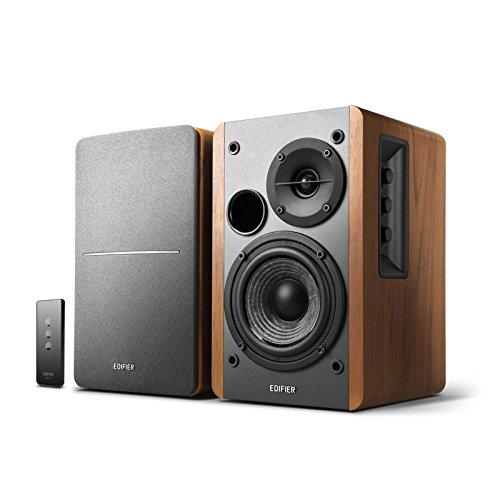
Understanding the limits of internal laptop audio helps set realistic expectations for daily listening. Built-in MacBook Pro speakers excel at near-field desktop monitoring, podcasts, video editing, and casual entertainment without requiring desktop clutter. However, the laws of physics still limit how much physical air a micro-driver can displace in large rooms. Listeners who want deep sub-bass reproduction often supplement their setup with dedicated compact speakers with balanced bass for room-filling sound during parties or movie nights.
External powered monitors and portable wireless speakers feature substantially larger driver cones and heavier magnet structures that reproduce low frequencies effortlessly. What makes the Apple internal audio array unique, though, is its ability to deliver satisfying spectral balance right on your lap. When your internal drivers are functioning properly, you rarely need to grab external headphones or powered speakers for everyday audio tasks. Keeping the internal speakers in top condition preserves that seamless portability and acoustic convenience.
Step-by-Step Installation Considerations for Internal Replacement Drivers
Replacing internal laptop speakers requires careful preparation, the right tools, and a clean, static-free workspace. Before loosening any case screws, always shut down the operating system completely, disconnect the MagSafe or USB-C power adapter, and ground yourself against electrostatic discharge. Removing the bottom panel requires specialized screwdrivers, such as Pentalobe or Torx bits, depending on whether your machine is a classic Unibody or Retina revision. Once inside the machine, disconnecting the battery connector is an essential safety precaution that prevents accidental electrical shorts while handling internal components.
Accessing the speaker modules often involves routing delicate ribbon cables and unfastening securing brackets around the logic board and cooling fans. Take photographs during disassembly to ensure every screw returns to its exact threaded hole, as screw lengths often vary within the same bracket. Gently peel back any adhesive tape securing the speaker wiring harnesses and use a plastic spudger rather than metal tweezers to pry up delicate ribbon connectors. Seat the new replacement speaker modules flush against the mounting posts before tightening screws so that silicone isolation dampers are not pinched or deformed.
Essential Verification and Diagnostics After Speaker Repair
Once the replacement speaker modules are secured and the battery is safely reconnected, complete several functional tests before closing the bottom case completely. Power on the machine and listen closely for the standard startup chime to confirm immediate audio output on both channels. Navigate to System Settings under the Sound menu to verify that the output balance slider directs sound evenly between the left and right drivers. Testing an audio file with sweeping frequency tones from twenty hertz up to twenty kilohertz can quickly reveal whether any internal chassis screws are vibrating or buzzing against the new modules.
Playing dynamic music with strong acoustic percussion will confirm that the replacement diaphragms handle transient peaks without unexpected crackling. If you notice lower volume or muffled output on one side, reopen the chassis and ensure the delicate speaker ribbon connector is seated squarely into its socket. Also check that no stray cables are touching the moving cone surfaces or obstructing the acoustic escape vents. Taking the time to verify connections and fitment guarantees that your laptop sounds as clean, balanced, and dynamic as the day it left the factory.
The remarkable acoustic quality of MacBook Pro audio is the direct result of precision engineering, custom chamber architecture, and intelligent real-time processing. When internal wear or physical damage compromises your sound, installing verified replacement drivers designed for your exact chassis restores that original listening experience. By confirming part numbers, maintaining clean installation practices, and respecting internal component tolerances, you can keep your machine producing clear, expansive audio for years to come.






Write Your Review
No reviews yet. Be the first to share your experience!