


Streaming podcasts or music around the house often starts with whatever compact gadget sits on your desk or nightstand. Many listeners wonder whether can alexa dot be used as a bluetooth speaker without keeping an active streaming subscription or relying solely on voice commands. The short answer is yes, because modern Echo Dot models include onboard Bluetooth receivers that pair directly with phones, tablets, and laptops. While basic voice operation handles cloud music playlists, shifting to direct wireless audio lets you stream local files, YouTube videos, and mobile gaming audio with minimal hassle.
Taking advantage of this dual-mode wireless connectivity lets you repurpose an existing smart puck into a versatile playback device for small spaces. Listeners seeking room-filling dynamics or home theater depth often discover that the compact internal transducer has physical acoustic limits, prompting them to link external gear or choose dedicated Bluetooth speakers engineered for deeper bass. Exploring pairing configurations, hardware controls, and voice-assisted alternatives helps you decide whether an Echo Dot meets your listening requirements or whether upgrading to a full-range smart speaker makes more sense.
Top Products

Pros
- Uniform 360-degree audio dispersion provides consistent sound throughout the entire room
- Exceptional microphone pickup even at high listening volumes
- Comprehensive wireless ecosystem with Wi-Fi, Bluetooth, and native Apple AirPlay 2 support
- Six convenient physical preset buttons for one-touch music playback without grabbing a phone
Cons
- Requires continuous AC wall power with no built-in battery for on-the-go outdoor use
- Punchy bass can slightly push back delicate acoustic midranges on dense, complex arrangements
- Lacks a 3.5mm auxiliary audio input jack for wired analog legacy gear
The Bose Home Speaker 300 is engineered for listeners who crave the full-bodied signature Bose acoustic profile inside an ultra-compact desktop package. Positioning itself as a premium step up from entry-level voice pucks, this speaker integrates high-grade audio hardware with the conveniences of a modern connected home. It is particularly well-suited for secondary listening spaces such as home offices, kitchens, and bedrooms where floor space is at a premium but sound quality cannot be compromised.
Day-to-day usability is where this compact powerhouse truly shines. The custom six-microphone array is engineered with acoustic noise-rejection technology, ensuring voice commands are accurately captured even when high-energy tracks are playing. Whether you choose Amazon Alexa or Google Assistant, managing smart home accessories, setting timers, or switching music queues happens without raising your voice. For times when voice commands feel inconvenient, the six capacitive touch presets on top of the cabinet let you launch saved internet radio stations or Spotify playlists instantly.
Connectivity options provide impressive flexibility across Apple and Android ecosystems. Utilizing dual-band Wi-Fi alongside Bluetooth, the speaker allows seamless streaming through the Bose Music app or directly via Apple AirPlay 2. Bose SimpleSync technology also enables pairing with compatible Bose noise-canceling headphones for private late-night listening without waking up the rest of the household.
Ultimately, the Bose Home Speaker 300 serves as a capable, stationary smart audio hub. While it is not intended for outdoor pool parties due to its corded power requirement, its combination of room-filling omnidirectional sound, reliable smart assistant integration, and intuitive physical controls make it an outstanding daily driver for everyday music lovers.
Acoustically, the Bose Home Speaker 300 punches well above its modest dimensions. The internal architecture features an inverted, high-excursion transducer aimed downward into an acoustic deflector. This design disperses sound 360 degrees, providing a uniform listening experience regardless of where you place the unit in your living space. Bass response is punchy, warm, and distinctly authoritative, handling modern hip-hop, electronic beats, and pop tracks with satisfying depth.
Midrange reproduction remains clear and vocal-forward, making podcasts, audiobooks, and vocal-centric acoustic tracks feel natural and present. High frequencies are crisp without veering into harsh sibilance, maintaining smooth treble sparkle across various musical genres. Integrated digital signal processing actively works behind the scenes to optimize the frequency curve, minimizing harmonic distortion even as volume levels approach upper limits.
While true stereo imaging is naturally constrained by a single physical enclosure, the omnidirectional soundstage easily fills medium-sized living spaces without the narrow sweet-spot limitations of conventional forward-firing speakers. Listeners can roam from room to room without experiencing the sudden drop-offs in clarity or presence typical of directional audio drivers.
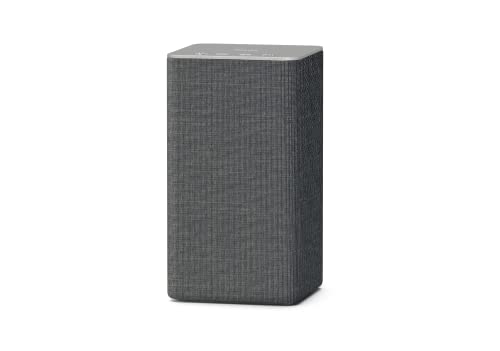
Standing just 6.34 inches tall, 5.59 inches wide, and 4.02 inches deep, the Bose Home Speaker 300 sports a sleek elliptical footprint that tucks neatly into tight bookshelf nooks, kitchen counters, or bedside nightstands. Weighing just 2.09 pounds, it features an anodized aluminum acoustic grille wrapped around a sturdy composite housing, finished in a clean matte black coating that resists dust and fingerprints.
The top plate is lined with smooth capacitive glass touch controls for volume adjustments, play/pause, microphone muting, action commands, and the six quick-access presets. A slender LED light bar tucked beneath the top rim provides subtle visual feedback for volume levels, Wi-Fi pairing status, and voice assistant listening modes without creating an intrusive visual distraction in dimly lit bedrooms.
Hardware connections are streamlined for modern wireless life. The unit operates via continuous AC mains power using the included compact power adapter. High-bandwidth dual-band Wi-Fi (2.4 GHz and 5 GHz) and Bluetooth 4.2 provide rock-solid wireless stability, ensuring smooth audio streaming without unexpected cutouts or buffer delays.

Pros
- Exceptionally wide, room-filling soundstage courtesy of patented Trillium acoustic engineering.
- Versatile wireless options including Apple AirPlay 2, Wi-Fi casting, and Bluetooth.
- Clear far-field voice recognition with a dedicated hardware mute button for privacy.
- Convenient rear USB port charges smartphones and tablets during playback.
Cons
- Requires constant connection to a wall outlet as it does not include an internal battery.
- Compact footprint limits true sub-bass extension in very large, open-concept living spaces.
- Lacks an analog auxiliary input for connecting legacy wired audio sources.
The RIVA Concert is a compact, high-performance wireless smart speaker engineered to bridge the gap between audiophile-grade acoustic fidelity and everyday convenience. Operating as a capable alternative to mainstream smart speakers, the Concert leverages RIVA's proprietary audio architecture to eliminate the narrow, directional sound typical of standard single-box designs.
Designed for listeners who refuse to sacrifice acoustic clarity for voice-assisted utility, the speaker integrates seamlessly into contemporary streaming setups. Support for Apple AirPlay 2, Spotify Connect, and Wi-Fi streaming means you can effortlessly transition from your favorite morning news podcast to high-resolution afternoon playlists. Alexa integration responds promptly to ambient voice commands across the room, making smart home adjustments quick and natural.
In real-world testing, the Concert shines in vocal reproduction and instrument separation. While many lifestyle speakers resort to bloated bass processing to sound powerful, RIVA focuses on clean dynamics, articulate mid-tones, and an expansive stereo field. It easily fills standard bedrooms, home offices, and kitchens with vibrant, detailed sound.
Overall, the RIVA Concert is an impressive addition to any connected home. If you want a voice-enabled, multiroom-ready speaker that prioritizes authentic musicality, balanced output, and flexible streaming protocols, it stands as an outstanding sonic choice.
At the core of the RIVA Concert is the company's patented Trillium audio technology, paired with six custom precision drivers and 50 watts of clean amplification. This arrangement delivers a remarkably natural frequency response: mid-range vocals and guitars sit forward in the mix with lifelike warmth, while high frequencies remain crisp and airy without edging into harshness or fatigue.
Bass response is tight, balanced, and punchy. Rather than artificially boosting mid-bass frequencies to fake depth, the enclosure provides an honest low-end foundation that keeps complex jazz arrangements and modern rock rhythms distinct. While it will not shake the foundation like a dedicated external subwoofer, its bass impact remains exceptionally tidy for its physical footprint.
Soundstage representation is where the Concert truly differentiates itself. By processing audio channels through left, right, and center acoustic outputs, the speaker creates an unexpectedly wide listening zone. You do not have to sit dead-center to enjoy convincing stereo imaging, and the speaker maintains clean, distortion-free output even when pushed to room-filling volume levels.
Measuring approximately 4.87 by 5 by 7 inches and weighing 3 pounds, the RIVA Concert sports a sleek, vertical tower silhouette finished in an elegant white aesthetic. Its compact footprint sits comfortably on nightstands, countertops, and bookshelves, blending cleanly into contemporary home decor without demanding excessive real estate.
Hardware connectivity centers on modern wireless convenience, featuring dual-band Wi-Fi for multiroom and high-resolution playback alongside Bluetooth for quick guest pairing. Physical controls on the top panel provide tactile access to volume, playback, and input switching when you prefer not to use voice controls or smartphone apps.
Everyday convenience extends to thoughtful back-panel utility. A dedicated microphone mute switch provides complete peace of mind whenever privacy is preferred, and an integrated USB-A charging port allows you to top off your smartphone or tablet while streaming your favorite playlists. The system receives continuous firmware updates over-the-air to ensure ongoing compatibility and performance.
Using an Echo Dot as a Bluetooth Speaker: Setup, Capabilities, and Audio Upgrades
An Amazon Echo Dot can function as a Bluetooth speaker in two distinct ways: as a receiver that plays audio from a mobile device, and as a transmitter that sends its output to an external audio system. Most listeners asking whether can alexa dot be used as a bluetooth speaker want to stream music or video soundtracks directly from a smartphone without managing third-party voice skills. Because modern Echo hardware integrates both inbound and outbound Bluetooth profiles, you can switch between wireless receiver mode and smart assistant playback whenever needed. Understanding how these wireless modes work helps you configure your setup quickly and decide whether the compact hardware meets your sonic expectations.
Two Distinct Bluetooth Modes Explained: Receiver vs Transmitter
Every modern Echo Dot contains a Bluetooth chipset that supports both Audio/Video Remote Control Profile (AVRCP) and Advanced Audio Distribution Profile (A2DP). In receiver mode, the device acts like a standard tabletop Bluetooth speaker by accepting continuous digital audio streams from a paired phone, tablet, or PC. This means you do not need an active music service linked inside your voice assistant profile to hear personal music libraries or media playback. Audio flows directly across the local radio connection, leaving you in total control of playlist selection from your mobile screen.
In transmitter mode, the operational flow reverses completely so that the Dot pushes sound outward to another speaker or a pair of wireless headphones. This configuration proves especially helpful if you enjoy using voice commands to manage smart home routines but desire a richer soundstage than the Dot’s small internal speaker can reproduce. Swapping between these roles is managed either through simple spoken phrases or within the companion mobile application on your primary device. Learning to toggle between receiver and transmitter roles unlocks significant flexibility for everyday room audio.
How to Pair Your Smartphone or Computer as an Audio Source
Connecting a phone or laptop to use the Dot as a wireless audio receiver requires only a few straightforward configuration steps. Start by opening the Bluetooth menu on your mobile device or computer to make sure wireless discovery remains active. Next, say the voice command “Alexa, pair” within normal speaking distance of the smart unit. The light ring will pulse blue to indicate that the internal receiver has entered discovery mode and is scanning for nearby transmitters.
Once the Echo Dot appears in your device’s available hardware list, tap its name to complete the initial handshake. Alexa will chime and announce the established connection by speaking the exact name of your connected source device. From that moment forward, any media played through your mobile apps, web browsers, or offline music players will stream directly through the puck speaker. When you finish listening, simply tell the assistant to disconnect, or toggle off Bluetooth on your handheld device.
Sending Echo Dot Audio to an External Bluetooth Speaker
If the internal acoustic output of the Dot feels underpowered for your listening environment, you can route its audio to a dedicated sound system. Begin by placing your target external speaker into pairing mode according to its manufacturer instructions so that its receiver is actively broadcasting. Next, open the mobile management application for your smart home devices, locate your specific Echo Dot under the hardware section, and select the Bluetooth connection settings.
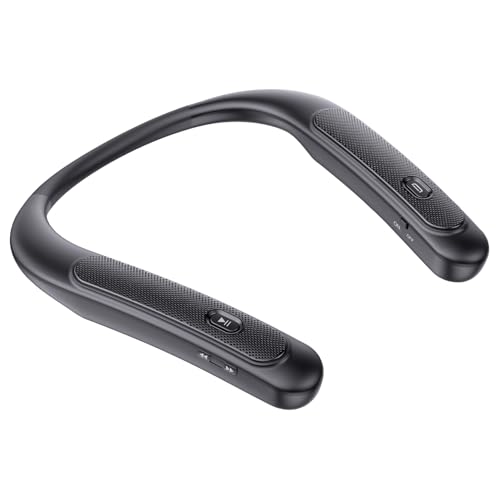
Choose the option to pair a new device and allow the application to scan the surrounding radio environment until your external speaker appears on the screen. Select the target speaker to establish the wireless link between both audio units. Spoken responses, alarms, and streaming tracks will play through the larger speaker while the Dot’s microphone array continues picking up your voice queries. If you plan to broadcast music across open patios or large living spaces, linking your smart hub to high-output speakers for wide spaces provides far greater acoustic coverage than relying on a bedside puck.
Essential Voice Commands for Hands-Free Bluetooth Control
Voice integration remains fully operational even when the Dot is actively engaged in wireless Bluetooth streaming. You can say “Alexa, connect Bluetooth” to link automatically with the most recently paired smartphone without ever opening an app menu. If multiple devices share pairing profiles in your household, stating the explicit device name helps the unit grab the correct wireless stream immediately. Spoken commands eliminate the need to unlock your phone merely to resume an interrupted listening session.
Playback commands also transmit across the wireless connection when supported by the source device’s operating system. Phrases like “Alexa, pause,” “Alexa, resume,” and “Alexa, skip” send control signals over the AVRCP protocol directly to your streaming software. Adjusting volume is equally seamless, as calling out a volume level from one to ten changes the internal amplifier gain instantly without requiring physical button presses on your phone. This hybrid control scheme lets you combine tactile phone browsing with hands-free playback adjustments.
Acoustic Realities and Driver Limitations of the Echo Dot
While the convenience of converting an Echo Dot into a desktop speaker is undeniable, listeners must manage their expectations regarding fidelity. Compact smart pucks rely on modest single-driver configurations, generally measuring between 1.6 and 1.73 inches in diameter, housed in lightweight plastic enclosures. This constrained physical volume makes it physically impossible to produce deep sub-bass frequencies or realistic mid-bass impact without significant harmonic distortion at elevated volumes.
Vocals and spoken podcasts reproduce with clear articulation, but complex instrumental mixes often sound compressed and narrow. High volumes tend to push the internal digital signal processor into aggressive dynamic limiting, flattening acoustic punch to prevent driver clipping. If you frequently listen to bass-heavy music genres, stepping up to standalone portable speakers with higher amplifier wattage yields significantly cleaner dynamics and punchier low-end authority. Recognizing these physical limitations prevents frustration when listening to demanding audio tracks.
Wi-Fi Streaming vs Local Bluetooth Playback: Key Technical Differences
Choosing between native Wi-Fi playback and local Bluetooth transmission fundamentally changes how audio data reaches your speaker. When you request a song via voice command, the Echo Dot streams lossless or high-bitrate compressed files directly from cloud servers over your home Wi-Fi network. This bypasses your mobile device entirely, which preserves your smartphone battery and prevents playback from pausing whenever a phone call or text notification arrives. It also maintains full support for synchronized multi-room audio groups across multiple smart devices.
Bluetooth transmission, by contrast, relies on lossy compression codecs like SBC to pipe audio wirelessly across a short radio distance from your handset. This protocol introduces a small amount of latency and compresses dynamic range, which is fine for background listening but less ideal for critical audio appreciation. Furthermore, wandering too far from the Dot with your phone in your pocket can cause intermittent dropouts caused by physical walls or 2.4 GHz radio congestion. Bluetooth remains unmatched for streaming unsupported services, but Wi-Fi remains superior for overall stability.
Premium Smart Speaker Alternatives with Built-in Alexa
Listeners who want seamless Alexa integration alongside authentic hi-fi acoustic engineering often turn to dedicated smart audio hardware. The Bose Home Speaker 300: Bluetooth Smart Speaker illustrates how premium acoustic construction elevates the smart listening experience. This compact unit generates 360-degree lifelike sound with deep bass resonance, supported by a noise-rejecting six-microphone array that reliably captures voice requests even during loud playback. Dual Wi-Fi and Bluetooth connectivity, Apple AirPlay 2 compatibility, and six tactile presets provide complete streaming flexibility.
Another capable option is the RIVA Concert Smart Wi-Fi Bluetooth Speaker, which delivers 50 watts of clean amplification across six precision drivers. Utilizing patented Trillium audio technology, it creates an expansive stereo soundstage from a single tabletop footprint. Beyond built-in Alexa voice control and dual-band streaming via Wi-Fi and Bluetooth, it incorporates multiroom audio grouping, a dedicated microphone mute switch, and an integrated USB charging port. Choosing an engineered smart speaker ensures you do not have to sacrifice dynamic punch to enjoy hands-free voice assistance.
Comparing these dedicated speakers with a basic Echo Dot highlights why acoustic hardware matters for daily entertainment. While the Dot excels as an affordable voice interface, dedicated smart speakers incorporate multi-driver arrays, custom amplifiers, and tuned acoustic cavities that prevent distortion at higher volume levels. Buyers who find themselves constantly pairing the Dot to external soundbars may save space and reduce cable clutter by choosing an all-in-one smart speaker instead.
Troubleshooting Disconnections, Lag, and Bluetooth Stalls
Bluetooth connections occasionally experience pairing handshake failures or playback stutters that interrupt your listening session. If your smartphone fails to detect the Echo Dot during discovery, the simplest fix is clearing prior wireless pairings from both devices. Tell the assistant to “forget Bluetooth devices” to wipe the memory cache, and toggle the Bluetooth setting on your smartphone to reset its internal radio stack. Cycling power on the Echo Dot by disconnecting its adapter for twenty seconds also clears temporary memory faults.
Audio stuttering often indicates radio frequency interference on the congested 2.4 GHz spectrum, which is shared by Bluetooth, Wi-Fi routers, and microwave appliances. Moving the Echo Dot at least three feet away from your main wireless router or switching your home Wi-Fi network to the 5 GHz band significantly reduces packet collisions. Additionally, keeping the source phone within twenty feet with a clear line of sight helps eliminate dropouts caused by dense furniture or plaster walls. Resolving local radio friction restores steady, reliable audio transmission.
Managing Multi-Device Audio and Latency During Video Streaming
When using an Echo Dot as an external speaker for a laptop or tablet, you might notice a slight delay between video movements and dialogue. Standard Bluetooth SBC streaming introduces between 100 and 200 milliseconds of latency, which is barely perceptible for music but noticeably annoying during movies or video games. Some media applications automatically offset video timing to compensate for Bluetooth delay, but browser-based streams may display visible lip-sync mismatch. Understanding that this lag stems from wireless encoding helps set realistic expectations for desktop video use.
Managing multiple paired devices also requires deliberate handling to avoid accidental audio hijacking. If both your laptop and smartphone remain paired to the Dot, the speaker may unexpectedly seize audio from an incoming notification while you are listening to something else. Manually disconnecting idle devices from their respective operating system menus ensures uninterrupted playback and keeps control centered on your active source device. Establishing a single active connection prevents unexpected interruptions during critical listening.
Routine Maintenance and Best Placement for Reliable Performance
Maintaining reliable Bluetooth communication and clean sound requires thoughtful speaker placement and basic hardware care. Position the Echo Dot on a solid, non-resonant surface like a wooden desk or shelf, ideally several inches away from hard vertical walls. Placing the speaker too close to a corner can introduce boomy acoustic reflections while placing it behind monitors or metal decor dampens wireless reception and muffles high frequencies. A centered, open position ensures balanced acoustic dispersion and optimal voice pickup.
Keeping the exterior mesh free of dust buildup helps preserve both acoustic output and microphone sensitivity. Periodically wipe the outer fabric shell with a dry microfiber cloth, taking care not to push debris into the microphone pinholes located on the top perimeter. Ensuring that the factory power supply remains firmly plugged into a surge protector guarantees consistent voltage delivery, preventing unexpected resets during peak volume playback. Simple physical care keeps the compact speaker operating reliably for years.
Matching Your Everyday Audio Needs to the Right Setup
Deciding whether to use your Echo Dot as a Bluetooth speaker ultimately depends on how and where you listen to music. For bedside podcast listening, casual desk audio, or streaming cooking videos while working in the kitchen, turning your existing puck into a Bluetooth receiver is remarkably functional. It requires no extra hardware, pairs within seconds, and keeps hands-free voice assistance within easy reach. The zero-cost convenience makes it an excellent secondary audio solution for smaller living spaces.
When your priority shifts to room-filling sound, balanced low frequencies, and zero-compromise acoustic fidelity, relying exclusively on a tiny puck will feel limiting. In those scenarios, pairing the Dot to a dedicated external speaker or investing in a full-scale smart speaker with integrated Alexa provides the high-fidelity sound you crave without losing smart home control. Evaluating your room size, volume requirements, and listening habits guarantees you achieve the ideal balance of audio performance and daily convenience. Selecting the right hardware setup ensures your home audio system matches your practical lifestyle.




Write Your Review
No reviews yet. Be the first to share your experience!