
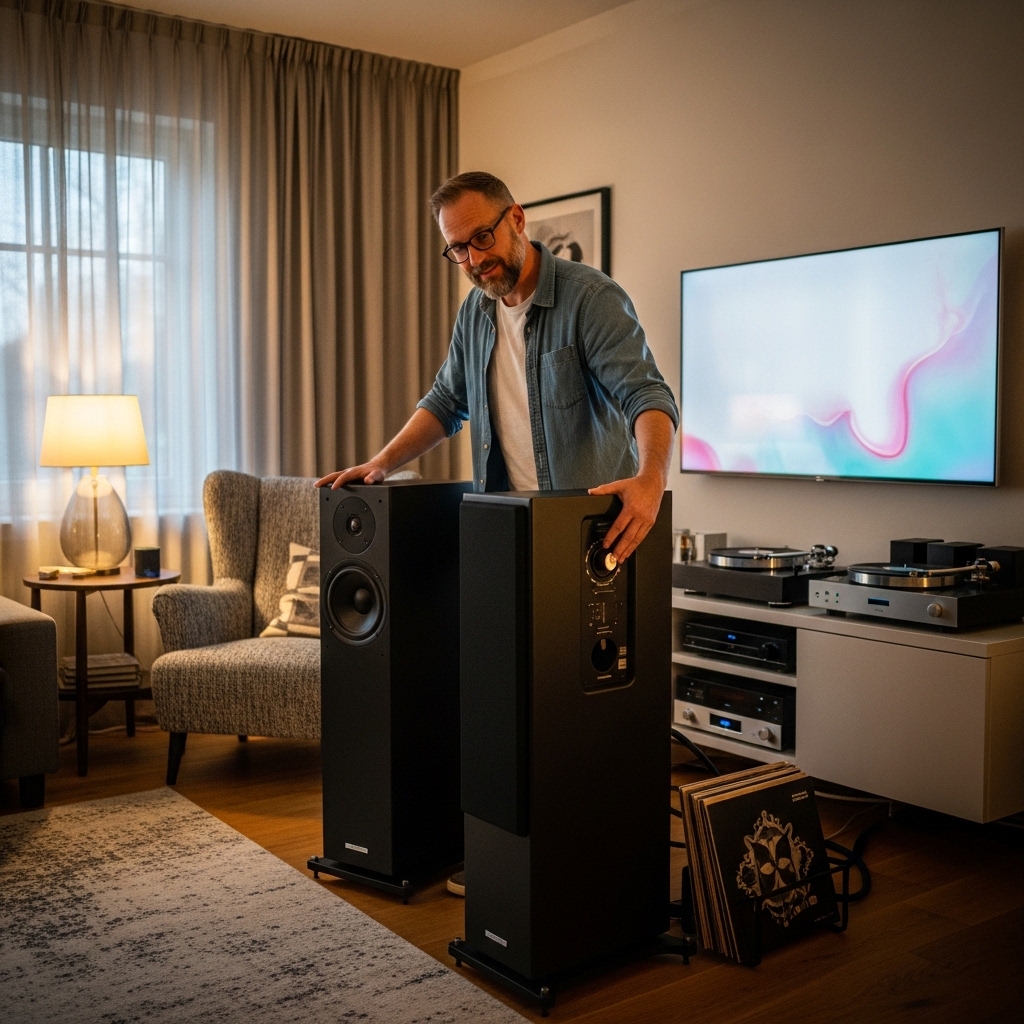

Setting up a dependable audio link between your phone and an external speaker changes how you enjoy daily playlists around the house. Learning how to listen to music on bluetooth speaker hardware begins with understanding how wireless transmitters discover external receivers and stabilize playback. A basic phone or tablet setup requires only seconds of initial pairing to route streaming audio away from tinny internal phone components. When selecting hardware for home listening, choosing an appropriate bluetooth speaker for a small room helps optimize sound dispersion without introducing acoustic distortion. Proper source configuration ensures that streaming music plays without stuttering or unexpected volume spikes.
Modern wireless audio hardware provides multiple playback avenues ranging from standard short-range transmission to onboard digital media slots. Understanding the core pairing sequence and source selection allows listeners to alternate between streaming apps, onboard physical media, and auxiliary hardware seamlessly. Many portable units balance wireless reception with practical physical controls so you can skip tracks or pause playback directly from the speaker grille. Reliable playback also relies on clean power supply habits, reasonable operating distances, and proper volume staging between the transmitting device and the audio receiver. Taking a few deliberate setup steps ensures that your favorite albums sound full and remain completely uninterrupted throughout every listening session.

Complete Step-by-Step Guide on How to Listen to Music on Bluetooth Speaker Hardware
To listen to music on a Bluetooth speaker, put your speaker into pairing mode, enable Bluetooth on your smartphone or computer, select the speaker from your device list, and press play in your music app. This standard wireless handshake transfers digital audio directly from your streaming platform or stored media library to the external speaker amplifier. While the basic connection takes under a minute, optimizing volume staging, maintaining wireless range, and exploring alternative playback modes like memory cards ensure clean sound quality. Following a structured connection routine eliminates common connection dropouts and playback delays.
Preparing Your Audio Source and Speaker for First-Time Pairing
A successful Bluetooth connection requires both the transmitter and receiver to be ready for an initial digital handshake. Power on your wireless speaker and check the indicator light to verify that it has entered pairing mode. Most speakers use a rapidly blinking blue or white LED light alongside an audible tone to announce discovery status. If the speaker automatically connects to a previously paired device nearby, disconnect that prior link so the speaker becomes discoverable again. Clearing previous connections prevents frustrating sync loops before your primary phone or computer begins searching.
Position your transmitting device within three feet of the speaker during the first pairing sequence to maximize signal strength. Physical obstacles such as thick plaster walls, metal cabinets, or nearby microwave ovens can disrupt weak discovery packets. Disabling low power battery modes on your smartphone also ensures that the internal Bluetooth radio operates at full broadcast power. Once both devices rest in close proximity with adequate battery reserves, your playback hardware will advertise its identification profile clearly. Taking these basic preparatory precautions prevents initial connection timeouts and failed device recognition.
Step-by-Step Pairing Instructions Across Mobile and Desktop Platforms
Connecting an iOS device such as an iPhone or iPad involves opening the Settings application and tapping the Bluetooth menu. Toggle the main Bluetooth switch to the on position and wait for the scanning tool to refresh nearby hardware. Your speaker should appear under the other devices list within several seconds as an identifiable model name. Tap the speaker entry to initiate pairing, after which the device moves to your connected list and the speaker emits a confirmation chime. You can now launch any streaming music app and output sound through the external driver.
Android smartphones follow a comparable pathway through the system settings menu under connected devices. Open your quick settings shade by swiping down from the top of the screen, then press and hold the Bluetooth tile to open detailed preferences. Tap the option to pair a new device, which forces the operating system to scan local frequencies for active broadcast signals. Select the matching speaker title once it appears on your display screen, granting audio streaming permissions if prompted. Once confirmed, system notifications and media audio will automatically redirect through the speaker amplifier.
Pairing a laptop running Windows or macOS requires entering system preferences and launching the wireless device manager. On Windows, navigate to Bluetooth and devices, click add device, and choose Bluetooth from the input selection prompt. Mac users can open System Settings, select Bluetooth from the sidebar, and click connect next to the detected speaker entry. In both operating systems, verify that the newly added hardware is designated as the primary audio output device in sound settings. Selecting the correct output route prevents sound from accidentally continuing through built-in laptop speakers.
Managing Playback Controls and Volume Staging for Clean Sound
Achieving clear sound without buzzing or distortion requires careful volume balancing between your source device and the speaker. Set your smartphone or computer media volume to roughly seventy-five to eighty percent of maximum capacity. This output level sends a strong, clean line signal to the speaker without overdriving the software audio mixer. You should then adjust the master listening volume using the physical dial or buttons located on the speaker chassis. This practice, known as proper gain staging, minimizes unwanted hiss during quiet passages while preventing harsh clipping during loud musical peaks.
Physical speaker buttons allow listeners to control essential playback functions without constantly touching the paired mobile screen. Most modern portable speakers feature dedicated play, pause, volume, and track skip buttons integrated into their exterior silicone or plastic casing. A short press on the volume buttons typically adjusts output levels, whereas a prolonged press often skips to the next track or returns to the previous song. Learning these onboard shortcuts makes casual listening much more convenient when cooking, relaxing, or working across the room. Relying on physical hardware controls also conserves your phone battery by keeping the screen turned off during playback.
Playing Music Through MicroSD Cards and USB Storage Modes
Certain versatile units, such as the VELATEMOR Solar Powered Radio Bluetooth Speaker, expand beyond wireless streaming by supporting direct USB drive and memory card playback. This capability lets you listen to stored MP3 music files without keeping a phone connected or using mobile cellular data. To utilize this feature, format a standard USB flash drive or small memory card to the universal FAT32 file system on your computer. Copy your favorite digital audio tracks into the root folder or straightforward subfolders before inserting the storage media into the speaker slot. The speaker internal decoder will scan the storage drive and start playing tracks sequentially.
Switching between Bluetooth streaming and physical storage playback usually requires pressing an input mode button on the control panel. When an active memory card or USB drive is inserted, the internal MP3 player automatically assumes priority on many multi-functional models. Dedicated skip and pause buttons on the housing control file navigation directly across your offline track library. This offline method provides exceptional convenience for outdoor camping trips or travel destinations where phone signals are completely unavailable. It also protects your phone from rapid battery depletion during long afternoons of uninterrupted background music.
Utilizing Integrated FM Radio and External Antennas for Broadcast Audio
Multi-functional portable audio players often integrate analog frequency modulation radio tuners alongside their digital wireless receivers. When you want to listen to live local broadcasts, news, or weather reports, press the mode button until the FM radio prompt sounds. Units equipped with an extendable top antenna, such as the VELATEMOR portable music player, capture broadcast signals with greater clarity and fewer static dropouts. Fully extend the metal telescopic antenna and rotate its orientation to align with nearby transmission towers. Strong signal capture ensures clear stereo or mono sound playback without background buzzing.
Scanning for radio stations typically involves pressing and holding the play or pause button to initiate an automated frequency search. The internal tuner saves detected stations into temporary preset channels, allowing you to cycle through available frequencies using the track skip buttons. Listening to over-the-air radio saves valuable mobile data bandwidth and provides endless music without maintaining an active streaming subscription. Once you wish to switch back to streaming playlists from your phone, tapping the mode button instantly re-engages the Bluetooth transceiver. This flexible duality makes hybrid audio players highly practical for outdoor enthusiasts and emergency preparedness kits.
Extending Outdoor Playback Duration with Solar and Battery Management
Portable music sessions depend heavily on maintaining healthy internal battery levels, especially when traveling away from electrical wall outlets. Many listeners rely on portable speakers with extended battery life to power all-day gatherings and weekend excursions. Hardware that incorporates dual solar panels, like the VELATEMOR outdoor unit, can harvest ambient sunlight in sunny environments to supplement the rechargeable cell. While solar charging acts as a gradual maintenance trickle rather than a high-speed replenishment source, it meaningfully extends usable playtime during daylight hours. Coupling solar trickle charging with energy-conscious volume levels maximizes portable operational runtime.
When rapid replenishment is necessary, connecting the included charging cable to a standard USB power adapter restores the internal cell efficiently. Avoid allowing rechargeable lithium batteries to sit at zero percent capacity for prolonged periods, as deep discharge cycles degrade total storage capacity over time. If you plan an extended outdoor excursion, charge the speaker fully using standard household electrical current prior to leaving home. Keep the charging port cover closed tightly when operating outdoors to prevent dust, dirt, or moisture from entering sensitive electrical contacts. Sound battery care ensures your speaker delivers consistent acoustic output whenever you need portable sound.
Optimizing Speaker Placement for Clear Acoustic Dispersion
Physical placement plays a significant role in perceived audio clarity, bass response, and overall volume projection. Placing a portable speaker directly against a rear drywall surface or in a room corner reinforces lower frequencies through boundary loading. While this boundary effect boosts bass perception on smaller drivers, it can occasionally introduce muddiness into vocal mid-range frequencies. Placing the speaker at ear level on an open wooden table or shelf produces a more balanced tonal profile for acoustic and vocal tracks. Clear line-of-sight between the speaker grille and your listening area preserves higher frequencies that directional sound waves carry.
Outdoor listening environments present distinct acoustic challenges due to the absence of reflecting walls and ceilings. When setting up sound for a backyard barbecue, exploring dedicated outdoor patio sound systems provides insight into how sound waves dissipate across open air. Elevating your portable speaker off the grass onto a patio table or sturdy bench prevents damp ground surfaces from absorbing midrange clarity. Aiming the speaker driver toward the central seating cluster ensures that guests hear full-frequency sound without needing to push the amplifier into distortion-prone maximum volume zones. Proper speaker orientation creates an engaging acoustic atmosphere in any outdoor environment.
Diagnosing Common Bluetooth Audio Stuttering and Connection Drops
Audio stuttering and sudden sound dropouts are among the most frequent issues encountered when streaming music wirelessly. These playback hiccups usually stem from radio frequency congestion, physical obstacles, or excessive separation distance between hardware. Standard consumer Bluetooth operates on the 2.4 gigahertz frequency band, which is heavily shared with household Wi-Fi routers, smart home hubs, and microwave ovens. Moving your transmitting phone closer to the speaker resolves signal packet loss caused by nearby wireless interference. Ensuring an unobstructed line of sight allows the low-energy radio waves to travel directly between internal antennas.
Operating system background tasks on your smartphone can also create micro-delays in audio stream encoding. When multiple resource-intensive apps run simultaneously, the processor may momentarily delay sending digital audio packets to the Bluetooth cache. Closing unnecessary background applications and restarting your phone regularly frees system memory and stabilizes wireless transmission. Additionally, check whether your streaming music app is set to an excessively high bitrate that exceeds your current mobile network connection stability. Lowering the streaming download quality slightly inside the app settings often eliminates pauses that listeners mistake for Bluetooth hardware glitches.
Low battery levels on either the phone or the portable speaker can cause the internal transceivers to throttle broadcast strength. As battery voltage drops below critical thresholds, wireless power-saving protocols may shorten transmission range to conserve energy. Connecting your speaker to a reliable power source or external battery pack quickly reveals whether low operating voltage caused the unstable connection. Keeping both devices charged above thirty percent provides steady electrical current to the amplifier and wireless receiver chips. This simple habit keeps your music flowing smoothly without unexpected disconnections.
Resolving Multi-Device Conflicts and Auto-Reconnection Quirks
Modern Bluetooth speakers typically remember several previously paired hardware profiles in their internal memory registers. When you power the speaker on, it automatically seeks out and latches onto the most recently connected smartphone or tablet. This automatic reconnection feature becomes inconvenient if another household member paired their device earlier and remains within broadcast range. The speaker will connect to their device silently, preventing your own phone from establishing an active playback channel. If your phone fails to detect the speaker, check whether another nearby family device has captured the wireless link.
To solve multi-device conflicts, open the Bluetooth settings on the secondary device and select disconnect or forget this device. Alternatively, pressing and holding the Bluetooth pairing button on the speaker chassis for three to five seconds forces the hardware to drop its current link and re-enter discoverable mode. Some speakers also provide a dedicated reset combination, such as holding the power and volume buttons simultaneously to wipe all stored pairings. Clearing the memory cache allows you to establish a fresh connection with your preferred music source without interference from background hardware. Establishing clear pairing routines prevents accidental device hijacking among shared household electronics.
Safe Battery Care and Connector Maintenance for Reliable Long-Term Use
Maintaining physical connectors and internal battery health protects your portable audio investment over years of regular use. Always inspect the charging port, USB socket, and memory card slot periodically for accumulated pocket lint, sand, or outdoor dirt. Use a dry, soft-bristled brush or a burst of clean compressed air to dislodge debris before inserting cables or flash drives. Forcing a USB cable into an obstructed port can bend internal pins and permanently disable charging capability. Clean connections ensure proper electrical contact and prevent dangerous thermal resistance during recharge cycles.
Temperature control is equally critical for preserving the lithium-ion batteries commonly housed inside portable Bluetooth speakers. Never leave your speaker resting on a hot vehicle dashboard or exposed to direct midday summer sun for hours without shade. Excessive heat accelerates chemical degradation inside battery cells, shortening total runtime and posing safety risks. When using solar-assisted speakers outdoors, position the solar collector face toward the light while angling the main battery enclosure into partial shade when possible. Following these straightforward handling practices ensures safe operation, steady battery life, and dependable musical playback wherever your travels lead.
Selecting the Best Playback Method for Your Everyday Listening Needs
Listening to music on a portable speaker does not require confining yourself to a single connection method or media format. Direct wireless Bluetooth streaming offers unmatched convenience for browsing endless streaming catalogs, podcasts, and custom playlists from your handheld phone. Meanwhile, onboard playback modes such as USB storage and memory card slots provide robust offline autonomy during camping trips, remote hikes, and network outages. Integrating local FM radio reception adds another layer of versatility by delivering live broadcasts without draining mobile data allotments. Evaluating your listening environment helps you select the most efficient playback pathway for any given situation.
Taking time to configure clean volume staging, maintain clear wireless transmission paths, and care for internal rechargeable batteries elevates your everyday audio experience. A properly paired speaker delivers clear, balanced sound that enriches workdays at your desk, weekend patio gatherings, and quiet evenings at home. Exploring the full range of input features on modern hybrid speakers ensures you never find yourself without access to your favorite tunes. With basic setup steps mastered, you can confidently stream high quality audio across any compatible wireless sound system whenever inspiration strikes.




Write Your Review
No reviews yet. Be the first to share your experience!