
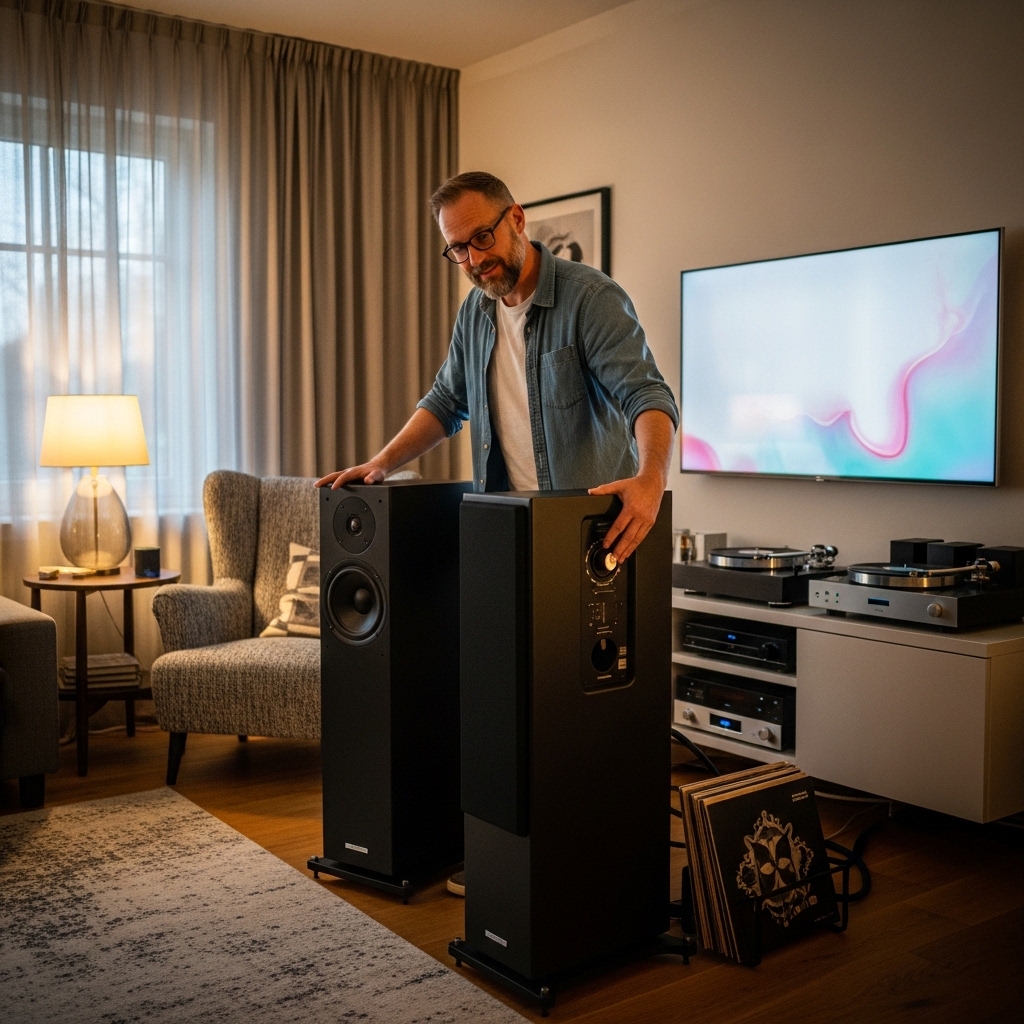

Listening to podcasts, playlists, or audiobooks through a phone or laptop often leaves listeners wanting clearer sound and better room coverage. Many smart home owners wonder whether their existing hardware can double as an everyday wireless audio hub. You might wonder, can i use alexa echo as a bluetooth speaker without being locked exclusively into native cloud voice streaming? The simple answer is yes, because modern smart devices feature onboard Bluetooth radios designed to receive audio streams directly from handheld phones, tablets, and personal computers. Exploring Bluetooth speakers with rich bass helps listeners understand how driver layouts and wireless reception impact everyday playback throughout the home.
While an Amazon Echo or Alexa-enabled speaker typically streams music over local Wi-Fi networks, enabling Bluetooth mode unlocks flexible offline streaming from third-party apps, custom video players, and local media libraries. Third-party manufacturers also produce premium smart hardware, offering expansive sound profiles alongside integrated Amazon voice assistants. Understanding how to connect your device and knowing what audio limitations exist will help you get the most out of your hardware setup. This practical guide covers setup techniques, audio transmission differences, offline behavior, and hardware options so you can stream your audio with total confidence.

Pros
- Uniform 360-degree audio dispersion provides consistent sound throughout the entire room
- Exceptional microphone pickup even at high listening volumes
- Comprehensive wireless ecosystem with Wi-Fi, Bluetooth, and native Apple AirPlay 2 support
- Six convenient physical preset buttons for one-touch music playback without grabbing a phone
Cons
- Requires continuous AC wall power with no built-in battery for on-the-go outdoor use
- Punchy bass can slightly push back delicate acoustic midranges on dense, complex arrangements
- Lacks a 3.5mm auxiliary audio input jack for wired analog legacy gear
The Bose Home Speaker 300 is engineered for listeners who crave the full-bodied signature Bose acoustic profile inside an ultra-compact desktop package. Positioning itself as a premium step up from entry-level voice pucks, this speaker integrates high-grade audio hardware with the conveniences of a modern connected home. It is particularly well-suited for secondary listening spaces such as home offices, kitchens, and bedrooms where floor space is at a premium but sound quality cannot be compromised.
Day-to-day usability is where this compact powerhouse truly shines. The custom six-microphone array is engineered with acoustic noise-rejection technology, ensuring voice commands are accurately captured even when high-energy tracks are playing. Whether you choose Amazon Alexa or Google Assistant, managing smart home accessories, setting timers, or switching music queues happens without raising your voice. For times when voice commands feel inconvenient, the six capacitive touch presets on top of the cabinet let you launch saved internet radio stations or Spotify playlists instantly.
Connectivity options provide impressive flexibility across Apple and Android ecosystems. Utilizing dual-band Wi-Fi alongside Bluetooth, the speaker allows seamless streaming through the Bose Music app or directly via Apple AirPlay 2. Bose SimpleSync technology also enables pairing with compatible Bose noise-canceling headphones for private late-night listening without waking up the rest of the household.
Ultimately, the Bose Home Speaker 300 serves as a capable, stationary smart audio hub. While it is not intended for outdoor pool parties due to its corded power requirement, its combination of room-filling omnidirectional sound, reliable smart assistant integration, and intuitive physical controls make it an outstanding daily driver for everyday music lovers.
Acoustically, the Bose Home Speaker 300 punches well above its modest dimensions. The internal architecture features an inverted, high-excursion transducer aimed downward into an acoustic deflector. This design disperses sound 360 degrees, providing a uniform listening experience regardless of where you place the unit in your living space. Bass response is punchy, warm, and distinctly authoritative, handling modern hip-hop, electronic beats, and pop tracks with satisfying depth.
Midrange reproduction remains clear and vocal-forward, making podcasts, audiobooks, and vocal-centric acoustic tracks feel natural and present. High frequencies are crisp without veering into harsh sibilance, maintaining smooth treble sparkle across various musical genres. Integrated digital signal processing actively works behind the scenes to optimize the frequency curve, minimizing harmonic distortion even as volume levels approach upper limits.
While true stereo imaging is naturally constrained by a single physical enclosure, the omnidirectional soundstage easily fills medium-sized living spaces without the narrow sweet-spot limitations of conventional forward-firing speakers. Listeners can roam from room to room without experiencing the sudden drop-offs in clarity or presence typical of directional audio drivers.
Standing just 6.34 inches tall, 5.59 inches wide, and 4.02 inches deep, the Bose Home Speaker 300 sports a sleek elliptical footprint that tucks neatly into tight bookshelf nooks, kitchen counters, or bedside nightstands. Weighing just 2.09 pounds, it features an anodized aluminum acoustic grille wrapped around a sturdy composite housing, finished in a clean matte black coating that resists dust and fingerprints.
The top plate is lined with smooth capacitive glass touch controls for volume adjustments, play/pause, microphone muting, action commands, and the six quick-access presets. A slender LED light bar tucked beneath the top rim provides subtle visual feedback for volume levels, Wi-Fi pairing status, and voice assistant listening modes without creating an intrusive visual distraction in dimly lit bedrooms.
Hardware connections are streamlined for modern wireless life. The unit operates via continuous AC mains power using the included compact power adapter. High-bandwidth dual-band Wi-Fi (2.4 GHz and 5 GHz) and Bluetooth 4.2 provide rock-solid wireless stability, ensuring smooth audio streaming without unexpected cutouts or buffer delays.

Pros
- Exceptionally wide, room-filling soundstage courtesy of patented Trillium acoustic engineering.
- Versatile wireless options including Apple AirPlay 2, Wi-Fi casting, and Bluetooth.
- Clear far-field voice recognition with a dedicated hardware mute button for privacy.
- Convenient rear USB port charges smartphones and tablets during playback.
Cons
- Requires constant connection to a wall outlet as it does not include an internal battery.
- Compact footprint limits true sub-bass extension in very large, open-concept living spaces.
- Lacks an analog auxiliary input for connecting legacy wired audio sources.
The RIVA Concert is a compact, high-performance wireless smart speaker engineered to bridge the gap between audiophile-grade acoustic fidelity and everyday convenience. Operating as a capable alternative to mainstream smart speakers, the Concert leverages RIVA's proprietary audio architecture to eliminate the narrow, directional sound typical of standard single-box designs.
Designed for listeners who refuse to sacrifice acoustic clarity for voice-assisted utility, the speaker integrates seamlessly into contemporary streaming setups. Support for Apple AirPlay 2, Spotify Connect, and Wi-Fi streaming means you can effortlessly transition from your favorite morning news podcast to high-resolution afternoon playlists. Alexa integration responds promptly to ambient voice commands across the room, making smart home adjustments quick and natural.
In real-world testing, the Concert shines in vocal reproduction and instrument separation. While many lifestyle speakers resort to bloated bass processing to sound powerful, RIVA focuses on clean dynamics, articulate mid-tones, and an expansive stereo field. It easily fills standard bedrooms, home offices, and kitchens with vibrant, detailed sound.
Overall, the RIVA Concert is an impressive addition to any connected home. If you want a voice-enabled, multiroom-ready speaker that prioritizes authentic musicality, balanced output, and flexible streaming protocols, it stands as an outstanding sonic choice.
At the core of the RIVA Concert is the company's patented Trillium audio technology, paired with six custom precision drivers and 50 watts of clean amplification. This arrangement delivers a remarkably natural frequency response: mid-range vocals and guitars sit forward in the mix with lifelike warmth, while high frequencies remain crisp and airy without edging into harshness or fatigue.
Bass response is tight, balanced, and punchy. Rather than artificially boosting mid-bass frequencies to fake depth, the enclosure provides an honest low-end foundation that keeps complex jazz arrangements and modern rock rhythms distinct. While it will not shake the foundation like a dedicated external subwoofer, its bass impact remains exceptionally tidy for its physical footprint.
Soundstage representation is where the Concert truly differentiates itself. By processing audio channels through left, right, and center acoustic outputs, the speaker creates an unexpectedly wide listening zone. You do not have to sit dead-center to enjoy convincing stereo imaging, and the speaker maintains clean, distortion-free output even when pushed to room-filling volume levels.
Measuring approximately 4.87 by 5 by 7 inches and weighing 3 pounds, the RIVA Concert sports a sleek, vertical tower silhouette finished in an elegant white aesthetic. Its compact footprint sits comfortably on nightstands, countertops, and bookshelves, blending cleanly into contemporary home decor without demanding excessive real estate.
Hardware connectivity centers on modern wireless convenience, featuring dual-band Wi-Fi for multiroom and high-resolution playback alongside Bluetooth for quick guest pairing. Physical controls on the top panel provide tactile access to volume, playback, and input switching when you prefer not to use voice controls or smartphone apps.
Everyday convenience extends to thoughtful back-panel utility. A dedicated microphone mute switch provides complete peace of mind whenever privacy is preferred, and an integrated USB-A charging port allows you to top off your smartphone or tablet while streaming your favorite playlists. The system receives continuous firmware updates over-the-air to ensure ongoing compatibility and performance.
Setting Up and Using Alexa Hardware as a Dedicated Bluetooth Speaker
An Amazon Echo or Alexa-enabled smart speaker can readily function as a standard Bluetooth speaker for your mobile devices. Once paired, the speaker streams any audio generated by your smartphone, tablet, or computer, including music apps, audiobooks, podcasts, and video soundtracks. You do not need to rely solely on cloud-based voice commands or supported music streaming skills to hear your favorite media. Utilizing Bluetooth connectivity allows you to bypass streaming platform restrictions while taking full advantage of the speaker’s acoustic drivers.
Step-by-Step Bluetooth Pairing for Alexa Devices
Pairing your phone or computer to an Alexa speaker requires only a brief initial setup process. The fastest method uses a simple voice command directed at your smart device. You can activate pairing mode by saying, “Alexa, pair,” which prompts the speaker to search for nearby discoverable devices. Make sure Bluetooth is toggled on within your phone’s settings menu, locate your Echo model in the list of available devices, and tap to connect.
Users who prefer visual navigation or encounter vocal command difficulties can complete the pairing process through the official Alexa companion app. Open the app on your mobile device, navigate to the Devices tab, and select the specific Echo speaker you wish to pair. From the device settings menu, tap on Bluetooth Connections and choose the option to pair a new device. The app guides you through discovering your phone or laptop without requiring spoken instructions across the room.
Reconnecting your paired device in the future is even simpler because the speaker stores connection profiles in its local memory. When you re-enter the room, you can simply instruct the speaker by saying, “Alexa, connect to my phone.” If you switch between a tablet and a laptop, selecting the speaker directly within the source device’s Bluetooth menu immediately establishes the wireless handshake. Saying, “Alexa, disconnect” safely terminates the active stream without clearing the stored pairing history.
Two-Way Bluetooth: Receiver Mode vs. Transmitter Mode
Most consumers use Alexa hardware in receiver mode, which treats the smart unit as an external wireless speaker. In this standard configuration, your smartphone or computer acts as the audio transmitter, pushing digital sound packets to the Echo. This mode is ideal for streaming non-supported services, playing YouTube video audio, or listening to local audio files stored directly on your phone. The speaker simply renders whatever sound your mobile operating system outputs.
Many listeners overlook the fact that compatible Echo hardware can also operate in transmitter mode to output audio externally. This reverse functionality allows your smart speaker to send its internal voice responses, alarms, and streaming music to an external Bluetooth speaker or wireless headphones. If you own an older compact smart puck with limited acoustic volume, pairing it to a larger sound system significantly elevates audio performance. You can enable external transmission via the Bluetooth menu in the Alexa app by scanning for secondary speakers.
Deciding whether to use receiver or transmitter mode depends entirely on your audio equipment layout and room requirements. Receiver mode brings portable phone media to an existing home tabletop speaker with minimal fuss. Transmitter mode allows you to retain hands-free voice automation while routing playback to premium studio monitors or high-power stereo systems. Understanding this dual-direction capability ensures you extract maximum versatility from your home smart speaker investment.
Wi-Fi Streaming vs. Bluetooth Playback Differences
Understanding the technical differences between native Wi-Fi playback and Bluetooth streaming helps set realistic expectations for sound quality. When Alexa plays music over Wi-Fi, the speaker pulls digital audio streams directly from cloud servers using uncompressed or high-bitrate data protocols. Bluetooth transmission, by contrast, relies on lossy compression codecs like standard SBC to transmit audio wirelessly across short distances from your source device. This local wireless hop can introduce slight compression artifacts that subtle listening environments might reveal.
Audio latency represents another major distinction between these two streaming protocols. Wi-Fi streaming buffers cloud content smoothly for music, but Bluetooth audio includes a minor transmission delay between the transmitter and receiver. If you stream casual music tracks or background podcasts, this millisecond delay remains entirely imperceptible. However, if you watch movies or play fast-paced games on a paired tablet, you may notice a slight lip-sync discrepancy between the video display and audio output.
Operating your speaker over Bluetooth also alters multi-room audio capabilities and voice assistant interaction. Native Wi-Fi streaming allows synchronized playback across multiple smart speakers scattered throughout various rooms in your house. Bluetooth connections, however, bind your phone to one specific physical speaker at a time, disabling whole-home synchronized groups. Alexa can still respond to spoken queries during Bluetooth playback, briefly lowering the background media volume before returning to your stream.
Does an Alexa Speaker Work as a Bluetooth Speaker Without Internet?
A common question among smart speaker owners is whether an Echo can function as a basic Bluetooth speaker when the local internet connection drops. The essential requirement is that the speaker must be initially set up, updated, and registered over an active Wi-Fi connection with an Amazon account. You cannot unpack a factory-sealed smart speaker in an offline cabin and initiate a first-time Bluetooth pairing without Wi-Fi access. The initial configuration handshake relies strictly on cloud verification through the companion application.
Once a mobile device has been successfully paired while connected to the internet, the speaker retains that Bluetooth hardware profile even if the internet goes offline. If your home broadband connection fails during a storm, the Echo can still accept an established Bluetooth connection from your phone. You will not be able to use spoken voice commands, because the device cannot contact cloud processing servers to interpret speech. Instead, you must manually initiate the connection from your phone’s Bluetooth settings and manage volume or playback directly on the handset.
While offline Bluetooth functionality can provide emergency audio during network outages, the hardware remains fundamentally designed around connected cloud infrastructure. Disconnecting the speaker from power will reset its internal network polling routines, which sometimes causes pairing hesitations until it confirms a local router link. For individuals seeking dependable, completely offline sound on camping trips or remote travels, a dedicated portable speaker remains far more practical than an AC-powered smart hub.
Comparing Dedicated Echo Hardware with Alexa-Enabled Smart Speakers
Standard Amazon Echo devices provide competent sound for casual listening, but third-party audio manufacturers build specialized hardware with Alexa built in for superior acoustic fidelity. A prime example is the Bose Home Speaker 300: Bluetooth Smart Speaker, which incorporates proprietary acoustic engineering to deliver 360-degree lifelike sound and room-rocking bass from a compact enclosure. The speaker features built-in voice assistants, a noise-rejecting six-microphone array for voice pickup, and versatile connectivity spanning Wi-Fi, Bluetooth, and Apple AirPlay 2. Controlling playback is flexible via voice commands, the Bose Music app, or six one-touch presets located on the top panel.
Another capable option engineered for demanding listening environments is the RIVA Concert Smart Wi-Fi Bluetooth Speaker, which combines smart voice interaction with serious acoustic power. This unit produces 50 watts of output driven by six precision drivers and patented Trillium audio technology to create an expansive stereo soundstage with balanced bass and clear vocals. Beyond standard Wi-Fi and Bluetooth streaming with AirPlay 2, Spotify, and TIDAL, the speaker supports multiroom audio synchronization across compatible hardware. It also includes thoughtful conveniences like an integrated USB charging port for mobile devices, physical microphone mute switches, and OTA firmware updates.
Comparing specialized smart speakers with basic entry-level smart pucks highlights significant differences in driver architecture, amplifier output, and stereo dispersion. Dedicated acoustic units utilize custom driver arrays and tuned enclosures that project balanced sound across broader spaces. If you need expansive sound reinforcement for entertaining guests, reviewing a Bluetooth speaker for large area coverage can help clarify what driver and power configurations best fill open floor plans. Specialized smart speakers bridge the gap between intelligent voice automation and authentic high-fidelity wireless listening.
Managing Audio Quality and Codec Performance on Alexa Hardware
Maximizing audio quality over a Bluetooth connection involves understanding how source devices handle digital signal compression. Most Alexa-enabled smart hardware utilizes the baseline Subband Codec, commonly known as SBC, or Advanced Audio Coding, known as AAC, depending on the source operating system. Apple iOS devices typically stream using AAC compression, which delivers clean dynamic range and transparent vocal representation for everyday media files. Android devices default to SBC unless configured through developer settings, though differences on single-enclosure smart speakers remain relatively subtle.
To achieve the cleanest possible sound, users should ensure the source device outputs audio at an optimal digital level. Setting your smartphone or tablet volume between eighty and ninety percent prevents digital clipping while allowing the speaker’s internal amplifier to manage room dynamics. Relying on an extremely low phone volume forces the speaker amplifier to work harder, which can introduce background hiss or reduce overall clarity. Maintaining a healthy source signal ensures your smart speaker reproduces punchy basslines and distinct vocal tracks without unnecessary harmonic distortion.
Physical placement of the smart speaker within your room also dramatically influences acoustic performance regardless of the wireless connection mode. Positioning the speaker near a solid corner or back wall naturally reinforces low-frequency energy, making bass notes sound fuller and deeper. However, placing the device too close to reflective surfaces like glass windows or tile countertops can produce harsh high frequencies and muddied midrange reproduction. Experimenting with shelf elevation and wall spacing allows the integrated drivers to disperse audio evenly across your primary listening zone.
Troubleshooting Common Alexa Bluetooth Connection Problems
Occasional connection failures can disrupt wireless streaming between your handheld devices and an Alexa speaker. If your phone cannot discover the smart speaker during initial pairing, ensure the speaker is not currently linked to another family member’s tablet. Alexa devices typically maintain one active Bluetooth connection at a time, automatically rejecting new pairing attempts while an active link persists. Clearing out older paired connections within the Alexa app under Bluetooth settings usually resolves discovery conflicts immediately.
Audio stuttering, intermittent dropouts, or crackling sounds often stem from radio frequency congestion in the surrounding environment. Both Bluetooth and standard 2.4 GHz Wi-Fi networks share similar frequency bands, which can cause wireless interference if your smart speaker sits directly adjacent to a wireless router. Relocating the speaker at least three to four feet away from your home router minimizes packet loss and prevents signal degradation. Physical obstacles such as thick concrete walls or metal furniture between your phone and the speaker should also be minimized.
In rare instances where the speaker becomes completely unresponsive to Bluetooth commands, performing a soft system reboot clears temporary cache glitches. Simply unplug the speaker power adapter from the electrical wall outlet, wait approximately twenty seconds, and plug it back into power. Once the unit finishes its boot sequence and connects to the network, re-initiate the Bluetooth connection from your phone. Regularly checking for device firmware updates through the companion app also ensures the Bluetooth stack benefits from manufacturer bug fixes.
Choosing Between an Alexa Smart Speaker and a Dedicated Portable Bluetooth Speaker
Deciding whether to rely on an Alexa speaker or purchase a standalone Bluetooth speaker comes down to intended mobility and daily use cases. Most Echo and smart home speakers require continuous AC wall power, tethering them permanently to countertops, desks, or nightstands. A dedicated portable speaker features an integrated rechargeable battery, allowing you to transport audio effortlessly out to the patio, garage, or park. Those seeking rugged outdoor performance or battery-powered loudness often find a dedicated 40W Bluetooth speaker better suited for mobile adventures away from wall outlets.
Environmental durability represents another critical divergence between smart home hardware and outdoor-ready audio gear. Alexa speakers feature fabric wraps, open microphone arrays, and sensitive electronic grilles that are not built to withstand rain, pool splashes, or sand. Dedicated portable speakers frequently boast rigorous IP ratings for water and dust ingress protection, making them ideal companions for showers, beaches, and backyard cookouts. Using an indoor smart speaker in moisture-heavy or dusty environments risks damaging internal circuit boards and voiding manufacturer warranties.
Smart speakers shine brightest when stationary, offering hands-free smart home controls, alarms, voice queries, and seamless cloud music playback. If your primary listening happens in a bedroom, kitchen, or home office, using an Alexa unit as a Bluetooth speaker provides outstanding convenience without purchasing extra hardware. If you frequently listen outdoors, travel on weekends, or demand water resistance, investing in a rugged portable Bluetooth speaker remains the superior practical choice. Assessing your daily listening routine ensures you invest in audio equipment that perfectly matches your lifestyle.
Using an Alexa Echo or compatible smart speaker as a Bluetooth audio receiver is a practical way to expand your entertainment options at home. The pairing process requires only moments to configure, whether you initiate the link through simple voice commands or the mobile app interface. While Bluetooth streaming introduces minor compression and disables multi-room speaker grouping, it provides dependable wireless access to all your favorite non-native audio apps. Matching your listening habits to either stationary smart hardware or dedicated portable gear ensures an enjoyable, reliable listening experience every day.


Write Your Review
No reviews yet. Be the first to share your experience!