
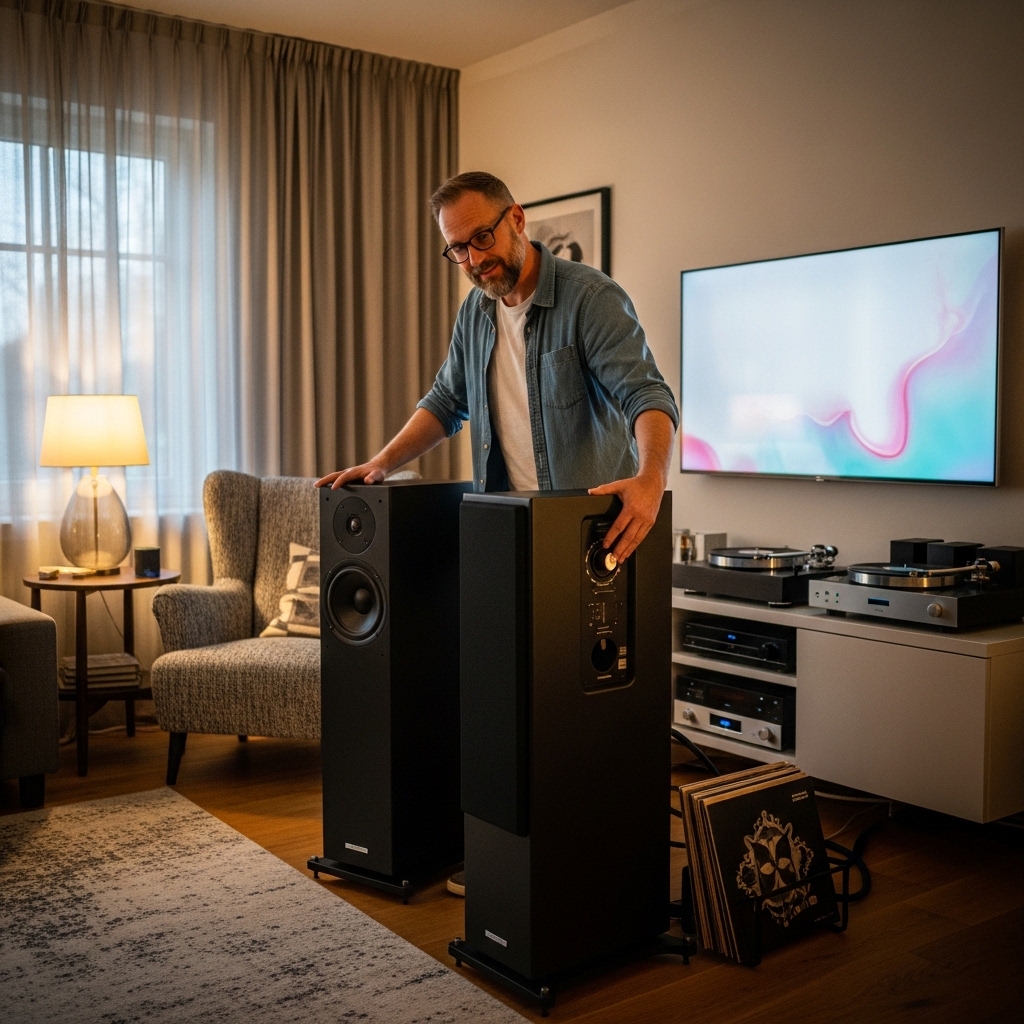

Straining to hear muffled conference calls or tinny video playback is a frustratingly common desktop experience. Display manufacturers often market integrated audio as a convenient, all-in-one feature designed to eliminate tangled wires and preserve precious desk real estate. However, when evaluating whether are built in monitor speakers worth it, listeners quickly encounter the physical limitations of ultra-thin screen chassis. Most displays house down-firing or rear-aimed drivers that bounce sound off walls or desks, resulting in hollow dialogue, weak bass, and harsh upper frequencies that struggle in noisy rooms.
For users who only require system notification chimes or brief voice memos, integrated display drivers can handle basic duties without adding clutter. Yet anyone who values immersive media, music playback, or reliable voice communication usually needs better desktop sound solutions to overcome these acoustic compromises. Fortunately, modern external options like compact clip-on monitor soundbars provide the spatial benefits of integrated drivers alongside significantly better dynamic range, direct sound projection, and hassle-free USB connectivity.

Pros
- Plug-and-play simplicity with a single cable that handles both audio and power
- Versatile 2-in-1 placement clips onto monitors or sits flat on any desk
- Instant one-touch hardware mute button provides immediate audio privacy
- Clear vocal reproduction makes virtual meetings and video dialogue easy to hear
Cons
- Lacks deep low-end sub-bass due to the ultra-compact enclosure size
- Does not feature an integrated microphone for voice input
- Clip mount accommodates monitor bezels only up to 0.78 inches thick
The YYV Computer Speaker is a space-saving audio soundbar engineered specifically for desktop and laptop setups requiring clean, reliable sound. Equipped with dual 1.4-inch internal magnetic drivers and an integrated sound card decoder, this sleek unit delivers digital audio and draws power simultaneously through a single USB connection. It eliminates the frustration of managing multiple power cords and auxiliary audio cables.
Targeted at remote professionals, students, and minimalists, the speaker addresses crowded workstations with a clever spring-loaded clip mechanism. The clip attaches securely to monitor edges up to 0.78 inches thick, positioning the soundstage directly at ear level. If monitor mounting is not preferred, the unit sits securely on rubberized feet right beneath your screen.
In everyday use, the speaker shines during video conferences, lectures, and media streaming. The physical top-panel buttons provide seamless volume control, while the dedicated mute button instantly cuts audio playback across all open applications without forcing you to fiddle with software settings. With the included USB-C adapter, moving between modern MacBooks, Windows laptops, and Android devices is completely friction-free.
While audio enthusiasts looking for deep cinema bass will note the natural limitations of the slim acoustic housing, this speaker excels at everyday utility and speech clarity. For anyone wanting to upgrade their internal laptop speakers while keeping their desk tidy, the YYV soundbar provides outstanding everyday value and simplicity.
Tuned specifically for everyday computer use, this speaker utilizes dual 1.4-inch high-sensitivity magnetic drivers to deliver crisp treble and articulate midrange response. Speech intelligibility is a major highlight, allowing podcast dialogue, team calls, and streaming vocals to project with clarity that built-in computer speakers cannot match.
Because the unit relies entirely on a hardwired digital USB connection, performance remains rock solid without the stutter, lag, or pairing dropouts commonly experienced with wireless alternatives. Video and audio stay in perfect sync during gaming and movies, while the internal amplifier pushes volume levels loud enough to comfortably fill a home office or bedroom.
Low-end performance is punchy and balanced for casual listening, although it naturally avoids heavy sub-bass output due to the slim cabinet design. The sound profile remains clean and free of harsh distortion even at higher volumes, ensuring a comfortable listening experience throughout long workdays.
Measuring under ten inches in length and just over an inch deep, the low-profile horizontal silhouette integrates seamlessly into modern office environments. The built-in spring clip opens smoothly and grips securely to the top, side, or bottom of flat displays, making it an excellent space-saving companion for smaller desks.
Eliminating the hassle of battery degradation and constant recharging, the speaker operates via continuous USB bus power. By drawing minimal electricity directly from your host computer or laptop, it provides endless audio playback without ever interrupting your workflow for charging breaks or requiring external wall bricks.
The exterior features a sleek matte black finish that resists smudges and blends naturally with computer hardware. Tactile, rubberized buttons on the upper ridge provide satisfying feedback, giving you direct physical control over your audio environment at a moment's notice.

Pros
- Secure non-slip clamp holds firmly on monitors or desks
- Smooth volume knob integrates seamlessly with system controls
- Auto-channel switching ensures correct left-right audio orientation
- Broad USB and USB-C compatibility across major OS and devices
- Clear sound quality punches above its small size
Cons
- Wired USB connection limits cable-free placement
- Decent bass but not suited for bass-heavy music genres
- Requires constant USB power source for operation
The XKX computer speakers are a compact soundbar designed to clamp onto your monitor, transforming weak built-in audio into clear, immersive sound for desktop PCs and laptops. Ideal for home office professionals, gamers, and casual users tired of tinny monitor speakers, they mount securely on top, bottom, or sides without adhesives or desk space.
In real-world use, setup is instant: plug into USB, clamp on, and adjust volume with the intuitive knob that syncs to your system. Audio shines for video calls, streaming, and light gaming, with crisp vocals and enough bass for everyday tasks. The G-Sensor ensures proper stereo imaging no matter the orientation.
While not a powerhouse for audiophiles, these speakers excel in practicality and value for small setups. Verdict: A smart upgrade for anyone prioritizing ease and clarity over wireless freedom.
Equipped with dual ultra-magnetic drivers and dual passive radiators, these speakers produce crystal-clear highs and mids with decent bass response, making dialogue in videos and meetings pop without muddiness. Volume reaches satisfying levels for personal desks without distortion.
The premium rotary encoder knob offers precise control, syncing directly with your computer's volume for effortless adjustments. G-Sensor technology automatically corrects left-right channels, maintaining accurate stereo sound whether clamped upright or upside down on your monitor.
Performance suits productivity and multimedia, delivering balanced output that's loud enough for focused work but not overwhelming in shared spaces.
The sleek, minimalist design features a sturdy spring clamp with non-slip grips, allowing secure attachment to monitor bezels or standalone desk placement. At a compact size, it blends into any setup without dominating your workspace.
USB-powered operation means no batteries to charge; simply plug in for instant, reliable power from your PC or laptop. The included USB-C adapter ensures compatibility with newer devices like MacBooks and iPads.
Build quality feels premium with enhanced clamping force, promising durability for daily use in home offices or dorms.

Pros
- True plug-and-play simplicity with a single USB connection handling both audio and power.
- Completely clears desktop clutter by clamping securely to the top, side, or bottom of your screen.
- Noticeably louder and clearer than tinny internal laptop speakers, especially for voice and dialogue.
- Comes with a USB-C adapter in the box for modern laptops without standard USB-A ports.
Cons
- Compact footprint produces modest sub-bass output, limiting deep rumble on cinematic soundtracks.
- Clamp mechanism cannot fit thicker screens or curved monitor chassis exceeding 1.18 inches.
- Strictly a wired USB speaker with no Bluetooth wireless or 3.5mm analog input options.
The Inwa Computer Speaker Bar addresses one of the most common frustrations in modern home offices: tinny, muffled built-in laptop audio paired with crowded desk space. By combining a mini soundbar profile with an integrated spring-loaded clamp, this speaker offers an immediate audio upgrade for remote professionals, students, and casual desktop users. It completely bypasses the need for large dual-speaker desktop setups while aiming audio directly toward the user.
In everyday tasks, the Inwa speaker proves especially capable during virtual meetings, podcasts, and casual video streaming. Dialogue comes through crisp and intelligible on video conferencing platforms like Zoom and Teams, eliminating the listening fatigue associated with strained laptop speakers. The single-cable USB architecture ensures trouble-free setup across both Windows and macOS systems without the need to install third-party drivers or software.
While this compact unit will not replace high-end audiophile studio monitors or full-sized entertainment soundbars, it succeeds at providing clean, focused sound right where you need it. For anyone looking to declutter their workstation and enjoy clear audio for calls, background music, and videos, this clip-on speaker is a dependable and practical solution.
Acoustic performance on the Inwa speaker is powered by two internal full-range drivers working in tandem with a central passive radiator, delivering up to 10 watts of stereo output. Because the speaker sits elevated on your monitor, the sound projects forward cleanly toward ear level rather than firing downward onto a desk. This positioning yields a surprisingly expansive stereo soundstage for a chassis under six inches wide.
Midrange and treble reproduction are tuned for maximum intelligibility, ensuring spoken vocals and acoustic instruments sound natural and articulate. The integrated passive radiator reinforces the lower midrange to give video game effects and movie dialogue respectable body. While deep sub-bass frequencies below 80 Hz are modest due to physical enclosure limits, overall output remains clean and distortion-free at standard desktop listening volumes.
Measuring just 5.9 inches wide and less than 2 inches deep, the Inwa speaker features a durable black enclosure designed to sit inconspicuously alongside modern monitor frames. The spring-loaded bottom clamp expands to fit display bezels up to 1.18 inches thick. Soft silicone contact pads line the inner jaws of the clamp, protecting delicate monitor casings from scratches while securing the speaker in place, even during frequent screen adjustments.
The physical interface includes three top-mounted buttons for volume up, volume down, and an instant mute function, allowing rapid audio control without digging into computer software menus. Connectivity and bus power are provided through a single integrated USB cable. With the bundled USB-A to USB-C converter, users can connect immediately to the latest slim laptops, MacBooks, or traditional desktop towers without buying extra adapters.

Pros
- Powerful sound exceeds expectations for compact size
- Effortless clip-on installation saves desk space
- Wide USB compatibility including USB-C devices
- Rich bass and clear stereo from dual drivers
Cons
- No onboard volume buttons, relies on PC controls
- Incompatible with standalone monitors or TVs
- Bass depth limited by small size compared to full speakers
The XKX USB computer speaker is a compact soundbar designed to clamp onto your monitor, delivering a quick audio upgrade for desktop PCs and laptops. Ideal for home office workers, gamers, or anyone tired of tinny built-in sound, it plugs directly into USB ports on Windows, Mac, or Linux systems.
In real-world use, it shines in small workspaces where space is tight. The clip mechanism securely attaches to monitors from 0.1 to 1 inch thick, keeping your desk neat while pumping out stereo sound that rivals larger setups. Setup is truly plug-and-play, with no drivers needed.
Performance stands out with its loud output and bass response, making video calls clearer and media more immersive. While not for audiophiles, it offers great value for everyday computing. Verdict: A smart pick for affordable, space-saving PC audio enhancement.
Expect amazingly loud stereo sound with rich bass from the dual super-magnetic drivers and passive radiator. Despite its small footprint, it handles high volumes without distortion, perfect for filling a home office or bedroom desk.
Vocal clarity shines in calls and podcasts, while bass adds punch to music and videos. Volume scales smoothly via your PC, reaching levels that compete with pricier options. As a wired USB speaker, it delivers stable, uninterrupted audio without dropouts.
The sleek, minimalist design clamps effortlessly to monitor tops, sides, or bottoms, or rests flat on your desk. At just a few inches wide, it tucks away without crowding your setup, promoting a clean workspace.
No battery to charge; USB power means it's always ready with unlimited playtime as long as your PC is on. Lightweight and durable clamp ensures stability on various monitor thicknesses, making it ideal for daily desk use without wear.
Evaluating Display Audio: Are Built in Monitor Speakers Worth It?
The short answer to whether integrated display drivers are worth relying on is almost always no if you expect clear, balanced sound. Computer monitors are engineered primarily for visual clarity, color accuracy, and slim bezels, leaving virtually no room for competent acoustic hardware. Built-in transducers serve merely as basic audio outputs intended to notify users of incoming emails, calendar alerts, or operating system chimes. When listeners attempt to use these miniature speakers for multimedia, vocal calls, or music listening, the severe acoustic limitations quickly become frustrating.
Choosing a monitor specifically because it includes integrated audio often leads to disappointment and wasted budget. Many displays carry a noticeable markup for built-in sound modules that sound significantly worse than even a modest external desktop solution. Understanding why these internal transducers struggle helps buyers make smarter decisions about their workspace audio setup. By recognizing the physical boundaries of monitor enclosures, you can evaluate whether built-in drivers meet your workflow needs or if an external clip-on soundbar offers a far better solution.
The Acoustic and Cabinet Limits of Ultra-Thin Displays
Acoustic engineering relies fundamentally on moving air, which requires physical cabinet volume and adequate driver surface area. Modern flat-panel and curved monitors strive for ultra-thin profiles, often measuring less than an inch thick near the outer edges. This design leaves display engineers with almost no internal enclosure space to create a resonant chamber for lower frequencies. Consequently, built-in display speakers typically utilize tiny micro-drivers that measure one inch or smaller in diameter and operate with minimal power ratings of one to three watts.
Without adequate cabinet air volume, micro-drivers cannot physically reproduce low frequencies below several hundred hertz. Basslines vanish almost entirely, drum hits sound like dull plastic clicks, and male vocal fundamentals lose their natural resonance. Increasing the volume on integrated display speakers quickly pushes these tiny cones beyond their linear excursion limits. This over-excursion introduces harsh harmonic distortion and cabinet rattling, making the audio fatiguing to listen to during extended work sessions.
Sound Direction and Boundary Reflection Problems
Speaker orientation plays a decisive role in perceived frequency balance, stereo imaging, and speech intelligibility. Because modern computer monitors feature virtually borderless screen bezels, manufacturers cannot mount speaker drivers on the front panel facing the listener. Instead, engineers are forced to place the transducers on the bottom edge pointing straight down toward the desk, or on the rear panel pointing backward at a wall. This indirect orientation forces sound waves to bounce off hard surfaces before reaching your ears.
Down-firing drivers create acoustic boundary reflections that cause comb filtering and phase cancellation across the upper midrange frequencies. Rear-firing drivers suffer an even worse fate if the monitor is placed away from a back wall or angled in a corner, as sound disperses unpredictably into the room. High frequencies, which provide essential clarity for consonant sounds in human speech, are inherently directional and lose energy during indirect bounces. The result is muffled dialogue that forces you to strain during virtual meetings, even when the overall volume appears turned all the way up.
Work Environments Where Integrated Display Drivers Are Sufficient
Despite their acoustic shortcomings, built-in monitor speakers are not entirely useless in every workplace environment. If your computing tasks consist solely of reading documents, writing code, or managing spreadsheets, you only need audio for basic operational feedback. Integrated speakers handle operating system notification chimes, error beeps, and incoming message alerts without cluttering your physical desk. For institutional settings like computer testing labs, public kiosks, or server monitoring stations, having basic functional sound without external hardware is a major logistical advantage.
Shared office spaces and hot-desking setups also gain practical benefits from built-in display drivers. In environments where employees frequently swap desks, eliminating external audio gear reduces cable clutter and minimizes potential equipment loss. Furthermore, workers in open-plan offices frequently rely on personal headsets for phone calls and focused listening sessions anyway. In those specific enterprise workflows, spending money on supplemental desktop audio equipment offers minimal tangible benefit.
Entertainment and Communication Scenarios Where Built-In Audio Fails
Anyone using a desktop setup for video editing, gaming, music streaming, or movie watching will quickly find integrated monitor audio unacceptable. Music tracks collapse into a flat, lifeless presentation where kick drums and bass guitars disappear behind tinny cymbals and hollow midrange vocals. In fast-paced games, directional audio cues like footstep locations or distant gunfire become smeared and indistinct, compromising your situational awareness. Content creators cannot accurately judge sound balances, background noise levels, or dialogue clarity when monitoring projects through factory display speakers.
Virtual collaboration and hybrid work meetings also expose the severe limitations of built-in display sound. Because the internal drivers struggle to project clear vocal formants, participants in video conferences often sound muffled, distant, or sibilant. If you run a desktop microphone, the indirect down-firing sound from your display can bounce off the desk surface and bleed directly into your microphone capsule. This acoustic feedback loop frequently causes annoying room echo and hollow audio artifacts for everyone on your call.
The Clip-On Soundbar: Direct Audio Without Desk Clutter
Many computer users tolerate terrible monitor audio simply because they refuse to surrender precious desk space to bulky stereo speakers. Traditional speaker pairs require surface area on both sides of the screen, creating clutter and competing with mouse pads, notebooks, and charging docks. Modern clip-on monitor speakers solve this spatial dilemma by mounting directly onto the monitor bezel using spring-loaded clamps. This approach maintains the completely clean, cable-free desktop footprint of built-in speakers while restoring proper front-facing acoustic projection.
External monitor soundbars, such as models from XKX, Inwa, and YYV, utilize integrated clamp designs that gently grip the screen frame. The YYV soundbar features a spring clamp opening up to 0.78 inches, whereas Inwa provides clearance for monitor bezels up to 1.18 inches thick. The XKX monitor speaker accommodates bezels ranging from 0.1 inch to 1 inch while also maintaining a stable flat base for standalone desk placement. By securing the speaker directly to the top or bottom of your screen, sound projects straight toward your ears rather than bouncing off the desk.
Driver Architecture and Low-End Resonance in Monitor Soundbars
Unlike the single micro-transducers found inside flat displays, dedicated clip-on soundbars incorporate dual internal magnetic drivers paired with passive bass radiators. The YYV speaker utilizes two 1.4-inch internal magnetic drivers housed inside an elongated enclosure designed to optimize internal air cavity movement. Similarly, the XKX and Inwa soundbars combine dual ultra-magnetic drivers with dedicated passive radiators to produce balanced acoustic resonance. While these compact cavities cannot reproduce sub-bass frequencies like dedicated subwoofers, they generate substantial mid-bass warmth that factory monitor speakers completely lack.
Passive radiators function as acoustic suspension elements that vibrate sympathetically with internal air pressure waves created by the active drivers. This engineering technique extends lower-frequency response without requiring large cabinet dimensions or power-hungry subwoofers. In contrast to passive stereo speaker systems that demand outboard amplification and extensive speaker cabling, self-contained USB soundbars amplify their own dual drivers internally. Vocals sound naturally weighted, acoustic instruments gain body, and spoken dialogue cuts clearly through room noise without fatiguing harshness.
Digital USB Transmission, DACs, and Cross-Platform Compatibility
Traditional PC speakers frequently relied on analog 3.5mm auxiliary cables, which are prone to electrical ground loops, static hiss, and electromagnetic interference from computer motherboards. In contrast, modern monitor-mounted soundbars stream digital audio and draw electrical power simultaneously through a single USB connection. Models from YYV, Inwa, and XKX feature built-in digital decoder chips that bypass the computer’s noisy internal sound card. This clean digital pipeline eliminates hum and provides consistent, interference-free sound reproduction across desktop systems.
Connectivity across modern computers often requires flexibility between standard USB-A ports and newer USB-C interfaces found on thin laptops. The XKX, YYV, and Inwa speakers include USB-C to USB adapters directly in the box, allowing seamless hookups to modern MacBooks, iMacs, and Windows ultrabooks. Single-cable digital operation avoids messy cable bundles hanging behind your display, keeping your workspace neat. Unlike compact Bluetooth stereo setups that introduce wireless latency or pairing drops, a direct USB link guarantees zero audio lag during video playback or gaming.
Mounting Mechanics, Orientation Sensors, and System Volume Controls
Mounting a soundbar to a monitor requires careful consideration of stereo channel orientation. If a standard stereo soundbar is mounted to the top of a screen and then flipped upside down to clip onto the bottom bezel, the left and right audio channels can become reversed. The XKX computer soundbar addresses this issue by integrating an internal G-sensor that automatically detects mounting orientation. When you flip the speaker to clamp it to the bottom of the screen, the G-sensor switches the left and right audio channels automatically to preserve correct stereo imaging.
Accessing volume controls on integrated monitor speakers is notoriously frustrating, usually requiring you to click through confusing on-screen display menus using awkward joystick buttons behind the screen. Dedicated clip-on soundbars restore intuitive physical controls right at your fingertips. The XKX soundbar features a rotary encoder knob that adjusts sound seamlessly while synchronizing directly with your computer’s master operating system volume. Models from YYV and Inwa provide top-mounted tactile buttons for volume up, volume down, and instant audio mute, giving you immediate control without interrupting your workflow.
Proper Bezel Protection, Routing, and System Configuration
Clamping an external audio device onto a modern monitor requires care to prevent physical damage to the liquid crystal display panel. High-end computer screens feature delicate, edge-to-edge glass or thin plastic bezels that cannot withstand aggressive, unprotected clamping pressure. Quality monitor speakers, including the Inwa soundbar, incorporate soft silicone protective pads inside the spring clip jaws to cushion the contact points. These silicone buffers distribute clamping pressure evenly, preventing scratches, bezel warping, or panel pressure marks during installation.
Setting up a USB clip-on soundbar is typically driverless, but computers occasionally fail to switch audio routing automatically upon connection. In Windows, users should open the Sound Settings menu, locate the Output dropdown, and confirm the USB audio decoder is selected as the default playback device. On macOS, navigate to System Settings, click Sound, and highlight the connected USB speaker under the Output tab. Verifying these operating system routing preferences resolves most initial silent-playback issues without requiring technical expertise.
Strategic Audio Decisions: Monitor Premiums Versus Dedicated Soundbars
When shopping for a new computer display, consumers frequently debate whether to pay extra for a monitor equipped with built-in speakers. Monitor manufacturers often charge a noticeable markup for display models that integrate internal speakers, even though the actual audio drivers are inexpensive transducers. Spending extra money specifically to obtain factory display audio almost always represents poor value compared to buying a display based solely on panel performance. Investing in visual specifications like refresh rate and color gamut yields far more day-to-day satisfaction.
Pairing a display with an external clip-on soundbar provides vastly superior audio quality while preserving your desktop space and keeping your workspace uncluttered. The external soundbar delivers front-firing stereo clarity, rich mid-bass through passive radiators, and convenient physical controls that factory monitor speakers cannot match. If you prioritize clean ergonomics without sacrificing vocal intelligibility and media enjoyment, bypassing built-in display audio in favor of a clip-on soundbar is the most practical strategy for your workspace.


Write Your Review
No reviews yet. Be the first to share your experience!