

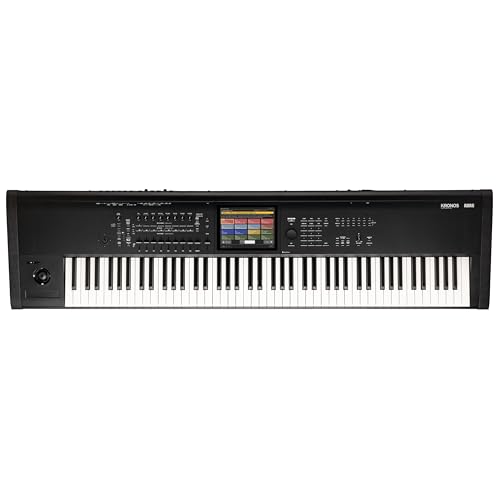
Keyboard players and music producers often unpack a flagship workstation expecting immediate sound, only to wonder how to hear their first notes. If you are asking whether does korg kronos have speakers, the straightforward answer is no. Professional stage keyboards and synthesizer workstations like the Korg Kronos omit integrated speakers to prioritize chassis rigidity, high-grade internal components, and pro-level audio outputs. Musicians who transition from entry-level portable keyboards frequently encounter this surprise when setting up their home studio or performance rig.
Connecting your instrument to dedicated home music speakers or active studio monitors is necessary to hear the full dynamic breadth of its sound engine. Because the Kronos generates intense multi-timbral polyphony across nine distinct sound engines, built-in speaker cones would simply rattle the casing and distort the pristine audio. Choosing the right external audio monitors, direct boxes, and balanced audio cables ensures that every acoustic piano layer, synth patch, and drum sequence projects cleanly. Understanding your signal routing choices helps you build an expressive listening environment that matches the performance capabilities of this flagship hardware.


Practical Audio Setup and Monitoring Guide for the Korg Kronos
The Korg Kronos workstation does not feature internal speakers of any kind across its entire product line. When you purchase this flagship music workstation, you are investing in a dedicated production instrument engineered exclusively for external amplification. Unboxing the keyboard reveals an expansive top control surface, balanced analog outputs, and digital connections designed to interface directly with professional studio monitors, mixing consoles, or stage PA systems. Understanding how to manage your external audio routing allows you to unlock the full sonic fidelity of its complex sound engines without running into unwanted distortion.
Why Professional Synthesizer Workstations Omit Built-In Speakers
Consumer digital pianos and entry-level portable keyboards frequently include small integrated speakers for casual living room practice. In contrast, pro-tier instruments such as the Korg Kronos 3 88-key Music Workstation deliberately exclude internal speaker cones from their chassis design. Physical speaker drivers require dedicated internal enclosure volume, heavy magnetic assemblies, and built-in power amplification circuits that generate substantial heat. Adding these components into an already dense workstation chassis would increase the physical weight beyond practical road transport limits. Also, powerful speaker vibrations directly inside the frame could mechanically disturb internal electronic circuit boards, ribbon controllers, and touchscreens.
Acoustic performance represents another decisive factor behind this architectural decision. The Kronos sound engine incorporates nine individual sound generation systems, ranging from detailed multi-gigabyte acoustic piano samples to aggressive analog synth modeling and physical modeling synthesis. Built-in miniature speakers cannot reproduce deep sub-bass frequencies or wide dynamic peaks without compressing the sound or causing plastic chassis rattle. Professional audio producers and touring keyboardists require an uncolored, full-frequency audio signal delivered through calibrated monitors. By removing integrated speakers, Korg ensures that every dollar of component engineering supports sound generation, premium keybed action, and professional studio-grade audio output circuitry.
Audio Output Architecture and Signal Routing on the Workstation
Routing audio out of the Kronos begins with understanding its rear-panel jack field. The primary analog connection consists of two 1/4-inch balanced TRS jacks designated as Main Output Left/Mono and Right. Balanced TRS cables are recommended for these jacks because they significantly reject radio frequency interference and electrical hum over long cable runs. Alongside the main stereo pair, the instrument provides four individual assignable 1/4-inch outputs. These assignable jacks let you isolate specific instrument tracks, such as sending a click track or a separate bass synth patch directly to dedicated mixer channels for independent front-of-house processing.
Digital audio connectivity expands your routing flexibility in modern recording studios. The Kronos includes an optical S/PDIF input and output, allowing pristine digital audio transfer to compatible audio interfaces without an extra stage of digital-to-analog conversion. The instrument also functions as a multichannel USB audio interface when connected directly to a computer with a standard USB cable. This computer integration means you can stream stereo audio directly into your digital audio workstation software while tracking MIDI simultaneously. On the front panel, a dedicated 1/4-inch stereo headphone jack provides immediate monitoring with an independent analog volume potentiometer for quick personal listening sessions.
Choosing Studio Monitors for Home Practice and Sound Design
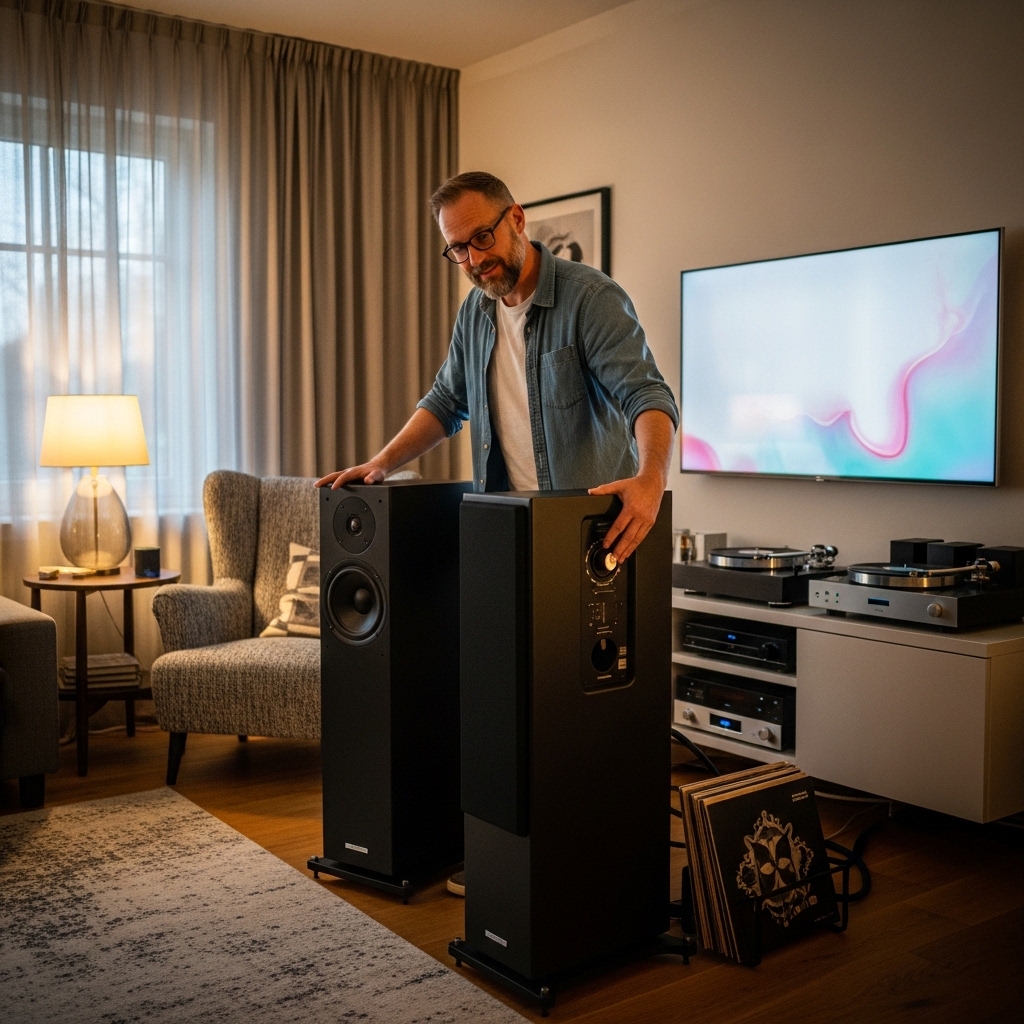
Selecting nearfield active studio monitors is the most effective approach for home studio listening and detailed sound editing. Unlike consumer multimedia computer speakers that artificially hype bass and treble, active studio monitors deliver a neutral, flat frequency response that accurately reflects your sound programming. Active monitors feature built-in power amplifiers specifically bi-amplified to drive the woofer and tweeter separately. When setting up a Kronos in a spare room or home studio, monitor pairs featuring five-inch to eight-inch woofers offer an ideal balance between deep low-end response and compact physical footprints.
Room placement and listening distance directly influence how clearly you perceive the instrument’s multi-layered acoustic pianos and synth sweeps. Setting your monitors on dedicated decoupled isolation stands at ear level prevents unwanted desk resonance from coloring the lower midrange frequencies. When calibrating your studio monitor placement, listening to reference tracks and demo songs for testing speakers helps you identify whether your room exhibits acoustic bass buildup or treble reflections. Taking time to treat basic room reflections with acoustic absorption panels ensures that the rich sonic depth of the workstation translates reliably to commercial recordings.
Stage Amplification and Live Performance Monitoring Solutions
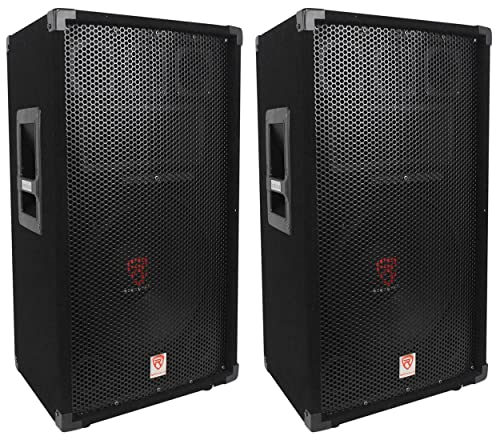
Taking a workstation onto a concert stage demands powerful, clear sound reinforcement that cuts through a loud band mix. Many performing keyboardists rely on active two-way PA loudspeakers or full-range flat-response powered cabinets rather than traditional guitar amplifiers. Guitar amps are voiced to color midrange frequencies and roll off high treble, which severely muffles synth leads and acoustic piano patches. Modern powered PA speakers feature durable composite enclosures, high wattage Class-D amplifiers, and wide horizontal dispersion horns that project sparkling piano highs and tight synthesizer sub-bass across the stage.
Musicians who travel to varied rehearsal spaces or smaller performance venues often evaluate versatile portable speaker systems or dedicated keyboard combo amplifiers with built-in mixers. Keyboard amplifiers typically feature multiple stereo channel inputs, making it simple to plug in both the main stereo outputs of the workstation and auxiliary gear simultaneously. For large concert venues, running your main balanced TRS outputs directly into a stereo passive direct-injection box is standard professional protocol. The direct box converts line-level signals into balanced low-impedance XLR lines that travel smoothly across stage snakes to the main mixing console without signal loss.
Headphone Practice and Personal In-Ear Monitoring
Practicing complex keyboard arrangements at home or backstage often requires silent personal monitoring. The dedicated 1/4-inch headphone output on the Kronos delivers clean analog amplification that easily drives standard professional studio headphones. When selecting headphones for workstation practice, closed-back dynamic headphones offer superior passive acoustic isolation, preventing sound leakage into nearby microphones or disturbing family members during late-night sessions. Open-back studio headphones, on the other hand, provide an expansive stereo soundstage that creates a remarkably natural spatial listening experience during lengthy sequencing and patch editing sessions.
Matching headphone impedance to the workstation output ensures clean playback without excessive background hiss or premature audio distortion. Studio headphones with nominal impedance ratings between 32 ohms and 250 ohms generally perform reliably with the internal headphone amplifier. For live touring musicians, custom molded or universal-fit in-ear monitors provide consistent personal mixes directly from the stage monitor console. Running a dedicated personal monitor mix lets you blend the workstation audio with click tracks, backing sequences, and band vocals while protecting your hearing from loud stage volume.
Step-by-Step Connection and Gain Staging Procedure
Connecting your workstation to external speakers requires a logical setup sequence to safeguard your monitoring equipment from destructive electrical pops. Always begin with the power switched off on both your workstation and your powered speakers or external amplifier. Connect balanced 1/4-inch TRS cables from the Main Output Left/Mono and Right jacks on the rear of the keyboard directly to the line-level inputs on your audio interface, mixer, or active monitors. Once the audio cables are securely seated, lower the physical volume sliders on both the workstation and the destination audio hardware to zero before turning on power switches.
Power on the workstation first and wait for the operating system and sound samples to complete their startup routine. Once the touchscreen display indicates the instrument is fully loaded and ready, switch on your external monitors or power amplifier. Raise the master volume slider on the workstation to roughly three-quarters of its maximum travel to deliver a strong, healthy line-level signal with low noise. Finally, gradually raise the input gain or master volume knobs on your monitors until you achieve a comfortable, room-filling listening level without triggering input clip indicators.
Diagnosing Low Volume, Audio Distortion, and Ground Noise
Troubleshooting audio issues on a complex synthesizer workstation begins by isolating the hardware signal chain from software parameters. If you experience unexpectedly low volume, inspect the Global settings menu on the touchscreen to ensure the master audio output level is set to zero decibels rather than padded down. Many multi-timbral Combis and complex Programs assign internal sound layers to individual assignable outputs instead of the main stereo bus, leaving the main outputs quieter than anticipated. Verifying your internal audio routing tabs confirms that all desired synthesis layers are mapped correctly to the primary stereo output pair.
Persistent buzzing, humming, or ground loop noise frequently occurs when the workstation and active monitors are plugged into separate electrical wall outlets located on different circuits. Connecting all audio gear to a single high-quality surge protector or power conditioner generally eliminates ground potential differences that generate audible 60-cycle hum. If audio distortion occurs during aggressive playing, check whether your mixer or interface inputs are set to microphone sensitivity instead of line-level sensitivity. Switching to balanced line inputs and backing off internal patch master volumes restores clean, uncompressed dynamics across all velocity layers.
Integrating Useful Performance and Practice Accessories
Building a dependable workstation setup involves pairing your instrument with reliable hardware accessories tailored for timing, control, and auxiliary monitoring. For expressive piano playing and real-time patch control, adding a durable footswitch like the Korg PS3 Single Momentary Footswitch gives you tactile sustain or assignable program-switching capabilities underfoot. Keeping precise tempo during multi-track sequencing or piano practice is streamlined with standalone timing tools such as the Korg KDM-3 Digital Metronome w/ Memory Backup or the Korg KDM-2 True Tone Advanced Digital Metronome. These external metronomes provide acoustic click references through their own integrated speakers, freeing up the internal audio tracks on the workstation exclusively for musical production.
In multi-instrument rehearsal spaces, maintaining tight tuning across acoustic instruments and electric gear prevents harmonic clashing with your keyboard patches. Compact accessories such as the Korg – AW-4G-BK Pitchcrow Clip-on Guitar Tuner and the Korg CM-300 Clip-on Contact Mic w/ 1.2″ Maximum help ensemble players quickly tune up without injecting unwanted noise into the room. If you enjoy layering compact analog synth textures alongside the expansive workstation sound library, portable companion modules like the Korg monotron DUO Analog Ribbon Synthesizer can route audio directly into the audio input jacks on the rear of the workstation. This external audio input allows the Kronos to process external analog waveforms through its internal effects engines and output them seamlessly through your main monitors.
Practical Recommendations for Assembling Your Audio Setup
Operating a premier synthesizer workstation without built-in speakers might feel like an initial hurdle, but it ultimately provides the highest possible sound quality and professional flexibility. Investing in a matched pair of active studio monitors for your production desk and reliable powered PA speakers for live performances unlocks the true acoustic capability of the instrument. High-quality balanced cabling, proper gain staging, and dedicated power conditioning protect your investment while eliminating unwanted noise. By configuring an external monitoring chain tailored to your listening environment, you ensure that every nuanced piano resonance and complex synth layer sounds immaculate every time you play.




Write Your Review
No reviews yet. Be the first to share your experience!