
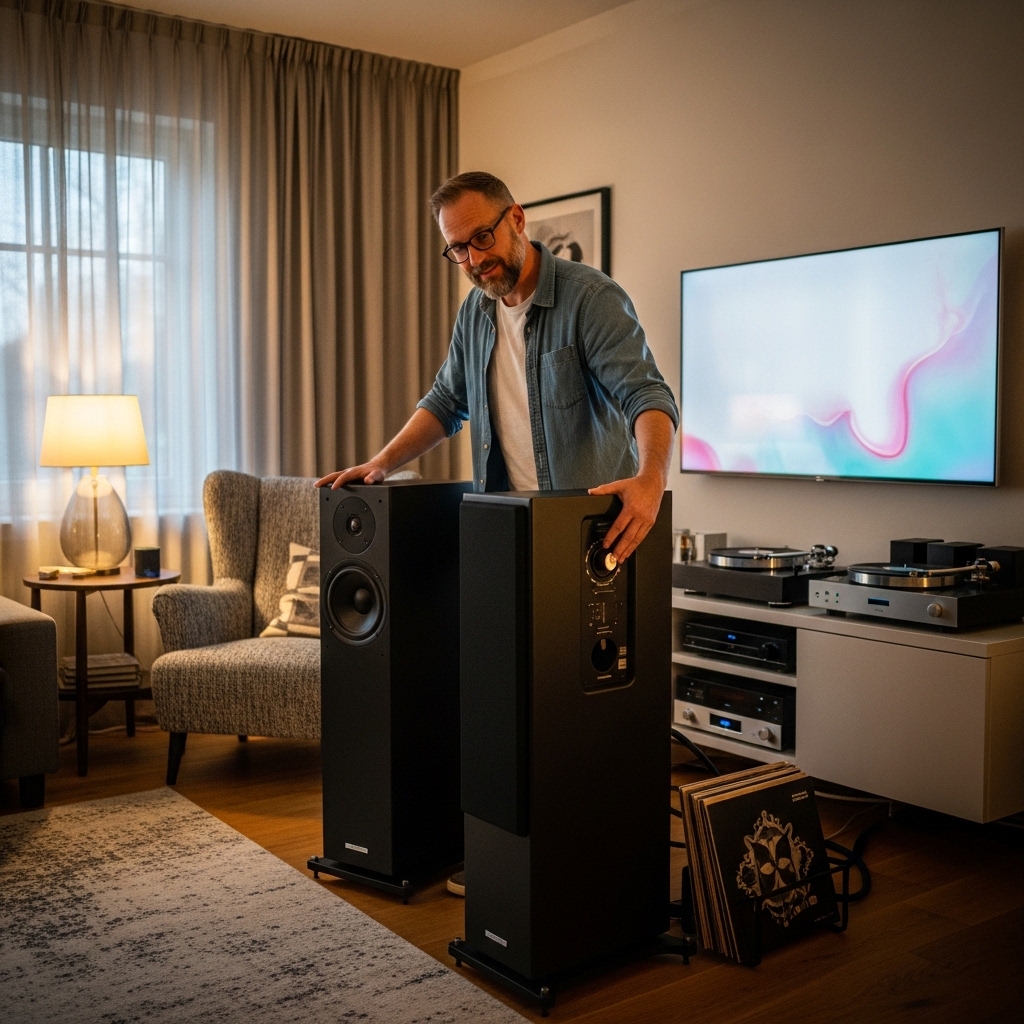

Home theater setups often group many electronic devices close together around televisions and media consoles. When internet speeds drop or video streaming buffers, listeners frequently wonder whether their sound equipment is causing network trouble. Specifically, asking can speakers affect wifi signal is a common question among homeowners who notice wireless dips whenever their entertainment system powers on. Understanding the interplay between high-fidelity sound gear and household radio frequencies helps solve frustrating connection drops without sacrificing acoustic performance.
Modern sound systems frequently feature built-in network transceivers, Bluetooth radios, and dedicated links connecting subwoofers or surround channels. When evaluating different Bluetooth speaker models or complete home theater bundles, wireless spectrum management becomes just as relevant as frequency response. Evaluating the physical construction and wireless protocols of your sound system ensures reliable streaming audio while preserving fast internet access across all your household devices.

Pros
- Authentic overhead immersion thanks to physical up-firing drivers on the soundbar and dedicated rear satellites
- Ten-inch wireless subwoofer provides deep, distortion-free sub-bass that easily fills large open-concept living rooms
- VoiceAdjust center-channel control completely eliminates muffled or buried dialogue in loud movies
- Versatile streaming options allow instant whole-home wireless audio grouping through Wi-Fi
Cons
- The 45-inch soundbar and heavy 10-inch subwoofer require ample floor and media console space
- Rear surround speakers still require individual connections to wall power outlets
- Relies on a streamlined front LED display rather than a comprehensive on-screen TV setup menu
The Polk Audio MagniFi Max AX SR is a flagship 7.1.2-channel soundbar system designed to bring true multi-dimensional cinema audio directly into your living room. Built with eleven internal soundbar drivers, two rear wireless surround modules, and a dedicated 10-inch wireless subwoofer, this package provides a complete plug-and-play theater solution. It is aimed directly at movie buffs, gamers, and sports fans who want genuine spatial sound without the hassle of running traditional speaker wire through baseboards or ceiling drywall.
Setting up the system is remarkably fast because the subwoofer and rear surround speakers link automatically to the soundbar the moment they receive power. In real-world viewing, Polk patented SDA 3D audio processing expands stereo and standard surround tracks significantly, making your room feel physically larger than it is. When fed native Dolby Atmos or DTS:X movie tracks, the dedicated up-firing drivers deliver convincing height cues, accurately tracking helicopters and overhead ambient rain directly above your listening position.
Day-to-day usability stands out thanks to Polk VoiceAdjust technology, which solves the frustrating problem of having to constantly adjust volume between quiet conversations and thunderous explosions. Streaming connectivity is equally robust, allowing you to instantly broadcast music playlists from your phone, tablet, or laptop via AirPlay 2, Chromecast, and Bluetooth without needing to turn on your television screen.
Overall, the MagniFi Max AX SR bridges the gap between conventional lifestyle soundbars and complex AV receiver installations. For homeowners seeking reference-grade power, expansive overhead sound, and clean aesthetics in a single package, this complete wireless surround system delivers an exceptional home theater experience.
The acoustic performance of this speaker system is anchored by its formidable 10-inch downward-firing subwoofer. Unlike smaller soundbar subwoofers that run out of breath on deep bass frequencies, this unit produces authoritative, chest-thumping low end that handles seismic movie impacts and heavy synth lines with zero port turbulence or chassis rattle. Bass notes remain tight and musical, providing a warm, supportive floor for all types of content.
Midrange response and dialogue articulation are among the strongest in this category. The dedicated center channel combines with Polk VoiceAdjust feature to isolate speech frequencies, ensuring whispering actors remain completely legible even during chaotic sound sequences. High frequencies are crisp and airy without crossing into harsh sibilance, allowing subtle background details like footsteps and environmental ambience to emerge naturally.
The system provides tremendous volume headroom, effortlessly filling large basements and open-concept floor plans without audio distortion at higher output settings. Its dedicated 5GHz wireless connection links the soundbar, subwoofer, and rear speakers with rock-solid stability, delivering perfectly synchronized audio with zero latency drift during gaming and high-framerate action movies.
Sporting a clean, contemporary profile, the soundbar measures 45 inches in width and just 2.8 inches in height, allowing it to rest underneath most modern flat-panel televisions without obstructing the bottom of the screen or IR remotes. The enclosure is finished in premium dark acoustic fabric with rounded corners, making it a handsome centerpiece on your media console or wall-mounted underneath your display.
As a high-output home theater speaker system, the MagniFi Max AX SR operates entirely on continuous AC wall power across all components. This corded design guarantees unrestricted dynamic range and non-stop playback, eliminating the battery degradation, charging cycles, and power-saving auto-shutoffs typical of portable speakers so your system is always primed for marathon movie viewing or all-day music streaming.
Each component is engineered for living room durability, with sturdy composite cabinets built to resist vibrational resonance during high-volume playback. At 13 pounds for the bar and a substantial cabinet for the subwoofer, this setup represents a semi-permanent living room installation, giving you permanent, premium cinema audio without the ongoing maintenance of rechargeable hardware.
The Mechanics of Wireless Audio Interference and Wi-Fi Stability
Speakers can certainly affect your Wi-Fi signal, but the interference usually stems from active wireless transmission rather than traditional speaker hardware. While classic wired speakers create localized magnetic fields, these static fields do not disrupt the high-frequency radio waves used by home Wi-Fi networks. Instead, the real culprits behind network degradation are wireless audio protocols, including Bluetooth, proprietary 2.4 GHz subwoofer links, and congested Wi-Fi audio streaming. Recognizing whether a drop in network speed comes from radio frequency congestion or physical shielding is the first step toward building an interference-free entertainment space.
Radio Frequency Interference and Shared Wireless Bands
Most modern home networks operate on the 2.4 GHz and 5 GHz frequency bands to transmit data between routers and personal devices. Many wireless speakers, smart soundbars, and peripheral audio links rely heavily on the 2.4 GHz spectrum because it easily penetrates walls and furniture. However, the 2.4 GHz band provides only three non-overlapping channels, making it exceptionally prone to traffic congestion. When an audio system constantly broadcasts uncompressed digital sound across these frequencies, it consumes available airtime that other connected devices require.
Bluetooth transmission presents an additional layer of potential radio interference in living rooms and home offices. Bluetooth operates using frequency-hopping spread spectrum technology across seventy-nine discrete channels in the 2.4 GHz band. Because Bluetooth hops frequencies up to sixteen hundred times per second, it can collide with active Wi-Fi data packets transmitted by nearby laptops or phones. These rapid collisions force your network router to retransmit dropped data packets, creating noticeable latency spikes and slower overall throughput.
The severity of radio frequency conflict depends significantly on the proximity of your transmitting equipment. Placing a wireless audio transmitter or active Bluetooth hub directly beside a wireless router maximizes the likelihood of packet loss. Increasing the physical distance between your audio transmitter and your primary router creates a natural buffer that diminishes signal overlap. Even a separation of three to five feet can dramatically improve signal stability for both your home network and your streaming speakers.
Speaker Magnets Versus Electromagnetic Radio Waves
A widespread misconception suggests that the large permanent magnets inside speaker drivers actively pull down or distort Wi-Fi signals. In physical terms, permanent magnets produce a static magnetic field designed to push and pull the speaker voice coil. Wi-Fi signals, by contrast, consist of oscillating electromagnetic radiation traveling at gigahertz frequencies through the air. A static magnetic field does not bend, absorb, or cancel out high-frequency radio waves in standard home environments.
While the magnetic field itself is harmless to radio communication, the metallic components housing the magnet tell a different story. Audio drivers feature dense steel baskets, copper voice coils, and heavy metal baseplates to anchor the motor structure. High-density metals serve as effective radio frequency reflectors and absorbers that weaken radio waves passing directly through them. Placing a bulky floorstanding speaker directly in the line of sight between your router and a streaming television will create an acoustic and electronic shadow.
Power supplies within active, powered speakers can also introduce small amounts of electromagnetic interference if shielding is minimal. Low-quality internal transformer coils or unshielded switching power supplies can emit subtle electromagnetic noise into nearby wiring. This electromagnetic noise rarely travels far enough through the air to collapse a Wi-Fi connection, but it can affect sensitive cabling running parallel to the speaker. Ensuring that your power cables and audio cables remain separated from network cabling eliminates this secondary risk.
Wireless Subwoofers and Surround Sound Transceivers
Multi-channel sound systems often eliminate physical clutter by connecting the soundbar to auxiliary speakers via proprietary wireless signals. Bundles like the Polk Audio MagniFi Max AX SR 7.1.2 Soundbar incorporate a dedicated wireless ten-inch subwoofer and wireless surround speakers to produce immersive Dolby Atmos and DTS:X sound. To maintain real-time synchronization without audio delay, these subwoofers and surround units broadcast a continuous stream of uncompressed data. If the soundbar transceiver chooses a wireless frequency that overlaps with your home router channel, bandwidth competition occurs.
Subwoofer wireless links are engineered for low latency, which means they prioritize immediate transmission over cooperative channel sharing. When a dramatic explosion or deep bass passage plays during a movie, the transmitter delivers steady, uninterrupted radio packets across the room. Standard home Wi-Fi protocols use collision avoidance mechanisms that wait for an open radio window before sending data packets. Consequently, your laptop or mobile phone might yield priority to the high-bandwidth audio broadcast, resulting in momentary buffering.
Modern flagship audio bundles use dynamic frequency hopping or five-gigahertz transmission channels to circumvent classic crowded frequencies. When these systems establish a wireless link, they scan the local environment to identify clear frequencies with minimal radio traffic. However, older wireless subwoofers or budget surround kits often remain locked onto fixed 2.4 GHz channels without auto-switching capabilities. Checking the operational wireless frequency in your audio system manual helps you anticipate whether channel overlap might become an issue.
Physical Obstruction and Room Architecture Challenges
Physical placement remains one of the most overlooked factors in residential network degradation. Audio speakers are dense objects constructed from medium-density fiberboard, acoustic damping batting, heavy magnets, and metallic front grilles. When a homeowner arranges a comprehensive sound system, these bulky enclosures can inadvertently block direct paths between the router and client devices. Just as a concrete wall absorbs wireless signals, a row of large acoustic cabinets can diminish radio signal strength.
Soundbars mounted directly beneath wall-mounted televisions frequently share physical space with media streamers and network access points. For homeowners planning clean on-wall speaker installations, managing the proximity of electronic devices is essential for preserving signal clarity. Placing a Wi-Fi router inside an enclosed wooden entertainment cabinet alongside center-channel speakers severely restricts the outward propagation of radio energy. Moving the network router to an elevated, open shelf away from dense speaker enclosures instantly restores broad signal distribution.
Large subwoofers positioned in room corners can also alter wireless coverage if placed directly next to mesh network nodes. The massive driver magnet, integrated metal amplifier plate, and heavy structural bracing create a substantial barrier against radio waves. If a mesh node sits tucked behind a ten-inch subwoofer, client devices in neighboring rooms may experience reduced data rates. Maintaining at least two to three feet of clearance around mesh satellites ensures that wireless signals disperse evenly throughout the house.
Diagnosing Whether Your Speakers Are Causing Network Drops
Isolating the true cause of poor network performance requires a systematic, step-by-step diagnostic process. Begin by conducting a baseline internet speed test on your mobile device or computer while the entire sound system is completely powered down. Record your download speeds, upload speeds, and ping latency across multiple rooms to understand your normal network baseline. This baseline test gives you a definitive standard against which you can measure the impact of your audio components.
Next, power on your soundbar, subwoofer, and wireless satellite speakers, then stream high-resolution music or a multi-channel movie soundtrack. Re-run the exact same speed tests from the identical locations in your home to evaluate potential network interference. If your download speeds drop noticeably or ping times increase during active audio playback, wireless competition is almost certainly occurring. Conversely, if your connection speeds remain identical, your network issues probably stem from unrelated ISP throttling or client configuration errors.
You can also utilize free Wi-Fi analyzer applications on your smartphone or computer to inspect local radio frequency saturation. These diagnostic tools display visual graphs of all nearby 2.4 GHz and 5 GHz networks alongside their active broadcast channels. If you notice high noise floors or phantom radio signals appearing whenever your audio system operates, your wireless speakers are actively broadcasting nearby. Armed with this visual data, you can adjust your router settings to clear frequencies that avoid conflict.
Effective Network Tweaks to Prevent Speaker Interference
Configuring your home router to prioritize modern frequency bands is the most effective way to eliminate audio-related interference. Transitioning your primary personal devices, including smartphones, laptops, and streaming boxes, onto the 5 GHz or 6 GHz Wi-Fi bands bypasses 2.4 GHz congestion entirely. While 5 GHz signals have shorter physical range than 2.4 GHz signals, they offer vastly wider bandwidth and far more non-overlapping channels. This transition leaves the crowded 2.4 GHz spectrum clear for legacy smart home gadgets and dedicated audio peripherals.
If your audio hardware relies strictly on the 2.4 GHz band, manual router channel selection can resolve frequency overlaps. Most routers default to automatic channel selection, which can occasionally place your home network directly on top of your speaker transmitter. Manually locking your 2.4 GHz Wi-Fi network to channel 1, channel 6, or channel 11 prevents frequent channel hopping and reduces packet collisions. Selecting whichever channel shows the lowest interference on your Wi-Fi analyzer app yields an immediate boost in connection stability.
Establishing wired Ethernet connections for high-bandwidth devices provides another permanent solution to network congestion. Connecting your smart television, gaming console, or even your primary soundbar directly to your router via Ethernet cables removes those devices from the wireless airwaves. With fewer devices competing for wireless airtime, your remaining wireless speakers and mobile devices enjoy improved data delivery and lower latency. Physical cabling also guarantees uninterrupted playback for high-bitrate audio formats like Dolby Atmos without stressing home Wi-Fi capacity.
Balancing Audio Performance and Home Connectivity
Selecting the right sound equipment involves assessing both audio fidelity and compatibility with your existing home network infrastructure. Premium systems like the Polk Audio MagniFi Max AX SR soundbar are designed with dual-band Wi-Fi capabilities, supporting Apple AirPlay 2, Google Chromecast, and Spotify Connect. These multiroom audio protocols integrate smoothly with modern home routers by leveraging stable five-gigahertz connections rather than clogging older wireless channels. Furthermore, features like Polk’s VoiceAdjust technology operate entirely on internal digital signal processors without relying on network bandwidth.
When integrating standalone audio equipment or portable Bluetooth speakers into a shared domestic space, proper physical spacing prevents unnecessary troubleshooting. Keeping audio equipment, gaming consoles, and wireless network hubs separated by reasonable physical distances prevents radio saturation and thermal buildup. Thoughtful cable management also prevents power lines from emitting electromagnetic noise into sensitive analog audio inputs or unshielded network cables. Taking these simple spatial precautions preserves both pure sound delivery and reliable, high-speed internet throughout your household.
Verifying that your audio components and network hardware run the latest manufacturer firmware can resolve lingering compatibility bugs. Audio manufacturers routinely distribute software updates that refine wireless transmission protocols, improve channel hopping algorithms, and reduce latency. Similarly, router updates frequently enhance radio frequency coexistence, enabling household electronics to share crowded airwaves without dropping connection. Maintaining current firmware across your audio gear and network routers ensures that your sound setup delivers captivating entertainment without disrupting your home Wi-Fi signal.





Write Your Review
No reviews yet. Be the first to share your experience!