
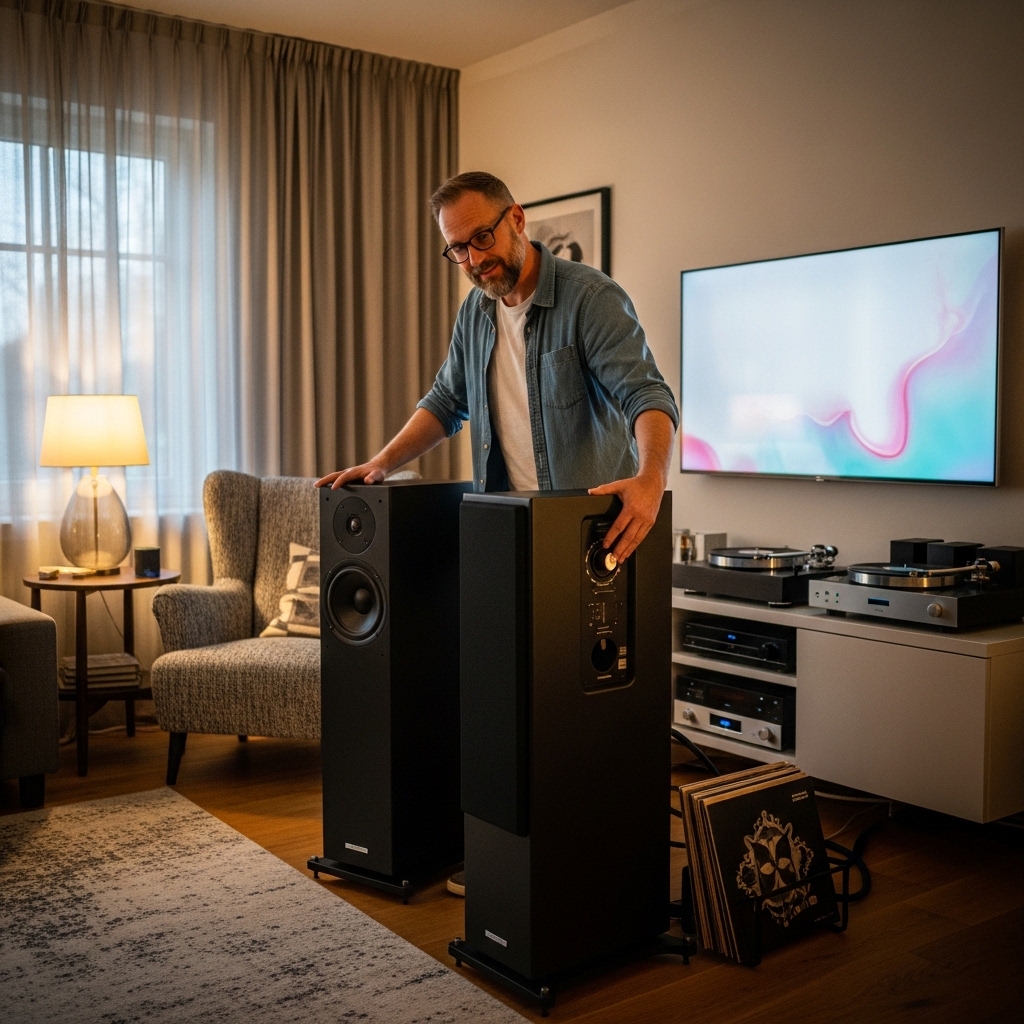

Upgrading your home entertainment area with immersive sound often leads to questions about physical connections, wiring configurations, and component compatibility. When audio enthusiasts ask, how do i hook up speakers to my vizio sound bar, they typically want to understand how satellite rear channels, wireless subwoofers, and television audio outputs communicate with each other. Modern soundbars provide an accessible way to enhance dialogue clarity and cinematic effects without requiring the complex wiring of a traditional audio receiver. Exploring a dedicated multi-channel surround sound system can highlight how discrete channels operate across distinct room locations. Learning the specific architecture of your soundbar ensures you route each audio channel accurately.
Vizio sound bar models handle external satellite speakers through a specialized wireless design rather than traditional amplified speaker terminals. In most multi-channel Vizio bundles, the primary soundbar communicates wirelessly with a powered subwoofer placed near the back of the room. The rear satellite speakers then connect directly to that subwoofer using dedicated color-coded cables. Understanding this signal path helps you avoid common wiring mistakes, eliminate audio lag, and establish a clean, reliable listening environment for films, streaming shows, and gaming.

Pros
- Extends forward to prevent television overhang from blocking upward-firing Atmos drivers
- Universal design supports both bottom and rear mounting bolt patterns
- Includes all necessary drywall anchors and wood stud hardware in the box
- Solid steel construction reliably holds up to 20 pounds with zero wobble
Cons
- Passive mounting system requires manual cable routing since it lacks internal wire channels
- Depth adjustment thumbscrews can be tight to access once a deep soundbar is seated
The ECHOGEAR Soundbar Wall Mount is an essential audio mounting solution built to elevate your home theater experience. Designed to support modern home audio systems weighing up to 20 pounds, this bracket bridges the gap between sleek aesthetics and uncompromised sound fidelity. It serves home theater enthusiasts and casual movie watchers alike who want to ditch cluttered TV stands in favor of a clean, suspended audio setup that aligns seamlessly underneath mounted televisions.
In real-world installation and everyday use, this mount stands out due to its thoughtful universal compatibility. Whether your soundbar utilizes rear keyholes or bottom screw threads, the adjustable brackets accommodate popular models from Samsung, Vizio, LG, and Bose. Installation is refreshingly straightforward, taking only about fifteen minutes thanks to the supplied hardware that works on both wood studs and bare drywall without requiring extra trips to the hardware store.
The true standout feature during daily listening is the depth adjustment mechanism. By allowing the speaker to slide outward up to 6.6 inches from the wall, it keeps overhead acoustic drivers clear of TV bezels, guaranteeing that high-resolution audio formats function as intended. For anyone looking to lock in the acoustic sweet spot while maintaining a minimalist living room, this mount delivers dependable performance and exceptional overall value.
Proper speaker placement directly impacts sonic reproduction, and this mount optimizes bass depth and vocal clarity across your entertainment space. By elevating the soundbar off furniture and securing it to the wall, it minimizes unwanted cabinet vibration and acoustic reflections that often make lower frequencies sound muddy. Dialogue emerges crisp and centered at ear level, ensuring dialogue tracks and movie soundtracks remain intelligible even at moderate volume levels.
Crucially, the extendable depth profile preserves upward-firing Dolby Atmos and 3D surround sound dispersion. When soundbars sit tucked under deep television frames, overhead sound cues can become muffled or deflected downward prematurely. By projecting the audio channels clear of the display, you experience full spatial immersion and consistent volume projection. The elevated, forward-facing orientation also maintains an unobstructed line of sight for seamless Bluetooth range and wireless audio stability when streaming music from mobile devices across the room.
Constructed from heavy-duty alloy steel, this mount offers industrial ruggedness tailored for demanding home theater setups. Weighing just under one pound itself, the structure effortlessly handles hefty speaker bars up to 20 pounds without sagging over time. While engineered primarily for indoor living areas rather than outdoor environments with IP waterproof or dustproof ratings, the durable powder-coated black finish resists scuffs, scratches, and household humidity effortlessly.
Because this is a dedicated passive wall mount designed to house AC-powered or portable soundbars, users avoid the frustrations of battery degradation, limited playback time, or lengthy charging time cycles. Your sound equipment stays permanently wired or easily accessible for recharging, ensuring non-stop movie marathons and all-day audio streaming without unexpected power interruptions.
Complete Guide to Connecting Speakers to a Vizio Sound Bar
Connecting additional speakers to a Vizio sound bar requires understanding how the manufacturer routes audio signals through its home theater packages. Unlike conventional audio receivers that feature exposed binding posts, Vizio sound bars rely on a specialized signal chain. The soundbar acts as the primary digital processor, while external satellite speakers connect through a dedicated wireless subwoofer. Knowing how each component receives its signal ensures your setup delivers crisp dialogue, clear stereo separation, and balanced surround effects.
Understanding How Vizio Sound Bar Audio Architecture Works
Traditional home audio setups rely on an external receiver to process incoming signals and deliver power to passive speakers through copper wire. In contrast, Vizio sound bars consolidate the digital processor, preamplifiers, and active driver amplifiers into a single slim enclosure. This integrated architecture simplifies living room installations by eliminating bulky receiver chassis and long wire runs. However, this self-contained design also limits the physical ports available on the soundbar.
In multi-channel Vizio systems, the soundbar receives digital audio from your television via an HDMI ARC connection or optical cable. The internal processor decodes incoming formats like Dolby Digital, assigning audio across front left, center, and right drivers. The soundbar then broadcasts low-frequency effects and rear surround channels wirelessly to the subwoofer. This split-signal architecture keeps long cable runs localized to the rear of your room.
Because the soundbar handles wireless transmission rather than direct amplification for rear channels, the satellite speakers plug directly into the powered subwoofer. The subwoofer chassis houses secondary amplifiers specifically tuned to power small surround drivers. This design means you never connect satellite speaker wires directly to the soundbar. Recognizing this division of labor makes physical installation straightforward and avoids confusion when inspecting the soundbar rear panel.
Step-by-Step Connection for Vizio Satellite Surround Speakers
Begin setup by unpacking the color-coded RCA speaker cables included with your Vizio surround sound bundle. Manufacturers designate the surround left channel with a blue connector and the surround right channel with a grey connector. Inspect each cable to ensure the outer jacket is intact and the central male RCA pin is undamaged. Placing the correct cable next to each satellite location saves time before tightening any hardware.
Insert the male RCA plug firmly into the input port located on each satellite speaker. Once the speaker ends are secure, route the cables toward your wireless subwoofer. Connect the blue cable to the corresponding blue surround left port on the subwoofer amplifier panel, and attach the grey cable to the grey surround right port. Push each connector straight into the jack until it seats completely against the housing.
Position the wireless subwoofer near a wall outlet, preferably along a side wall or behind your seating area. Plug the subwoofer power cord into the wall outlet, followed by the main soundbar power cable. Modern Vizio systems automatically synchronize the wireless link when both units power on, confirmed by a solid indicator light on the subwoofer. If the indicator blinks, pressing and holding the pairing button for several seconds manually forces a fresh connection.
Can You Connect Third-Party Passive or Powered Speakers?
Many home theater owners wonder whether they can attach existing third-party passive bookshelf speakers to a Vizio sound bar. The short answer is no, because Vizio sound bars do not include amplified speaker terminals, binding posts, or bare-wire spring clips. Passive speakers require dedicated external amplification, which a standalone soundbar cannot supply across external connections. Attempting to splice passive speaker wire into soundbar ports can damage internal circuitry.
Connecting standalone powered speakers presents a different set of technical constraints. Vizio sound bars do not feature multi-channel analog pre-outs designed to send line-level audio to secondary active speakers. If you attempt to split the television output between a soundbar and standalone powered speakers, both units simply reproduce identical stereo signals. True surround separation requires an onboard multichannel decoder capable of isolating independent rear-channel tracks.
Electrical impedance matching is another critical factor when considering third-party speaker modifications. The internal amplifier inside a Vizio wireless subwoofer is engineered specifically for the nominal impedance of the included satellite speakers. Connecting third-party speakers with lower impedance ratings can draw excessive electrical current, potentially triggering thermal overload protection or damaging the amplifier. For safety and consistent sound quality, you should always use the manufacturer-matched satellite units designed for your system.
Configuring Source Inputs and TV Audio Settings
Delivering pristine audio from your television to your Vizio soundbar begins with choosing the correct physical connection. Connecting through an HDMI eARC or ARC port provides high bandwidth, supporting uncompressed multi-channel PCM and modern Dolby Digital formats. If your display lacks an HDMI ARC port, a standard optical digital TOSLINK cable serves as a dependable alternative for transmitting 5.1 surround sound. Ensure you remove the clear plastic protective caps from optical cable tips before inserting them into optical ports.
Once the physical cable is connected, you must adjust the digital audio settings inside your television setup menu. Navigate to the audio output settings on your TV screen and designate the output format as Bitstream, Dolby Digital, or Auto rather than PCM. Setting the output to standard PCM frequently forces the television to downmix multi-channel sound into basic two-channel stereo. A stereo stream leaves your rear satellite speakers silent during movie playback because no discrete surround signal is transmitted.
Enabling HDMI CEC, often branded as Anynet+, Bravia Sync, or SimpLink depending on your TV brand, provides seamless integration across your setup. This protocol allows your TV remote to control the power and volume levels of the soundbar simultaneously over the HDMI cable. If your soundbar fails to detect audio after changing television inputs, performing a complete power cycle can re-establish the digital handshake. Unplug both units from wall power for thirty seconds, then reconnect them to refresh the connection.
Soundbar Remote Adjustments and Surround Mode Calibration
Vizio sound bars feature internal processors that allow listeners to fine-tune individual channel levels using the bundled remote control or mobile app. Pressing the Menu button on the remote cycles through essential parameters including Bass, Treble, Center, Subwoofer, and Surround Level. If dialogue sounds muffled during movie scenes, raising the Center level boosts vocal frequencies without affecting background effects. Adjusting these levels allows you to balance output according to the acoustic characteristics of your room.
Understanding the surround modes on your Vizio remote is vital for getting sound out of your satellite speakers. Setting the Surround setting to On or Auto instructs the soundbar to engage rear channels whenever multi-channel content is detected. If you are playing older stereo recordings or standard music tracks, setting the surround mode to Dual mirrors the front stereo channels across the rear speakers. Setting the surround control to Off completely disables satellite audio when you prefer focused front-stage listening.
Proper channel balancing prevents rear speakers from overpowering subtle front-stage dialogue. If your satellite speakers sit close to your ears along the back of a sofa, lowering the Surround Level slightly creates a more natural soundfield. Conversely, if your rear speakers sit several feet away along a back wall, raising the Surround Level ensures ambient movie cues remain audible. Taking time to balance these levels creates a smooth acoustic transition as sound effects pan across your room.
Physical Placement, Wall Mounting, and Cable Management
Physical speaker placement directly impacts the clarity, directionality, and tonal balance of your audio setup. For optimal performance, position your rear satellite speakers slightly behind and to the sides of your primary couch at approximately ear height. Placing your satellite speakers on sturdy floor speaker stands provides stable elevation and decouples mechanical vibrations from nearby furniture. Aiming the satellite drivers inward toward the central listening area helps localize directional surround cues during intensive movie sequences.
Centering the main soundbar directly underneath your television screen establishes a unified front soundstage. When mounting a soundbar on the wall beneath a display, utilizing adjustable hardware such as the ECHOGEAR Soundbar Wall Mount for Speakers up gives you practical flexibility. This universal mounting bracket supports speakers weighing up to twenty pounds and offers up to 6.6 inches of depth adjustment. That extra forward clearance prevents your television frame from blocking the acoustic dispersion pattern of the soundbar drivers.
Depth adjustment becomes especially valuable if your Vizio soundbar incorporates upward-firing Dolby Atmos drivers. Upward-firing drivers rely on an unobstructed acoustic path to bounce height effects off flat ceilings down to your listening position. If the soundbar is mounted completely flush beneath an overhanging television bezel, the screen physically obstructs the upward audio waves and muffles overhead spatial immersion. Extending the soundbar forward using depth-adjustable brackets ensures upward acoustic reflections project cleanly into the room.
Proper cable management protects your audio investment and maintains a tidy living space. Route the thin RCA cables from your satellite speakers along baseboards using adhesive cable clips to avoid tripping hazards. Avoid placing heavy furniture directly on top of speaker wiring, as crushed conductors can cause signal dropouts or electrical shorts. When securing wall mounting brackets into drywall, always verify anchor weight ratings or screw directly into solid wood studs for long-term mechanical stability.
Troubleshooting Common Vizio Speaker Hookup Problems
The most frequent issue listeners report is an absence of sound coming from the rear satellite speakers. In many cases, this behavior stems from the source material rather than a mechanical wiring defect. Streaming older television episodes, web videos, or simple commentary tracks often delivers only two-channel stereo audio, leaving surround channels inactive under standard listening modes. Switching your soundbar surround setting to Dual or playing a modern streaming movie labeled with 5.1 audio quickly confirms whether the satellite channels are functioning properly.
Intermittent audio dropouts or a rapidly blinking light on the rear of your wireless subwoofer point to wireless interference or lost communication. Vizio subwoofers communicate with soundbars using wireless radio frequencies that can experience congestion from nearby dual-band Wi-Fi routers or smart hubs. Moving the subwoofer a short distance away from large metal objects, cordless phone bases, or wireless access points can restore a clean connection. If the link remains unstable, unplugging both units and initiating a manual pairing sequence generally resolves the conflict.
Audible buzzing, static, or hum from the satellite speakers typically indicates a loose RCA connection or electrical ground loop. Check that both RCA plugs are pressed firmly into their respective jacks on the speaker and subwoofer panels. If static persists, inspect the exposed metal connectors for dust or debris, and ensure the speaker wires do not run parallel to high-voltage AC power cords. Separating audio cables from AC power lines prevents electromagnetic interference from inducing hum into low-voltage speaker signals.
Audio delay or lip-sync mismatch occurs when the television image and soundbar audio stream fall out of temporal synchronization. Most Vizio sound bars provide an adjustable audio delay feature accessible via the remote control Menu button. Adjusting the lip-sync setting in small increments shifts the audio delivery forward or backward until speech movements on screen match the spoken dialogue exactly. You can also inspect your television audio settings menu for a digital audio out delay adjustment to achieve perfect synchronization.
Practical Verification and Long-Term Setup Tips
After completing physical connections and digital adjustments, verifying your setup with dedicated reference audio provides peace of mind. Launch a streaming application and search for a multi-channel surround sound test video or play an action movie sequence featuring distinct ambient effects like rain or vehicle flybys. Listen carefully to confirm that dialogue remains anchored to the front center soundbar while subtle environmental sounds emanate clearly from the left and right satellite speakers.
Maintaining your audio setup over time involves simple routine care to ensure consistent performance. Keep the rear amplifier plate and port tube of the wireless subwoofer clear of dust and pet hair to prevent heat buildup during extended listening sessions. Periodically inspect speaker wire connections behind furniture to confirm that cables have not become kinked or pinched during routine room cleaning. Following these basic practices keeps your Vizio sound bar and satellite speaker system operating reliably for years of immersive home entertainment.



Write Your Review
No reviews yet. Be the first to share your experience!